|
Forum Index : Microcontroller and PC projects : FontView Utility
| Author | Message | ||||
| erbp Senior Member Joined: 03/05/2016 Location: AustraliaPosts: 195 |
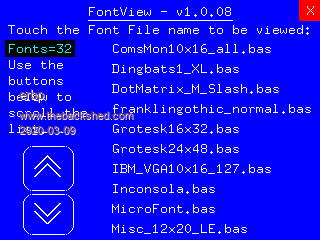
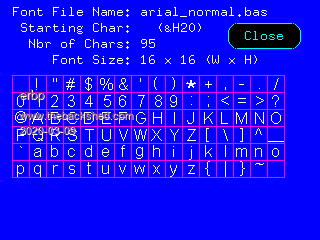
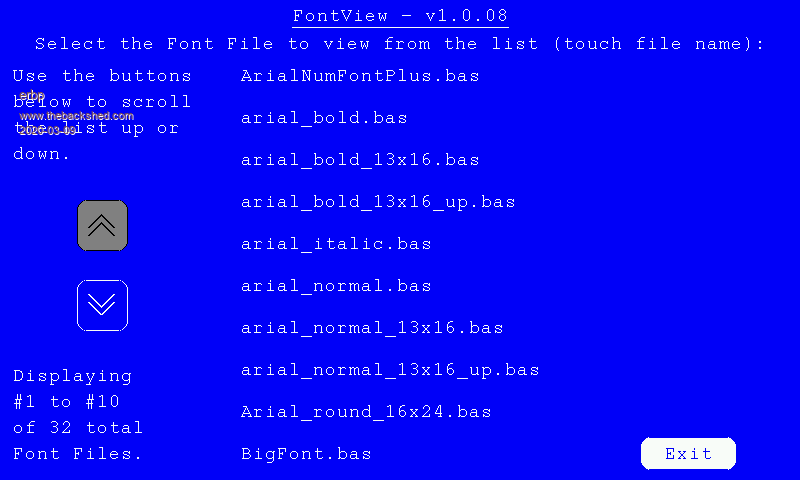
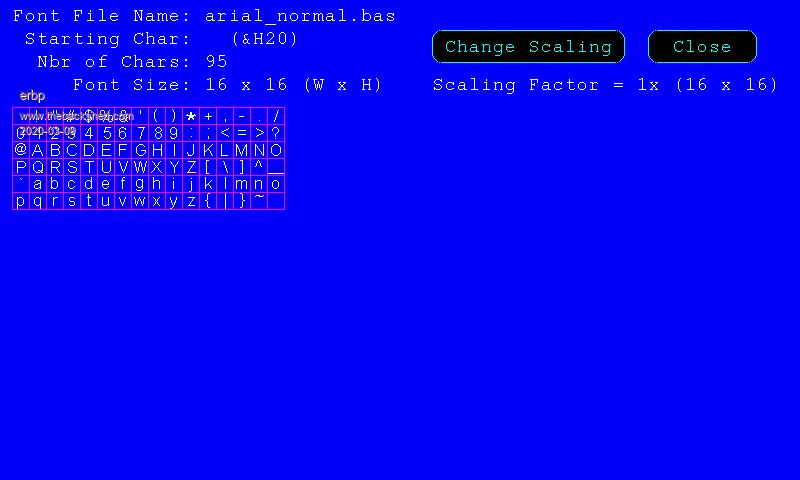
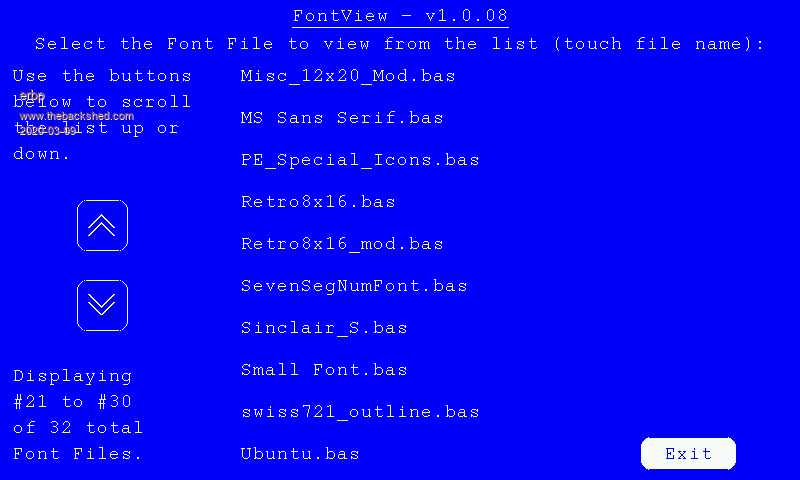
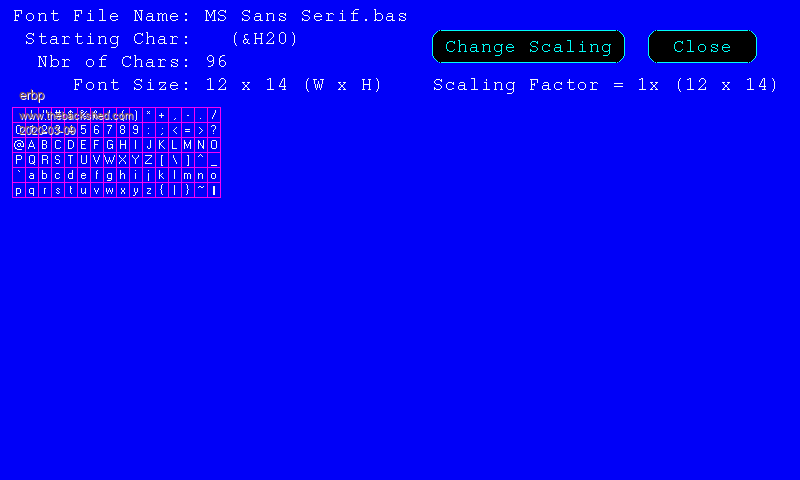
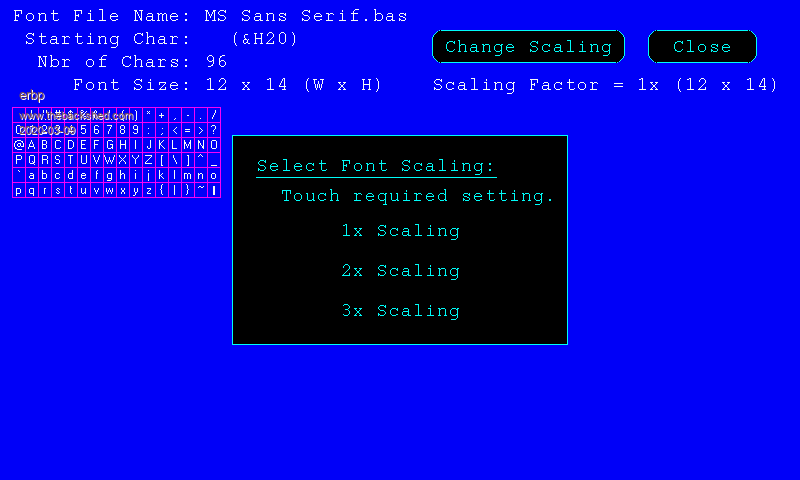
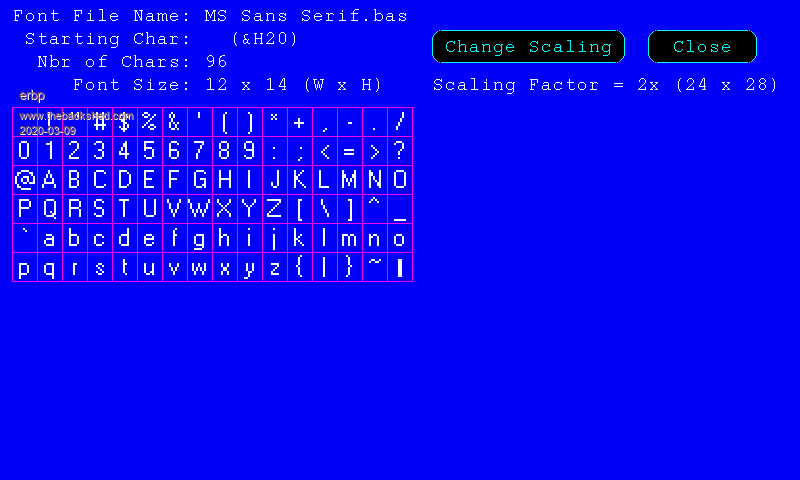
The attached FontView Utility may be of interest to some Shedders. It allows MMBasic Font Files to be viewed - i.e. see what characters/symbols they contain and how the characters are shaped/formatted - WITHOUT the need to load the font definition to the MM either as part of a program or saved into the Library. The Font Files that you want to view (or your entire collection of MM Font Files) can be placed on a SDCard in the A:/FONTS folder. The FontView program when loaded and executed will display a list of Font Files that it finds in this folder on the SDCard, you can scroll the list if necessary, select the one you want to view and the Character Map for the chosen font will be displayed on the MM LCD screen. Don't like that one, just chose another from the list to view til you find the one that suits what you are looking for. The main advantage of the utility is that it saves consuming Flash Memory write cycles uploading different fonts so you can test them on the MM. You can put as many Font files on the SDCard as you like. It also has the advantage over viewing the Fonts via TassyJim's Font Tweak utility that the fonts are displayed on an MM LCD screen, not a PC screen. You can even display the font on the same screen (or at least screen type) as you want to ultimately use it on. The main disadvantage is that it is VIEW only - you can't use it to edit any of the Fonts (use Font Tweak for that). Also you can't USE any of these fonts without adding the font specification to a MMBasic program, or uploading and saving the required font(s) to the library (not for ARMmites). The utility has been tested on MM+ and ARMMite F4 mites, but should also run on MMX and ARMmite F7's. Due to lack of SDCard support it will NOT run on MM2 (MX170's) nor ARMmite L4's. Aside from the CPU, the other requirements are SDCard access and a Touch Enabled LCD screen configured in Landscape orientation - minimum 320x240 res, up to 800x480 res. Screens larger than 320x240, but less than 800x480 can also be used however the utility program will only use the 320x240 pixels in the upper left corner EXCEPT when displaying the Character Map for the Font you are viewing, then the full screen MAY be used depending on the font size and the number of characters in the font definition. When using the 320x240 screen size, you really need a stylus of some sort to touch the required parts of the screen - a finger tip is a bit too big. This is not needed with the 800x480 screen. Below are several screen images showing operation of the utility - for both the 320x240 and 800x480 screen sizes. 320x240 Screen ![]() NOTE: Due to the limited screen area available, the Program Exit function is accessed via the Red "X" in the upper right corner of the screen (like Form Close in Windows). ![]() 800x600 Screen ![]() NOTE: The larger screen size allows for an 'Exit' button to exit the Program. ![]() Scaling Factor When using a 800x240 res screen, the utility also supports adjusting the Scaling Factor for the font you are viewing (1x (default), 2x and 3x supported). Using the Scaling Factor feature is shown in the images below. ![]() ![]() ![]() ![]() Attached is the zipped FontView file should you want to try it out. While the un-crunched file should fit into the available RAM on the models of Mites it is designed to run on, I recommend using a Crunch option prior to or as part of the upload function. Also note that it makes use of a Special Font for the PgUp and PgDn icons used on the Main screen. This font loads as Font #9, so if you have a Font #9 saved in the Library you should change this to another Font #. There are 2 changes needed - change the Constant ICON_FONT% right near the top of the program to whatever Font # you want to use, then also change the DefineFont statement a few lines from the end of the program to the same Font #. |
||||
| panky Guru Joined: 02/10/2012 Location: AustraliaPosts: 1116 |
Very neat erpb, Thanks for sharing. On the road tomorrow but can't wait to try when I get home Wednesday, panky. Edited 2020-03-09 20:58 by panky ... almost all of the Maximites, the MicromMites, the MM Extremes, the ArmMites, the PicoMite and loving it! |
||||
| The Back Shed's forum code is written, and hosted, in Australia. | © JAQ Software 2025 |