Notice. New forum software under development. It's going to miss a few functions and look a bit ugly for a while, but I'm working on it full time now as the old forum was too unstable. Couple days, all good. If you notice any issues, please contact me.
matherp Guru Joined: 11/12/2012 Location: United KingdomPosts: 12018
Posted: 10:43am 27 Nov 2025
Copy link to clipboard
Print this post
Thought I'd do a separate post on this as it might make the new version attractive to some.
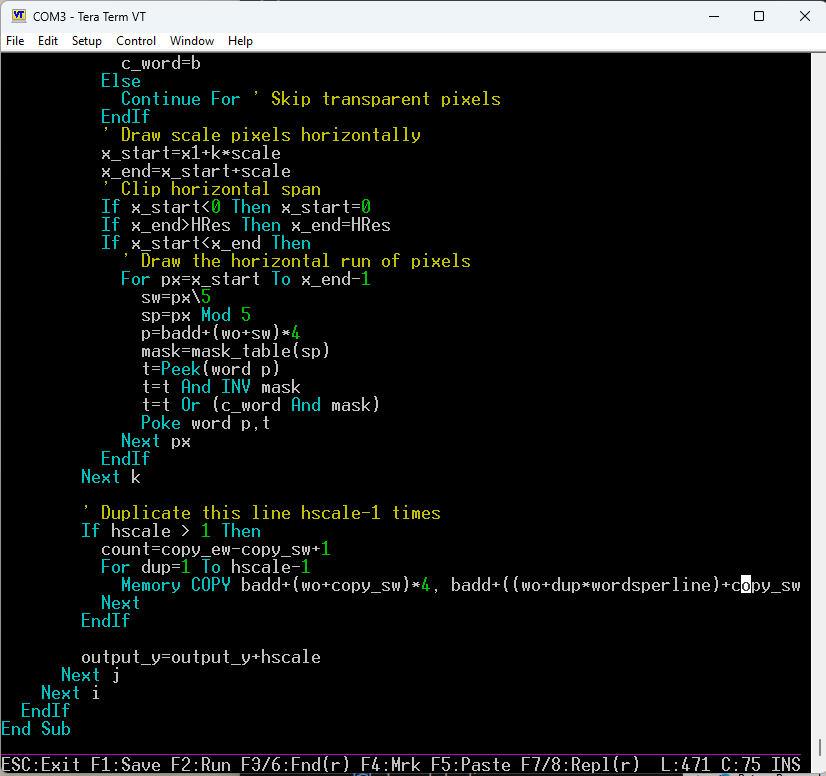
The in-built editor is very useful and personally I use it most of the time rather than using a PC based approach. Two things have always irritated me though: first, having to use shift-F3 to repeat a search and second, no replace function. I was musing on this in bed as you do (sad I know ) when I realised that with a particular approach it should be easy to implement replace functionality without risking the stability of the editor so RC21 contains the editor enhancements as follows:
You can now use SHIFT-F3, ctrl-G, OR F6 to get the next match
If you then use SHIFT-F5, ctrl-I, or F8 the system will replace the search target string with the contents of the paste buffer.
That works but requires you to have copied something into the paste buffer using the usual F4/F5 mechanism
So, having just done a search using F3 etc. you can now press SHIFT-F4, ctrl-F, or F7 and this will open a dialog allowing you to directly enter a string into the paste buffer and on pressing return, replace the search target string.
This is much simpler than that explanation made it seem.
Suppose you want to replace every occurrence of GP0 with GP6 then you can proceed as follows: F3 - enter GP0 'define the search target and find the first occurrence F7 - enter GP6 'define the replacement string and do the first replacement repeat until you get a not found message F6 ' find next F8 ' replace next end repeat Edited 2025-11-27 20:44 by matherp
twofingers Guru Joined: 02/06/2014 Location: GermanyPosts: 1781
Posted: 11:17am 27 Nov 2025
Copy link to clipboard
Print this post
Hi Peter, this is a huge improvement I've been waiting for. Thanks!
I'm thinking: I could eliminate/omit the Replace function in File Manager.
I've been doing this for years; it's the best way to get new ideas and approaches. The time between worlds ...(Hypnagogia (I didn't know there was a word for it))
Regards Michael Edited 2025-11-27 21:22 by twofingers
phil99 Guru Joined: 11/02/2018 Location: AustraliaPosts: 3412
Posted: 12:11pm 27 Nov 2025
Copy link to clipboard
Print this post
Thanks Peter, had a play and it is very useful.
Peter63 Senior Member Joined: 28/07/2017 Location: SwedenPosts: 216
Posted: 01:33pm 27 Nov 2025
Copy link to clipboard
Print this post
Hello Peter, Good and useful feature . I usually use the built-in editor directly, using MM Edit for larger sections of code. Towards Christmas and New Year's, there will be a bit more programming on my part.
/Peter63
ville56 Guru Joined: 08/06/2022 Location: AustriaPosts: 641
Posted: 08:41pm 27 Nov 2025
Copy link to clipboard
Print this post
Thanks Peter,
another improvement to an already very capable interpreter.
How about an F-key to enter a line number to jump to in the MMBasic editor. The line number will come from MMEdit or another external editor. I use this to do small changes mostly for debugging directly in the editor thus shortening the turnaround time compared to MMEdit changes and MMCC upload. And yes, i have prograns with 500+ lines in mind. I always seem to end up with such beasts ...
Gderald 73 de OE1HGA, Gerald
EDNEDN Guru Joined: 18/02/2023 Location: United StatesPosts: 308
Posted: 10:58pm 27 Nov 2025
Copy link to clipboard
Print this post
Now we just need to get the new regular expressions put into the editor search strings!
. Edited 2025-11-28 13:34 by EDNEDN
Mixtel90 Guru Joined: 05/10/2019 Location: United KingdomPosts: 9213
Posted: 08:21am 28 Nov 2025
Copy link to clipboard
Print this post
This is very welcome, Peter. It's been one of those niggling little things, especially when you want to simplify a program by changing a repeated expression into a variable or function call. Mick
Volhout Guru Joined: 05/03/2018 Location: NetherlandsPosts: 6176
Posted: 08:33am 28 Nov 2025
Copy link to clipboard
Print this post
@Peter,
Works nice.
But my Alzheimer comes into play. In het help line, only F1..F5 are shown, and next week I will have forgotten if F7 or F6 or F8 have what function. Is there a way to adjust the help text.
DaveJacko Senior Member Joined: 25/07/2019 Location: United KingdomPosts: 106
Posted: 10:19pm 31 Dec 2025
Copy link to clipboard
Print this post
Thanks, Peter. I don't know about anyone else, but I often reach for CTRL-f for find.. also ctrl-y, c, v etc. (copy-this-line ctrl-y?), like the old VB6 is this a recognised standard I wonder? Yes, this improves the editor! but surely CTRL-g is BEL - very useful in the '70's Try swapping 2 and 3 over
Mixtel90 Guru Joined: 05/10/2019 Location: United KingdomPosts: 9213
Posted: 08:33am 01 Jan 2026
Copy link to clipboard
Print this post
Or, I wonder if it's possible to have 2 lines, toggled by holding down, say, Ctrl or Shift? Esc F1 F2 F3 F4 becomes F5 F6 F7 F8 F9 when the toggle key is held down
DigitalDreams Regular Member Joined: 03/05/2025 Location: United KingdomPosts: 65
Posted: 03:34pm 01 Jan 2026
Copy link to clipboard
Print this post
Twas a late might so I might be missing something here (and happy new year to all)....
I have often found the need to cut and paste between different programs using the editor but it appears to clear its copy/paste buffers on exit ?
homa Guru Joined: 05/11/2021 Location: GermanyPosts: 711
Posted: 05:20pm 01 Jan 2026
Copy link to clipboard
Print this post
I share the same wish - you beat me to writing!
matherp Guru Joined: 11/12/2012 Location: United KingdomPosts: 12018
Posted: 06:36pm 01 Jan 2026
Copy link to clipboard
Print this post
Can't happen because of the way heap is used. I use autosave append to do something similar Edited 2026-01-02 04:37 by matherp
matherp Guru Joined: 11/12/2012 Location: United KingdomPosts: 12018
Posted: 06:50pm 01 Jan 2026
Copy link to clipboard
Print this post
Wrong thread Edited 2026-01-02 04:51 by matherp
homa Guru Joined: 05/11/2021 Location: GermanyPosts: 711
Posted: 11:05pm 03 Jan 2026
Copy link to clipboard
Print this post
I don't understand. Could you please explain that in more detail?
Alternative suggestion: How about saving the clipboard contents (from F4/F5) to a file, such as 'clipboard.txt' on drive A: using a key combination such as Shift+F5? You could then read it back with Shift-F4. The file size is minimal, matching the clipboard, so it should not be a problem.
matherp Guru Joined: 11/12/2012 Location: United KingdomPosts: 12018
Posted: 11:15pm 03 Jan 2026
Copy link to clipboard
Print this post
I'm not changing the editor any further. It is complex and fragile. Use it as-is or do the editing with notepad++, MMEiit or similar - sorry Edited 2026-01-04 09:16 by matherp
Amnesie Guru Joined: 30/06/2020 Location: GermanyPosts: 763
Posted: 12:30am 04 Jan 2026
Copy link to clipboard
Print this post
I think the same. We can see between all those RCs and even the final releases that at some point bugs will be likly to occur. I would be more than happy when the PicoMite will reach some kind of final release (only bugfixes). But that's just my opinion.

 Notice. New forum software under development. It's going to miss a few functions and look a bit ugly for a while, but I'm working on it full time now as the old forum was too unstable. Couple days, all good. If you notice any issues, please contact me.

 Print this post
 ) when I realised that with a particular approach it should be easy to implement replace functionality without risking the stability of the editor so