Notice. New forum software under development. It's going to miss a few functions and look a bit ugly for a while, but I'm working on it full time now as the old forum was too unstable. Couple days, all good. If you notice any issues, please contact me.
atmega8 Guru Joined: 19/11/2013 Location: GermanyPosts: 738
Posted: 10:41am 07 Feb 2026
Copy link to clipboard
Print this post
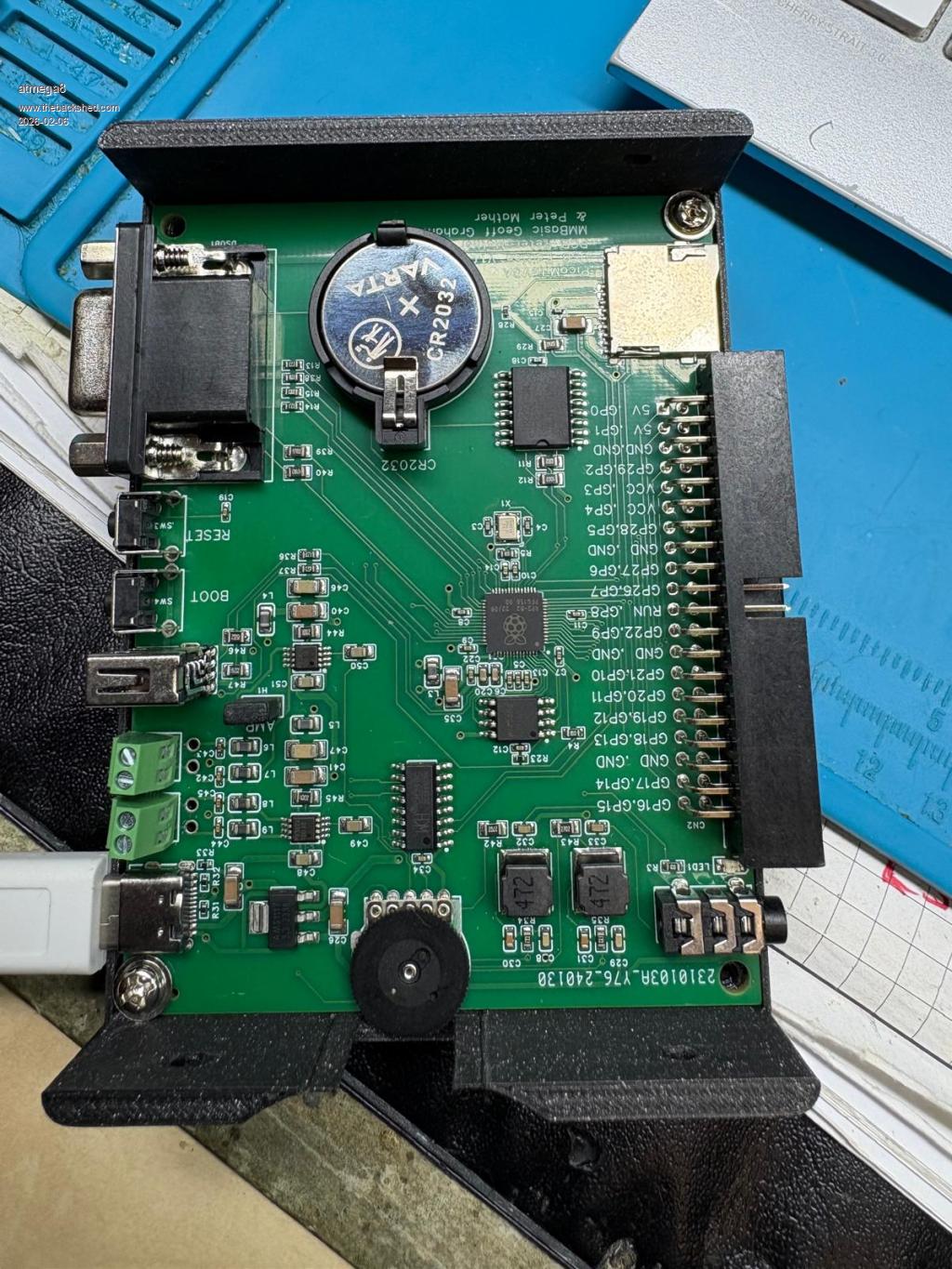
Is the a documentation for the board for setting the correct hatdware options for I2C RTC etc...?
Mixtel90 Guru Joined: 05/10/2019 Location: United KingdomPosts: 9136
Posted: 10:48am 07 Feb 2026
Copy link to clipboard
Print this post
It looks like you've got it running. :)
With the USB firmware running you can plug a non-powered USB hub into the USB-A socket. You can then run a mouse and keyboard and, optionally, some USB game controllers.
I can't quite read the numbers on the Raspberry Pi chip, but it appears to be a RP2040, as expected, because MMBasic seems to be running ok.
I haven't got one of these boards so I might be of limited help.Mick
phil99 Guru Joined: 11/02/2018 Location: AustraliaPosts: 3381
Posted: 10:55am 07 Feb 2026
Copy link to clipboard
Print this post
I think the configuration options are printed on the bottom of the board. The name of the design may be there too. If so you can use that to search the forum for more information about it.
Mixtel90 Guru Joined: 05/10/2019 Location: United KingdomPosts: 9136
Posted: 11:03am 07 Feb 2026
Copy link to clipboard
Print this post
I've been trying to find the documentation on this board but I've no idea where it is now. :(Mick

 Notice. New forum software under development. It's going to miss a few functions and look a bit ugly for a while, but I'm working on it full time now as the old forum was too unstable. Couple days, all good. If you notice any issues, please contact me.


 Print this post