Notice. New forum software under development. It's going to miss a few functions and look a bit ugly for a while, but I'm working on it full time now as the old forum was too unstable. Couple days, all good. If you notice any issues, please contact me.
PhenixRising Guru Joined: 07/11/2023 Location: United KingdomPosts: 2137
Posted: 01:13pm 27 May 2026
Copy link to clipboard
Print this post
No freaking WAY!
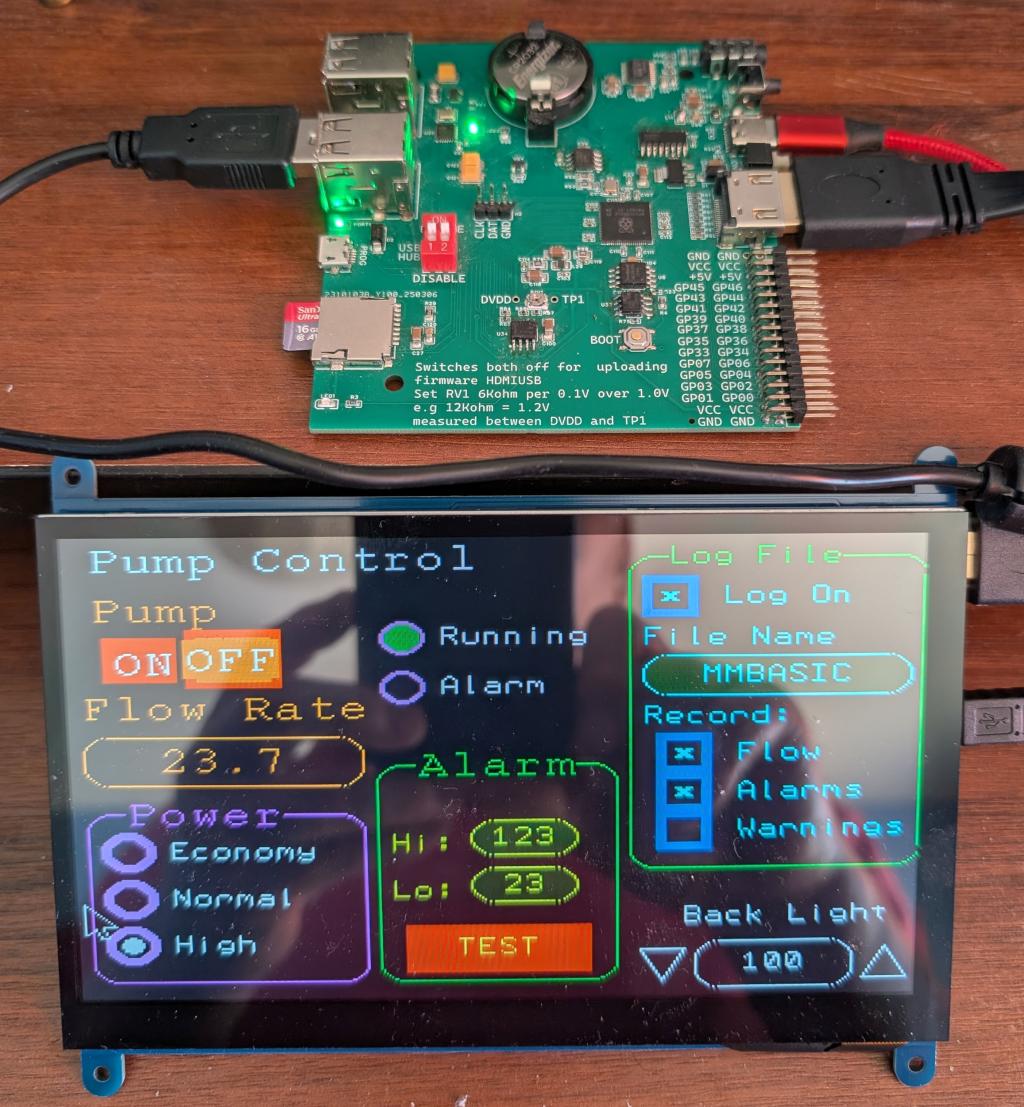
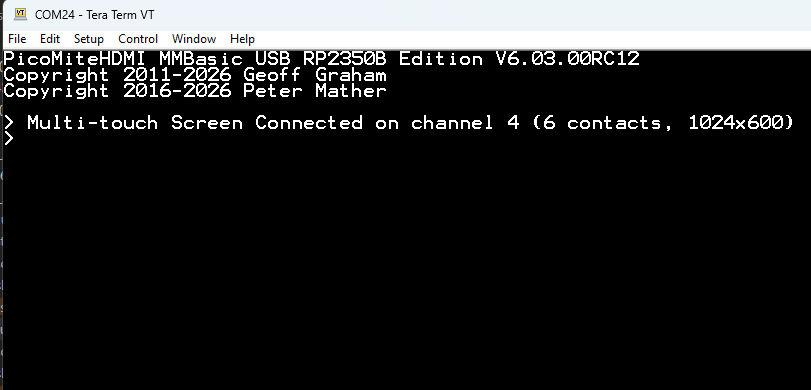
Wait, does this mean that a desktop PC monitor with USB touchscreen will work?
I'm all of a dither...need to grab a coffee
Capacitive
Peter63 Senior Member Joined: 28/07/2017 Location: SwedenPosts: 218
Posted: 01:14pm 27 May 2026
Copy link to clipboard
Print this post
Nice
Grogster Admin Group Joined: 31/12/2012 Location: New ZealandPosts: 10085
Posted: 05:46am 28 May 2026
Copy link to clipboard
Print this post
Nice one, my son! Watching this thread with interest.
Was about to start work on a project using the same 2350B board, but was thinking about using a mouse and keyboard. Touch might be the way to go! Smoke makes things work. When the smoke gets out, it stops!
matherp Guru Joined: 11/12/2012 Location: United KingdomPosts: 12110
Posted: 07:55am 28 May 2026
Copy link to clipboard
Print this post
Coming soon
Do Select Case Touch(SWIPE) Case 1 : Print @(0,0) "swipe LEFT " Case 2 : Print @(0,0) "swipe RIGHT " Case 3 : Print @(0,0) "swipe UP " Case 4 : Print @(0,0) "swipe DOWN " End Select If Touch(TAP) Then Print @(0,16) "TAP " If Touch(DTAP) Then Print @(0,16) "DOUBLE TAP " If Touch(HOLD) Then Print @(0,16) "LONG PRESS " Select Case Touch(PINCH) Case 1 : Print @(0,32) "EXPAND " Case 2 : Print @(0,32) "CONTRACT " End Select Select Case Touch(ROTATE) Case 1 : Print @(0,48) "ROTATE CW " Case 2 : Print @(0,48) "ROTATE CCW " End Select If Touch(TTAP) Then Print @(0,64) "TWO-FINGER TAP " Pause 50 Loop
Edited 2026-05-28 18:04 by matherp
PhenixRising Guru Joined: 07/11/2023 Location: United KingdomPosts: 2137
Posted: 09:26am 28 May 2026
Copy link to clipboard
Print this post
Game changer
Plasmamac Guru Joined: 31/01/2019 Location: GermanyPosts: 620
Posted: 11:34am 28 May 2026
Copy link to clipboard
Print this post
Great PeterPlasma
matherp Guru Joined: 11/12/2012 Location: United KingdomPosts: 12110
Posted: 12:33pm 28 May 2026
Copy link to clipboard
Print this post
Just wait
PhenixRising Guru Joined: 07/11/2023 Location: United KingdomPosts: 2137
Posted: 12:57pm 28 May 2026
Copy link to clipboard
Print this post
I had a giggle about your post that was teasing Pete about never supporting BT. I was gonna reply:
I chickened out and decided not to post
vegipete Guru Joined: 29/01/2013 Location: CanadaPosts: 1189
Posted: 04:27pm 28 May 2026
Copy link to clipboard
Print this post
Very nice! Is the 1024x600 resolution supported natively or is the display up-scaling or re-scaling a different resolution?Visit Vegipete's *Mite Library for cool programs.
matherp Guru Joined: 11/12/2012 Location: United KingdomPosts: 12110
Grogster Admin Group Joined: 31/12/2012 Location: New ZealandPosts: 10085
Posted: 12:18am 29 May 2026
Copy link to clipboard
Print this post
You know the old saying: Never say never.
It could also simply be that Peter loves a challenge, and if he's not really working on anything else, he starts tinkering with those ideas, not really caring or expecting it to work without LOTS of effort - as he himself says. The tinkering yields some - perhaps unexpected - success, so that peaks his interest, and away he goes.
That's my theory on why he's known to state "Thing X will NEVER happen." - then it does! Smoke makes things work. When the smoke gets out, it stops!
Volhout Guru Joined: 05/03/2018 Location: NetherlandsPosts: 6231
Posted: 06:33am 29 May 2026
Copy link to clipboard
Print this post
Should say: "Thing X will NEVER happen." - UNTIL it does! Famous quote from the designers of the Titanic..
Volhout
P.S. When Peter started out porting MMBasic to Pico, there was not a lot of code written for Pico. So every new feature had the be hand coded by himself. Then there was some guy that showed VGA could be generated, and Peter looked at the code, and used it/improved it etc.. Now we are 5 years (yes 5 years !) further, and the world has embraced the pico's, and communities start writing code for it/porting to it. So Peter does not have to write every line of code himself. He can learn from at what others created, and use the knwoledge.
And then there is Claude ... to help with new code.
Grogster Admin Group Joined: 31/12/2012 Location: New ZealandPosts: 10085
Posted: 11:54pm 29 May 2026
Copy link to clipboard
Print this post
Smoke makes things work. When the smoke gets out, it stops!
Amnesie Guru Joined: 30/06/2020 Location: GermanyPosts: 763
Posted: 07:27am 30 May 2026
Copy link to clipboard
Print this post
This is indeed a game changer! Imagine what one can do with this features! Especially for future microcontroller applications it is insane. You have one display with touch and it is possible to control a lot of things with it.
Now it feels like MMBASIC is arrived in the future! I still can not believe it, I have so many projects in my mind with it. To be honest it also is some kind of a "professional look and feel" (if you know what I mean).
Greetings Daniel Edited 2026-05-30 17:30 by Amnesie

 Notice. New forum software under development. It's going to miss a few functions and look a bit ugly for a while, but I'm working on it full time now as the old forum was too unstable. Couple days, all good. If you notice any issues, please contact me.

 Print this post