Notice. New forum software under development. It's going to miss a few functions and look a bit ugly for a while, but I'm working on it full time now as the old forum was too unstable. Couple days, all good. If you notice any issues, please contact me.
dddns Guru Joined: 20/09/2024 Location: GermanyPosts: 924
Posted: 08:13pm 23 Sep 2026
Copy link to clipboard
Print this post
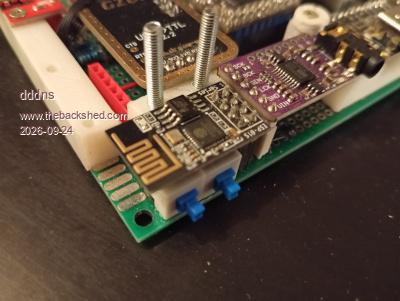
Last two days I played with the ESP01. I got it working and it is able to replace the serial USB cable connection. The ESP01 Rx/Tx is connected to the Pico's console port pins like the UART converter. The traffic is transmitted through Wifi and the protocol is Telnet (RFC2217). On Linux I found two programs to create a virtual serial device like /dev/ttyPico0 where the telnet traffic is bridged to. This interface can be accessed by programs in the same way than with the USB UART converter. The ESP01 can be an access point or a station. If it is used as access point it acts as a hub and two clients logged in via Wifi can talk to each other via TCP/IP. So if the RM2 of the PC3 is used it can connect to the ESP01 as well and can be reached through a connected PC. The ESP01 is flashed with the ESP-Link software and on Linux the virtual serial port and the bridging can be done with socat or with ttynvt
I found one problem with the original ESP-Link software. The serial timeout is set to 5 minutes in the official binary firmware. If a terminal like Putty is open and no traffic goes through then Putty will close after 5 minutes. I changed that in the source and recompiled the firmware. As ESP-Link is old and not maintained anymore, I used this fork which also puts in some fixes and small changes to the Makefile and python scripts that it compiles on actual distros.
A switch to power the module and the other to change Rx/Tx between UART converter and ESP01:
dddns Guru Joined: 20/09/2024 Location: GermanyPosts: 924
Posted: 10:31am 05 Oct 2026
Copy link to clipboard
Print this post
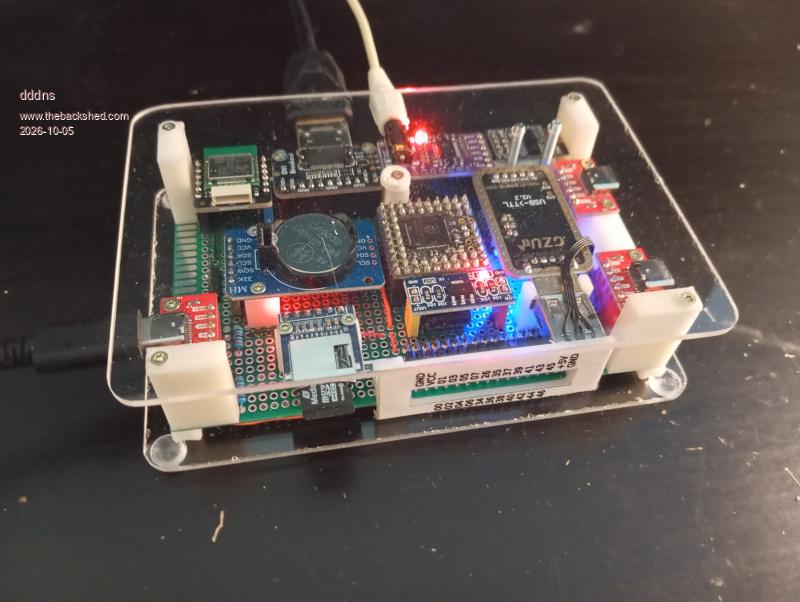
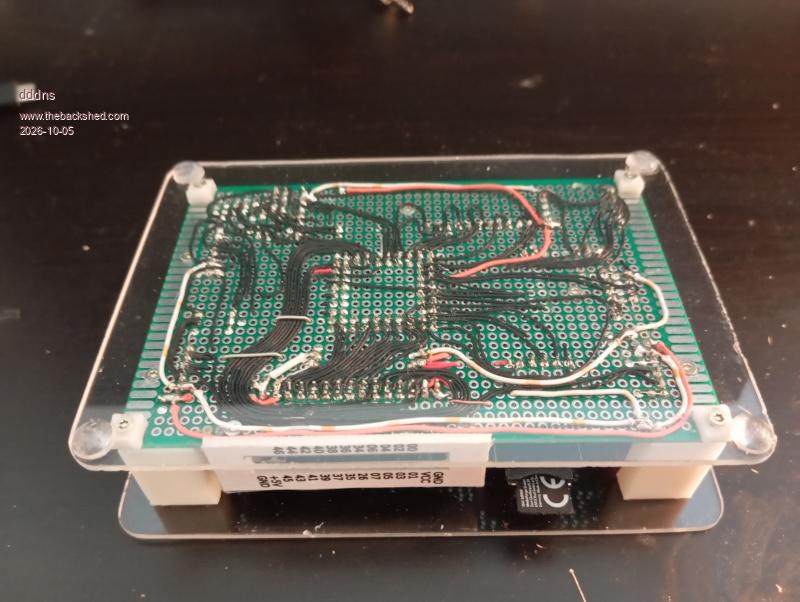
Final pictures:
I bought a second Pimoroni RM2 but still get these errors with WebMiteRP2350V7.0.00b4 I will once more check the cables and and will test with a second PGA2350.
But on PicoMiteHDMIWEBV7.0.00b4 the module runs without problems and real good Wifi speed!
Volhout Guru Joined: 05/03/2018 Location: NetherlandsPosts: 6183
Posted: 11:04am 05 Oct 2026
Copy link to clipboard
Print this post
Hi dddns,
Note that on the 3.1 and 3.2 revision of the PC3, there is GP20/GP21 (system I2C) on 2 of the 4 pins +5V/GND. If you desire 100% compatibility. System I2C is useful if you need to a connect WII/Nunchuck controller.
matherp Guru Joined: 11/12/2012 Location: United KingdomPosts: 12032
Posted: 11:07am 05 Oct 2026
Copy link to clipboard
Print this post
Please try option cpuspeed 315000 and see if that works with the webmite firmware. At the default the cyw43 spi is running at the maximum rated speed of 50MHz. At 315MHz cpu speed it runs at 39.4MHz and at 252MHz it is 42MHz. Obviously the spi wiring to the module should be kept as short and tidy as possible. I notice that the Pimoroni breakout has no capacitors. The PC3 uses two 100nF caps close to the VDDIO and VIN pins on the board. Both firmware versions work perfectly on the PC3. Edited 2026-10-05 21:08 by matherp
dddns Guru Joined: 20/09/2024 Location: GermanyPosts: 924
Posted: 11:16am 05 Oct 2026
Copy link to clipboard
Print this post
I missed that.. But I have System I2C on the 4 pin header left to the DS3231
dddns Guru Joined: 20/09/2024 Location: GermanyPosts: 924
Posted: 11:22am 05 Oct 2026
Copy link to clipboard
Print this post
Thank you! I will report. I added a 100nF to Vin but not VDDIO. That sounds promising but needs to be soldered to the RM2 itself. Will try that on the first module I bought as it is already re-soldered.
dddns Guru Joined: 20/09/2024 Location: GermanyPosts: 924
Posted: 11:00am 08 Oct 2026
Copy link to clipboard
Print this post
The problem is solved for me. WebMiteRP2350V7.0.00b7 runs just fine and reliable but not in Option cpuspeed 200000, tested from 150-384MHz. I can't get 200MHz to work, not with 100nF on VDDIO and a shielded wire for CLK and DAT. I think it has worked from the beginning but not with 200Mhz PicoMiteHDMIWEBV7.0.00b7 just runs fine in all resolutions and cpuspeed.
The "Fritzbox issue" is completely gone, no failed connection since b7.
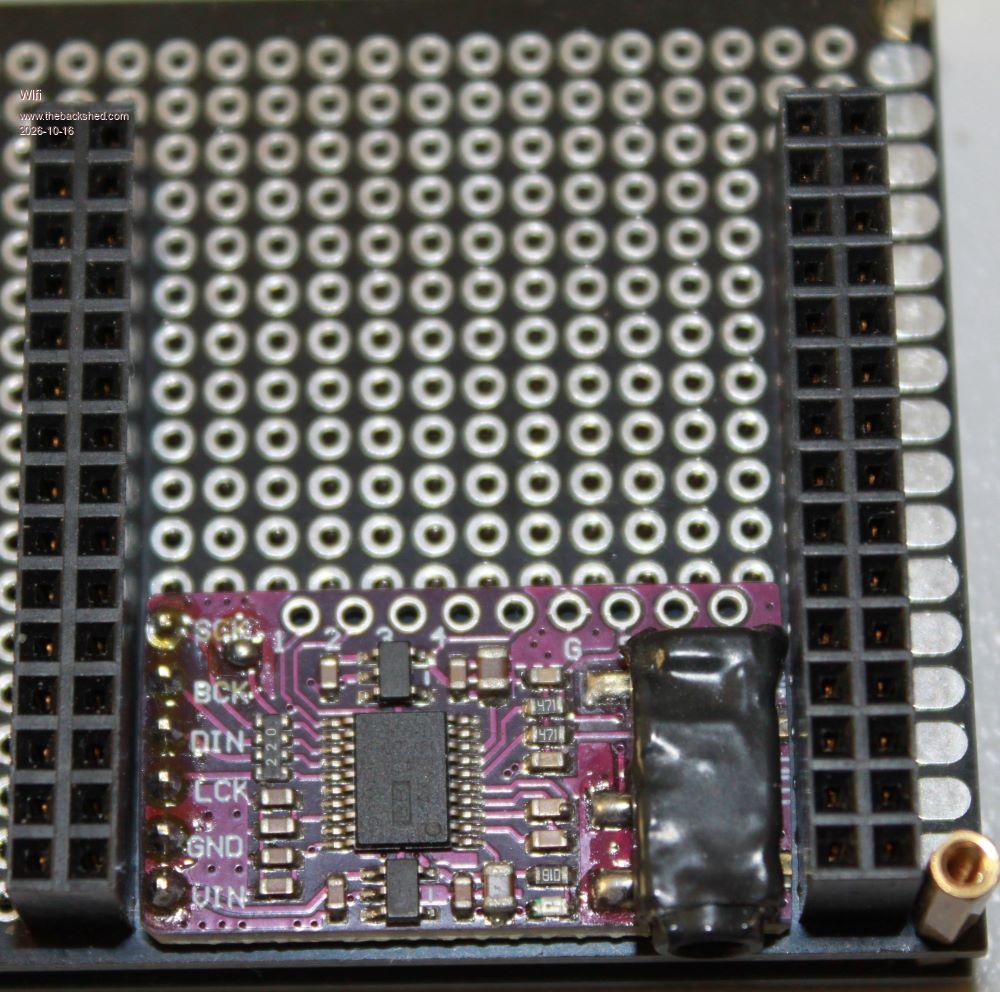
Just a general idea: sand down a few edges if needed.
Then the µSD card fits perfectly even under a Pico A board, and the sound module fits under a WeAct RP2350B.
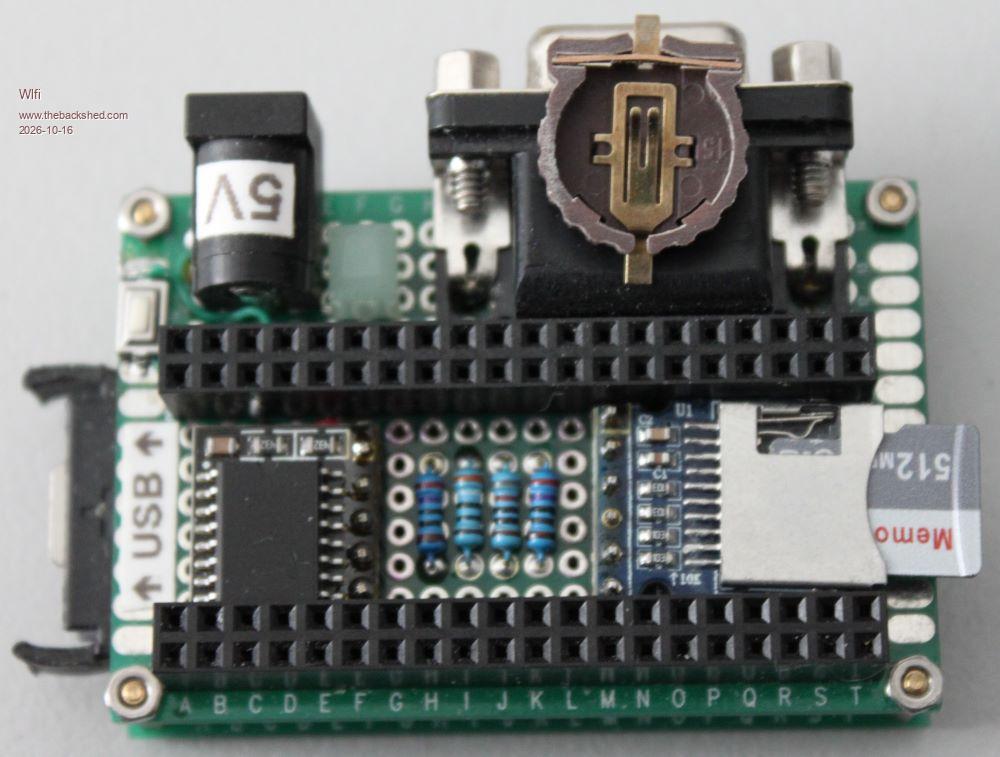
my VGA/USB Picomite:
With the HDMI version, you can even place the smaller battery holder (as shown on the VGA connector) for the RTC (replacing the crappy original non-rechargeable cell) directly under the Pico board, since there are no resistors for the video output. (Here on the left side you can see the CR2032 holder I am actually using)
An HDMI/USB version for the RP2350B is still under construction:
showing the sound module on its place.
Mixtel90 Guru Joined: 05/10/2019 Location: United KingdomPosts: 9219
Posted: 03:09pm 15 Oct 2026
Copy link to clipboard
Print this post
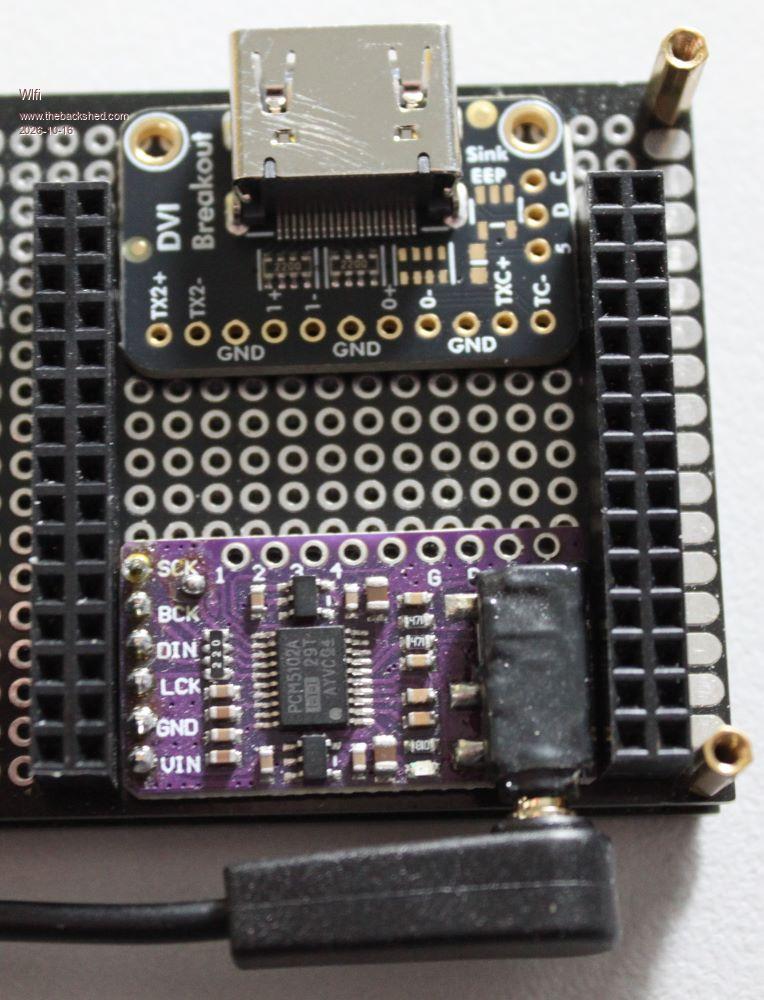
...but that's where I put the Adafruit DVI breakout board! It keeps the connections nice and short. Now, pushing the I2S module further back and bringing the audio out to a separate socket might be interesting...Mick
If I got you right then it would/could look like this:
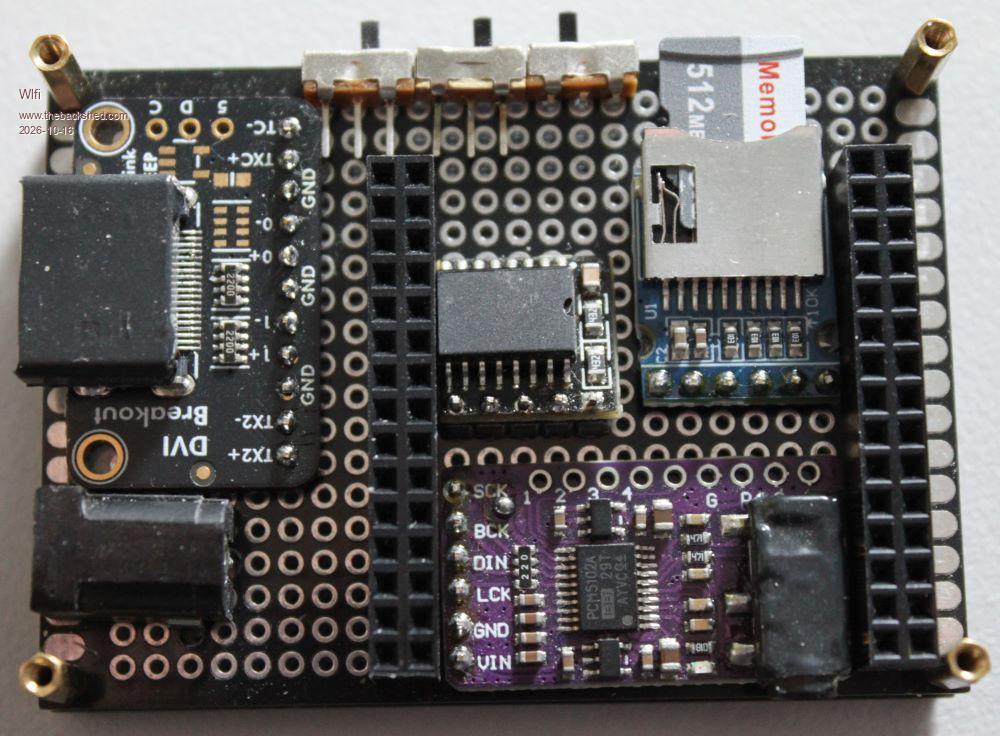
This is what I planned:
the CR1220 batteryholder of the RTC will be on the underside for the sake of those switches configuring the sound module.
There is so much space under the RP2350B to use, I really like it.
Mixtel90 Guru Joined: 05/10/2019 Location: United KingdomPosts: 9219
Posted: 05:28pm 15 Oct 2026
Copy link to clipboard
Print this post
One thing to consider is that, if you are aiming for a modular PC3 clone, you can't use the mini RTC unless you fit a bodge wire. The PC3 uses the 32kHz clock signal to indicate to the RP2350B that it is to be configured as a PC3. Of course, you need a bodge wire anyway to connect an external battery. :) As there is a lot of space under the "big" RTC I rather like to use that on some builds (and the battery is a decent size and easy to get!).
Another point is that, once you are running with the USB port configured as a host, you have no access to the command line unless you use a serial TTL signal on GP8 and GP9 (the default pins). That could be done via some pins to plug a USB-TTL converter into if you want to keep board space to a minimum.Mick
dddns Guru Joined: 20/09/2024 Location: GermanyPosts: 924
Posted: 05:37pm 15 Oct 2026
Copy link to clipboard
Print this post
Hello Wölfi! Your work doesn't look like that of a newcomer. Best of success and have fun :)
My comment: I can't find an UART converter. Since USB flash drives are so fast now, SD cards aren't that important to me anymore, at least not for a desktop HDMI version. I'd swap out the old jack plug for USB-C for the console and power.
Edit: I doubt that it's really worth to have the sound configurable via switches Edited 2026-10-16 03:40 by dddns
Mixtel90 Guru Joined: 05/10/2019 Location: United KingdomPosts: 9219
Posted: 05:50pm 15 Oct 2026
Copy link to clipboard
Print this post
I use a USB-C/TTL board crom AliExpress. Look for one called "CP2102". Unlike some, it has 3V3 data lines so there is no risk to the Pico even without level conversion.
With a RM2 module, PSRAM and the PC3 firmware you have the command line over Bluetooth. It can also be the connection for your keyboard, mouse, game controller and Bluetooth speakers. :). I really must get one... . Edited 2026-10-16 03:55 by Mixtel90Mick
Thanks for the warm welcome. (@ all others as well)
I’m not completely new to this kind of thing or to electronics in general. I’ve been tinkering with the PicoMite (before also CMM 1/2, Maximite/Duinomite and Micromite) on my own for quite a while, a little here and a little there, and I am always looking for ways to improve it. I just need to find the time to finish a few things and then get back to BASIC programming, there´s still so much to get back into after a long break, generally being eager to keep learning.
For now, though, I’m still focused on the Picomite hardware ...
Thanks, that’s a good point. I’ll keep it in mind. I’m not aiming to build a PC3 clone at the moment, but I’ve been following the topic too, and I may give it a try later. For now, I’m just tinkering with a standard HDMI PicoMite.

 Notice. New forum software under development. It's going to miss a few functions and look a bit ugly for a while, but I'm working on it full time now as the old forum was too unstable. Couple days, all good. If you notice any issues, please contact me.


 Print this post