mozzie
Guru

Joined: 15/06/2020
Location: AustraliaPosts: 431 |
| Posted: 06:32am 11 Apr 2026 |
 Copy link to clipboard Copy link to clipboard |
 Print this post |
|
G'day,
This has been on the wish list for a very long time, and whilst currently only proof of concept, hopefully some further work will make it useful.
The idea is to have a 10" resistive touch monitor (5" version pictured) that can be plugged into a PicoMite-HDMI-USB with only a HDMI and USB lead connecting them, much like a normal monitor. These are available from Waveshare and others in various sizes and with the XPT2046 touch controller for use with a Raspberri-Pi.
This has been made possible with Peters addition of the USB-CDC capability in the latest firmware.
The RP2040-Zero is wired to the XPT2046 and configured with LCDPANEL VIRTUAL_M (640x480)
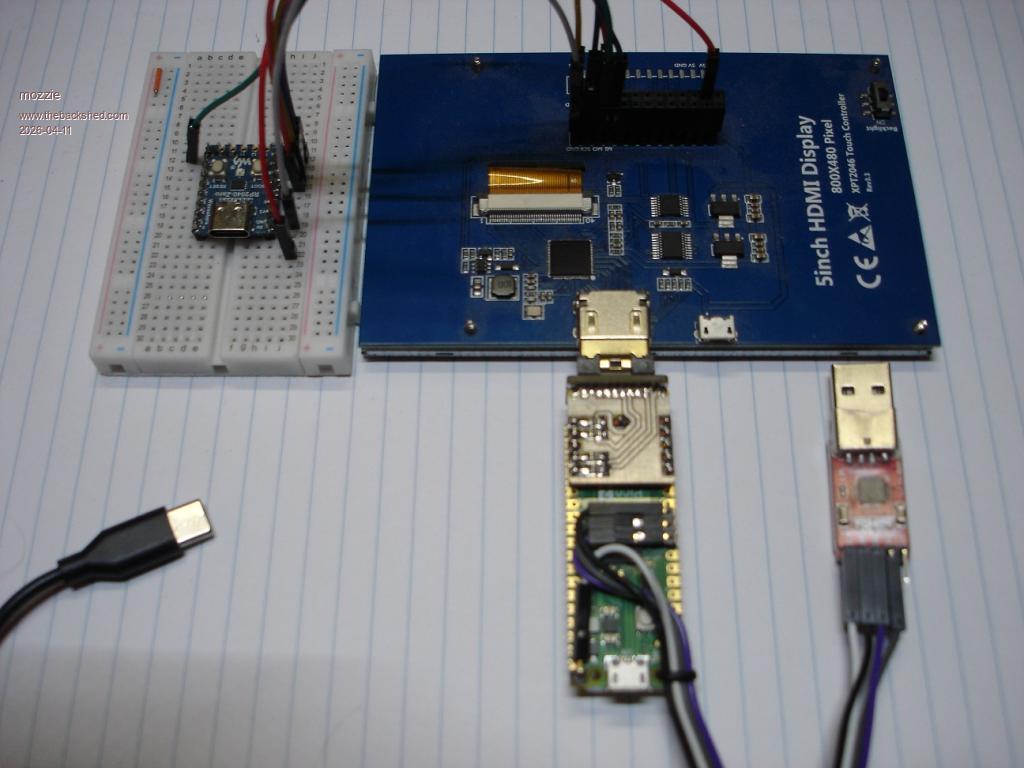
The RP2040-Zero is plugged into the USB-HUB on the PicoMite-HDMI-USB and uses the USB-CDC to send the touch coordinates etc
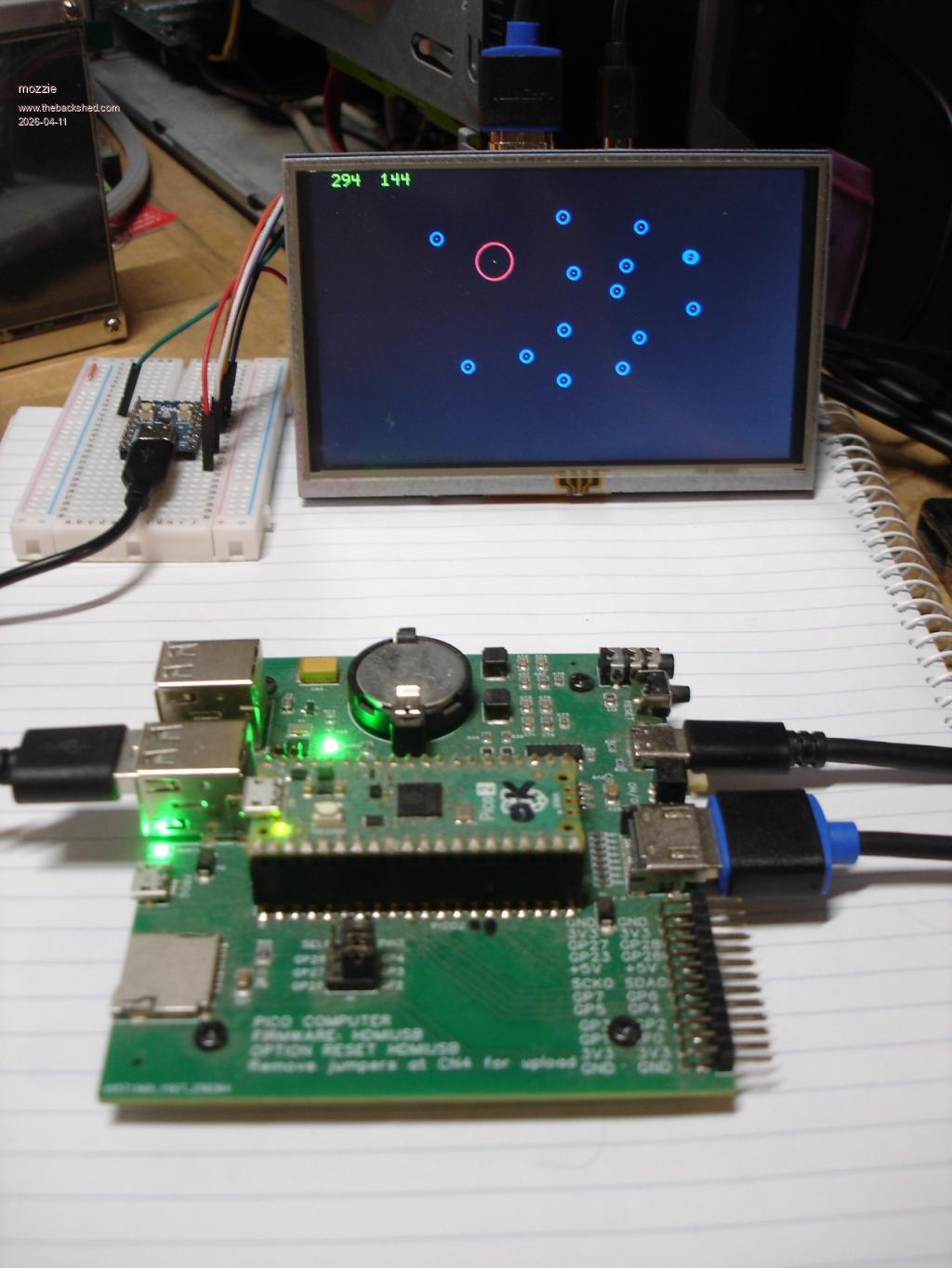
Only touch down currently supported, more work required to write some software to use it.
TOUCH-TX (PicoMite-2040) software:
' prog to test touch on virtual lcdpanel - TX END
Option default integer
SetPin gp27,intl,touchint
Do :Pause 50:Loop Until Inkey$<>""
Sub touchint
Pause 10
A$=""
tch.x=Touch(x)
tch.y=Touch(y)
If (tch.x=-1) Or (tch.y=-1) Then Exit Sub
A$="AA" + Bin2str$(uint16,tch.x) + Bin2str$(uint16,tch.y) + "55"
Print A$
End Sub
HDMI-RX (PicoMite-HDMI-USB) Software:
' prog to test usb-cdc touch - HDMI END
Option default integer
MODE 3
CLS
tcho.x=-50:tcho.y=-50
Open "COM3:115200,,touchint,10" As #1
Print #1,"RUN"
Pause 50
A$=Input$(10,#1)
A$=""
Do :Pause 500:Loop Until Inkey$<>""
Print #1,"E"
Pause 10
Close #1
End
Sub touchint
a$=Input$(10,#1)
'Print Left$(a$,2),Str2bin(uint16,Mid$(A$,3,2)),
'Print Str2bin(uint16,Mid$(A$,5,2)),Mid$(A$,7,2),Len(A$)
tch.x=Str2bin(uint16,Mid$(A$,3,2))
tch.y=Str2bin(uint16,Mid$(A$,5,2))
tch.x=tch.x*1.25 ' for mode 3 800 x resolution
Text 0,0,Str$(tch.x,5)+Str$(tch.y,5),,1,2,&hff00
Pixel tch.x,tch.y
Circle tch.x,tch.y,30,3,,&hff0000,-1
Circle tcho.x,tcho.y,30,3,,0,-1
Circle tcho.x,tcho.y,10,3,,&hff,-1
tcho.x=tch.x:tcho.y=tch.y
End Sub
HDMI-RX (PicoMite-HDMI-USB) Calibration Software:
' prog to test usb-cdc touch - HDMI END
Option default integer
MODE 3
CLS
tcho.x=-50:tcho.y=-50
Open "COM3:115200,,touchint,1" As #1
Pause 50
Print #1,"GUI CALIBRATE"
Pause 50
A$=Input$(10,#1)
A$=""
Do :Pause 500:Loop Until Inkey$<>""
Print #1,"E"
Pause 10
Close #1
End
Sub touchint
a$=a$+Input$(10,#1)
Text 0,0,A$,,1,2,&hff00
Circle 30,30,10,3
Circle 770,30,10,3
Circle 30,450,10,3
Circle 770,450,10,3
End Sub
The next idea to try is running a PicoMite with a virtual LCD and the GUI elements enabled with touch, sending its video buffer via the new 4-bit memory transfer routine to a PicoMite-HDMI driving the screen.
Also need to figure out how to inject more power into the USB, the 10" screens drag a lot of juice. Off to order one now 
Regards,
Lyle. |

 Notice. New forum software under development. It's going to miss a few functions and look a bit ugly for a while, but I'm working on it full time now as the old forum was too unstable. Couple days, all good. If you notice any issues, please contact me.

