Notice. New forum software under development. It's going to miss a few functions and look a bit ugly for a while, but I'm working on it full time now as the old forum was too unstable. Couple days, all good. If you notice any issues, please contact me.
homa Guru Joined: 05/11/2021 Location: GermanyPosts: 785
Posted: 11:24pm 22 Nov 2026
Copy link to clipboard
Print this post
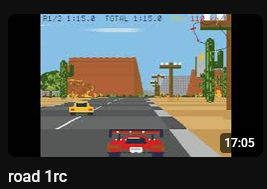
ROAD - a pseudo-3D racer for the Pico Computer 3, written entirely in MMBasic (FW 7, no CSUB)
Hi all,
I'd like to share ROAD, a pseudo-3D racer in the style of Outrun for the Pico Computer 3 - written entirely in MMBasic using firmware 7, without any CSUB.
- 5 tracks: Green Valley, Texas (watch out for the bull skulls), California coast at sunset, a Circuit as a figure of eight with bridge and tunnel, and the City at night - 3 laps with time limit and checkpoints, records per track, unlock the next track - World Tour: all tracks in a row, total time, own record list - Options: ROOKIE / VETERAN, PRACTICE mode (no traffic, learn the track), menu music - Up to 90 cars, drawn tunnel, coast with sand and water, 4/2 lane changes - Pixel-art background layers with parallax (BLIT FLASH from the RAM image slots / PSRAM), wide panoramas that turn with the road - the sun shows up exactly once per lap - Own sprite sheet, palette and MOD music with effect samples per track - 17-20 fps in HDMI MODE 2 (320 x 240, 16 colours)
Important: it needs the V7 compiler and the higher clock. Set once at the prompt:
OPTION RESOLUTION 640x480, 378000 (378 MHz instead of 252 MHz) OPTION COMPILE ON (more than 99 % of the statements run compiled)
It also needs an RP2350 with PSRAM (the background pictures live in the RAM image slots 4-8).
Install: unzip into a folder on the SD card, cd into it, load "road.bas", run.
Built for modding Every track is a text file (road, sprites, palette, times, music, background) plus a sprite sheet, background BMPs and a MOD. The manual (English and German PDF) explains the technique after Jake Gordon's javascript-racer and Lou's Pseudo 3d Page, gives a tour through the source and describes the track file format.
A call to the specialists
You are a pixel artist? Sprite sheets and background panoramas in 16 colours are exactly your field. Chapters 12.3 and 12.4 describe the format and the rules.
You write MOD music? A soundtrack of its own per track in ProTracker format, maybe even better effect samples, would lift ROAD enormously. Chapter 12.5 describes what the game expects from a MOD.
@Martin H. - this one is for you: the pixel art is waiting! Sprite sheets and panoramas in 16 colours are exactly your field.
Mixtel90 Guru Joined: 05/10/2019 Location: United KingdomPosts: 9393
Posted: 08:15am 23 Nov 2026
Copy link to clipboard
Print this post
What a brilliant job! Very, very impressive - and far too fast for me. :) You wouldn't think that it has no CSUBs. Kudos to Geoff and matherp too for making this possible at all. :)Mick
Martin H. Guru Joined: 04/06/2022 Location: GermanyPosts: 1592
Posted: 08:30am 23 Nov 2026
Copy link to clipboard
Print this post
Great implementation of the 2.5D project. I’ll have a look at it later. If the engine works that well, would you mind if I used it for the Pico Outrun clone? Edited 2026-11-23 18:30 by Martin H.'no comment
Mixtel90 Guru Joined: 05/10/2019 Location: United KingdomPosts: 9393
matherp Guru Joined: 11/12/2012 Location: United KingdomPosts: 12272
Posted: 11:08am 23 Nov 2026
Copy link to clipboard
Print this post
This is brilliant Matthias
Inspired by your code I have developed a new capability for both the the PicoMite and CMM2 firmware which will be in the next releases Raster effects" (or scanline effects) is the general term for this particular trick, the names used on hardware that did it are: Row scroll and column scroll are probably the most recognised. That's what arcade video chips called per-line horizontal and per-column vertical scroll, and what MAME (Multiple Arcade Machine Emulator) calls it (rowscroll, colscroll). Line scroll on the Sega Mega Drive (horizontal scroll per line), with column scroll for its per-column vertical scroll. On the home computers it was done with a raster interrupt (C64), the copper (Amiga) or HDMA (SNES).
From V8.00.00b1 onwards, the VGA and HDMI builds (MODE 2 to 5) will have two commands that do the whole job in one statement. See the "Raster Effects -- Moving Every Row or Column" section in the updated Game development manual which will be included in the release.
Martin H. Guru Joined: 04/06/2022 Location: GermanyPosts: 1592
Posted: 11:28am 23 Nov 2026
Copy link to clipboard
Print this post
Yes, you’re right – the C64 or Spectrum version shouldn’t be used as a benchmark either. You can achieve better results even with 320x240 even in RGB121. or
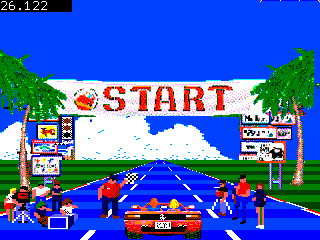
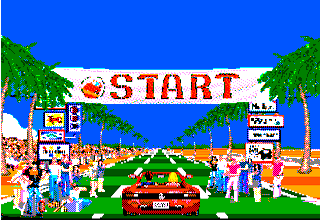
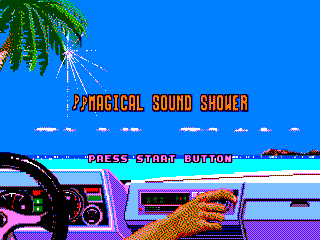
Testrun Picoan earlier attempt Matthias’s drawing routine seems to be even faster than mine, so I can well imagine that it might be possible to run it on a PicoMiteVGA (Pico1 without compilation) at a tolerable speed. Edited 2026-11-23 21:42 by Martin H.'no comment
Martin H. Guru Joined: 04/06/2022 Location: GermanyPosts: 1592
Posted: 12:32pm 23 Nov 2026
Copy link to clipboard
Print this post
I’ll have a look. Have you heard of LayOut? LayOut is a custom track editor for the arcade racing game OutRun, created by Chris White (developer of the CannonBall OutRun engine). A brilliant tool for designing and saving new routes and for exploring existing ones.'no comment
homa Guru Joined: 05/11/2021 Location: GermanyPosts: 785
Posted: 05:41pm 23 Nov 2026
Copy link to clipboard
Print this post
Thank you all for the kind words - I really didn't expect such a response.
Thank you, Geoff - that means a lot coming from the creator of MMBasic. Without your language none of this would exist. I'm curious what you think once it runs on your PC3.
That's what ROOKIE mode and PRACTICE (no traffic) are for. And yes - the V7 compiler and 378 MHz are what make it possible without a CSUB, so the credit goes to Peter. GTA Pico... not this year - maybe in 13 years ;-)
@Volhout, @Wölfi, @hhtg1968 - thank you! I'm glad the manual is useful. Feedback on the source is welcome.
Yes, of course you may use it for your Pico Outrun. Jake Gordon's original is MIT licensed and RACER/ROAD are under the same licence - a short mention of Jake Gordon and ROAD is all I ask. Thanks for the LayOut tip, I'll have a look at it.
Worth a try - here is what I learned on the way (chapter 8 of the manual):
- the compiler and 378 MHz were the biggest single steps - on a Pico 1 without both you start much lower - drawing the road row by row with BOX arrays instead of POLYGON was the biggest gain in the code (filling went from about 20 ms to 2 ms per frame) - BOX always draws the whole array, so I draw in chunks of 128 and copy them with MEMORY COPY - SUB and FUNCTION calls are expensive - the hot loops are written out, even if that makes Render long - car AI and sorting only once per frame, not in every logic step - sprites are the main cost now: about 0.3 ms per BLIT RESIZE, so fewer plants and cars and a shorter draw distance help most - the picture backgrounds come from the RAM image slots (PSRAM) - without PSRAM you would need the old strip or column background
Thanks, Peter - I'll look at the new commands in FW8. Row offsets are exactly the trick of the old arcade machines (the raster road in chapter 7 of the manual), and curves straight from the row offsets could help the frame rate a lot.
Since you are working on the next firmware anyway, may I add a wish for sound? A silent racing game is a boring one, and this is where ROAD hit its limits:
- PLAY MODSAMPLE has no loop and no stop: continuous sounds (tyre squeal, gravel, rumble strip) have to be restarted shortly before they end, and stopping only works with a "silence" sample on the same channel
- there is no pitch / rate for PLAY MODSAMPLE, so an engine with changing revs over the MOD music isn't possible (crossfading samples on two channels pulses audibly)
- PLAY SOUND blocks the MOD player, so it is either music or my own engine sound, never both
Something like PLAY MODSAMPLE nr, channel, volume [, rate] [, LOOP] and a stop for a single effect channel would solve it. Or is there already a way to play sound effects frame-exact over background music that I have missed? Chapter 9 of the manual describes what I tried.
And while I have you: did you see my question in the other thread about talking to several Bluetooth devices at the same time via COM?
As I said, I'd be happy about new tracks and settings - including MODs Controller support is still missing too, but FW8 is already on the starting line!
Have a good drive! Matthias
Martin H. Guru Joined: 04/06/2022 Location: GermanyPosts: 1592
Posted: 06:24pm 23 Nov 2026
Copy link to clipboard
Print this post
Matthias, For PicoVGA, as i discribed here Painting of the street gets much faster by using 'Blit Resize' instead of ‘Line’, to draw each individual line of the road.Just two short lines serve as the source, somewere in a Framebuffer.
To draw a road, I just need the top-left corner, the width and the height of the segment... But to do that, I’ll first have to search through the source code to find the right routine. I’ve just had a go at running your programme on the PC3 – it’s really brilliant. Cheers Martin Edited 2026-11-24 04:33 by Martin H.'no comment
Volhout Guru Joined: 05/03/2018 Location: NetherlandsPosts: 6289
Posted: 10:06am 24 Nov 2026
Copy link to clipboard
Print this post
Mattias,
About MOD files and PLAY SOUND. MOD playback has it's own (fixed) sample rate. The play sound would need to be aligned with the MOD sample rate before these can be played together. Since the sound samples in PLAY SOUND are calculated, it could be possible, maybe at loss of some quality.
PLAY SOUND uses 1/4 amplitude for each sound channel (4 max). Technically mixing should be a software issue (adding values up). But running both sound systems in parallel might cost you 30-40% CPU power (~20% now for PLAY SOUND).
matherp Guru Joined: 11/12/2012 Location: United KingdomPosts: 12272
Posted: 04:25pm 24 Nov 2026
Copy link to clipboard
Print this post
New functionality that might be useful in V8.00.00b2. See the release notes and manual for details but here is some demo s/w https://github.com/UKTailwind/PicoMite/tree/main/Bas/doppler. Quite pleased with this More details on the blog Edited 2026-11-25 02:40 by matherp
Martin H. Guru Joined: 04/06/2022 Location: GermanyPosts: 1592
Posted: 05:25pm 24 Nov 2026
Copy link to clipboard
Print this post
Peter, That Sounds like a very useful extension of the Play Modsample command . If that mean, by extension, that nothing changes for samples without loop specifications, the old Modfiles do not need to be revised, as long as the SFX files do not have any loop specifications. It would also be useful to add a PLAY MODPATTERN command (which plays the specified pattern and/or starts from the specified pattern), we could almost write our own tracker, similar to Protracker or Noisetracker, on the Pico. Or combine different melodies into a single mod. I'm looking forward to it. Edited 2026-11-25 03:30 by Martin H.'no comment
homa Guru Joined: 05/11/2021 Location: GermanyPosts: 785
Posted: 07:51pm 24 Nov 2026
Copy link to clipboard
Print this post
Thanks for the idea, Martin - I tried it. ROAD doesn't use LINE for the road but one BOX array for all row pieces of a frame, so the question was: BOX array or one BLIT RESIZE per row?
First a small benchmark (120 road rows, ms per frame):
- BOX array, 5 boxes per row: 5.89 - BLIT RESIZE per row + one grass BOX: 6.48 - only 120 x BLIT RESIZE, full width: 7.67
So one BLIT RESIZE of a 1 pixel row costs only about 50-60 µs - much less than I expected.
Then I built it into the game: at load time 20 source rows (colour set x number of lanes) go into the free rows 218-237 of the sprite sheet, and every road row is one BLIT RESIZE from there. Key R switches between BOX and BLIT live, so both can be compared at exactly the same spot.
In the game the BLIT version is about 4 ms per frame slower. Green Valley has only 2 lanes, so a BOX row is just 3 rectangles (rumble, road, one lane line), and the BOX array handles them very cheaply - while every BLIT RESIZE costs its fixed 50-60 µs on more than 100 rows.
And there is a visible difference: BLIT RESIZE picks the nearest source pixel, so near the horizon, where a road row is only 20-40 pixels wide, the thin centre line is sometimes hit and sometimes not. The farthest dashes disappear or flicker, while BOX always draws them at least 1 pixel wide.
So for ROAD I stay with the BOX array. The idea is still nice for textured roads (dithered asphalt, shaded curbs, double lines) at almost the same cost. The test version is attached (ROAD_rowblit2.BAS, replaces ROAD.BAS, CONST ROWBLIT sets the start mode, key R switches, key I shows the numbers). ROAD_rowblit2.zip
@matherp - thanks for the new MODSAMPLE functions in V8.00.00b2 and the Doppler demo, I'll try them for the engine sound. @Volhout - thanks for the hints on the sample rates and the CPU cost, that matches what I saw with PLAY SOUND.
Have a good drive! Matthias
homa Guru Joined: 05/11/2021 Location: GermanyPosts: 785
Posted: 11:01pm 24 Nov 2026
Copy link to clipboard
Print this post
ROAD 1.0 RC2 – speed update (firmware 7 and 8)
Here is a small update of ROAD. RC2 only changes the speed – no new features, the track files stay as they are. Only ROAD.BAS is new; the ZIP also contains the README and a short two-page report (English and German) on what I measured and why.
Results (Pico Computer 3, 378 MHz, MODE 2): - Start of Green Valley (about 40 palms, the busiest scene): 14 -> 17-18 fps - Open road at full throttle: 18-20 -> 20-23 fps - Crossing the finish line: 13-14 -> 15-18 fps - Circuit now runs at up to 24 fps
What changed - The scenery sprites are drawn without a SUB call per sprite. Width and alignment are worked out once when the track loads. That saves 5-7 ms per frame, the picture is the same. - On busy stretches the scenery distance goes down from 80 to 60 segments. ROAD finds these stretches itself when loading and changes the distance by one segment per frame, so nothing jumps. 40 segments would have been faster, but the trees visibly popped in. - Optional per track:
SCENERY, 80, 60, 30
(distance, distance on busy stretches, limit of scenery sprites ahead). Without this line the defaults apply.
What I tried and dropped - BLIT RESIZE per road row (Martin's idea): the road got slower (30 instead of 26 ms), and far centre stripes went missing. - FRAMEBUFFER WARPH from the new firmware: the command itself is very fast (0.4 ms for 120 rows), but it does not fit ROAD. The road is about 630 px wide in the bottom row and its width changes with hills and lane zones, while WARPH can only shift rows, not stretch them. It is made for a road designed around it – the report explains it in more detail. - The main lesson: on the PicoMite every BASIC statement costs time, hardly every pixel. Drawing 480 BOXes takes 0.55 ms, preparing them in BASIC about 10 ms. So the road stays with BOX arrays.
I think the graphics optimisation is done for now – unless someone has the killer idea I haven't thought of!
Coming next ROAD 1.1 will use the new MOD functions of firmware 8 for the sound. From then on ROAD will need firmware 8 – RC2 stays the version for firmware 7.
As before: copy all files into one folder, OPTION RESOLUTION 640x480, 378000 and OPTION COMPILE ON at the prompt.

 Notice. New forum software under development. It's going to miss a few functions and look a bit ugly for a while, but I'm working on it full time now as the old forum was too unstable. Couple days, all good. If you notice any issues, please contact me.


 Print this post



 Controller support is still missing too, but FW8 is already on the starting line!