Notice. New forum software under development. It's going to miss a few functions and look a bit ugly for a while, but I'm working on it full time now as the old forum was too unstable. Couple days, all good. If you notice any issues, please contact me.
matherp Guru Joined: 11/12/2012 Location: United KingdomPosts: 12172
Posted: 06:35pm 10 Nov 2026
Copy link to clipboard
Print this post
PicoMite V7.00.00RC8: what has changed since RC7
RC8 is RC7 with the reports since then answered, and a wider job for the PicoMitePC3 firmware: it now runs the Pico Computer 2 and the Olimex RP2350pc as well as the Pico Computer 3, and sets itself up for whichever of the three it finds. MM.VER reads 7.000058. The full release notes are on GitHub: https://github.com/UKTailwind/PicoMite/releases/tag/PicoMite-V7.00.00RC8
Upgrading from RC7 or RC6: four builds reset at their first boot. The PicoMiteHDMIUSB, PicoMiteHDMIBTH and PicoMiteHDMIWEB have moved their flash region up 16 KB for the USB host fix below, and the PicoMitePC3 has moved up 16 KB for PWM audio and the new boards. Their options return to their defaults (on the PicoMiteHDMIBTH and PicoMitePC3 their Bluetooth pairings go too), and their flash slots and program memory are cleared. Save the options first with OPTION DISK SAVE "B:/myoptions.txt" and put them back with OPTION DISK LOAD "B:/myoptions.txt". On a board with 16 MB of flash the A: drive is kept; on a board with 4 MB, such as a Pico 2, it is the full reset, A: drive included. A Pico Computer 3 configures itself again at the first boot. Every other build keeps everything.
The PicoMitePC3 firmware: one build for three boards The PicoMitePC3 is the PicoMiteHDMIUSB (the full set of HDMI resolutions and modes, USB keyboards, mice and game controllers through a hub) with the WiFi and Internet features of the PicoMiteHDMIWEB and the Bluetooth host of the PicoMiteHDMIBTH: Bluetooth LE and Classic keyboards and mice, Bluetooth speakers and headphones, and a Bluetooth serial device as COM7. It needs PSRAM, and uses it: the program can be 256 KB, the editor, LOAD, AUTOSAVE, LIBRARY and the XModem, YModem and ZModem transfers take a 512 KB buffer from the PSRAM, and the heap overflows into it. This is the only build that mandates a PSRAM chip but then has the advantage that memory can be used much more flexibly OPTION RADIO BOTH | WEB | BLUETOOTH | NONE chooses which halves of the wireless chip are used.
It now runs three boards. At a boot with no platform set (a new board, or after OPTION RESET on its own) it looks, in turn, for:
• the 32 kHz clock from the Pico Computer 3's real time clock on GP27: OPTION RESET PICO COMPUTER 3, as before; • PSRAM on GP47: a Pico Computer 2, OPTION RESET HDMIUSBI2S, with the radio off; • PSRAM on GP8: an Olimex RP2350pc, the new OPTION RESET RP2350PC.
The board restarts once with its configuration, and you are at the prompt. After that the platform is set and the test never runs again, so any options you change stay as you set them.
PWM and SPI DAC audio are back in the PicoMitePC3 (OPTION AUDIO pin, pin and OPTION AUDIO SPI), alongside I2S and Bluetooth. The VS1053 is still not supported.
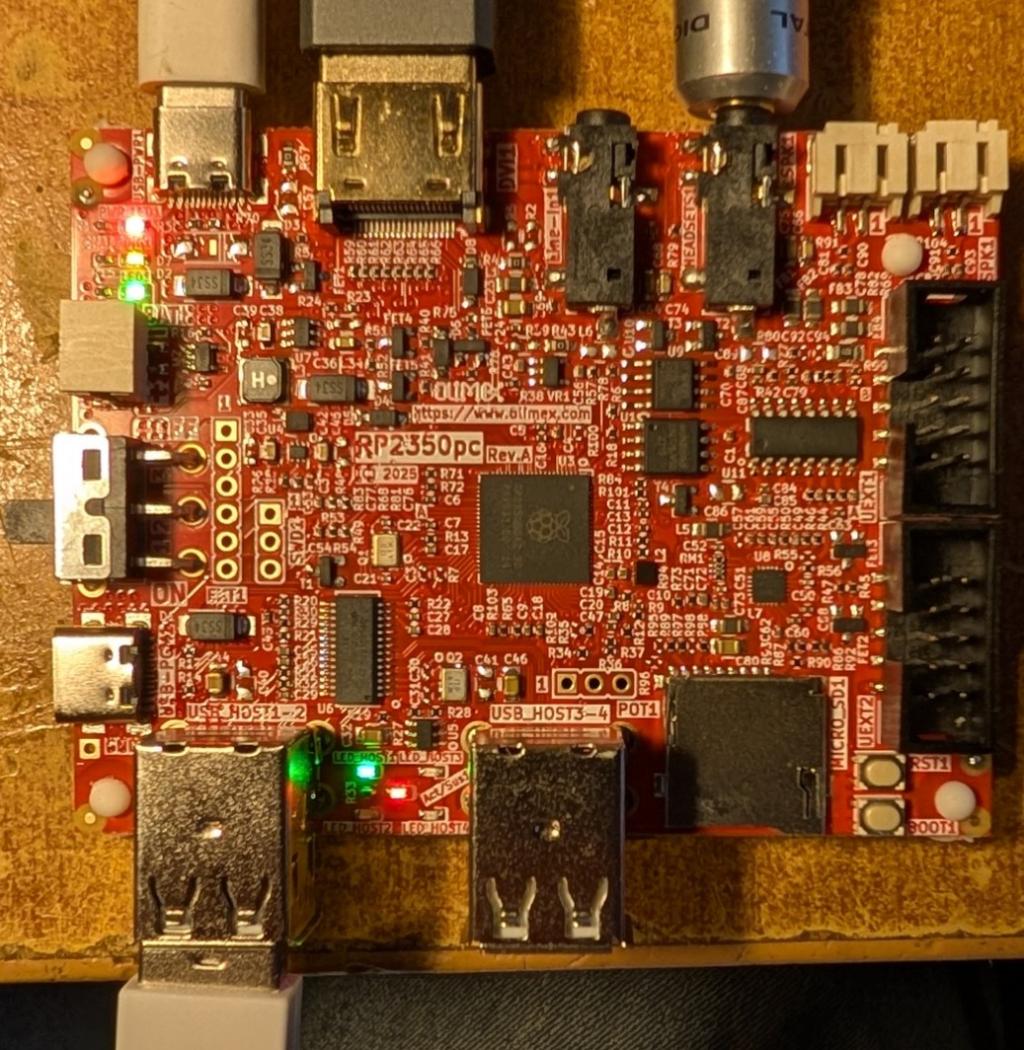
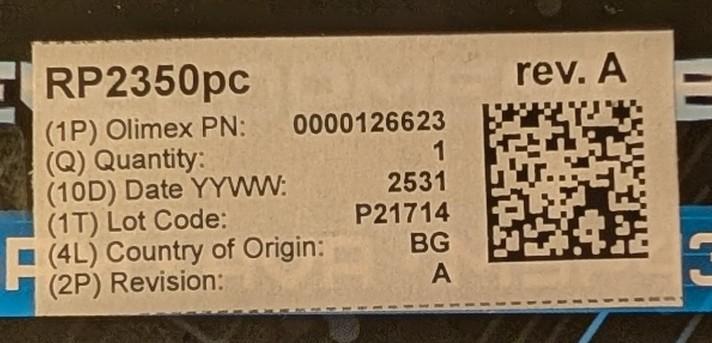
The Olimex RP2350pc
An RP2350B with 16 MB of flash, 8 MB of PSRAM, HDMI, a four-port USB hub, a stereo amplifier with speaker connectors and a headphone jack, an SD card slot, two UEXT connectors and a LiPo charger. OPTION RESET RP2350PC (applied for you at the first boot) sets:
+-------------------+------------------------------------------------------------+ | Function | Pins | +===================+============================================================+ | PSRAM, 8 MB | CS on GP8 | | HDMI | GP12 to GP19, in the default order | | SD card | CS GP9, CLK GP10, MOSI GP11, MISO GP24 | | Audio, stereo PWM | GP26 (left), GP27 (right), to the amplifier and headphones | | Serial console | GP0 TX, GP1 RX (UART0, on UEXT1) | | Heartbeat | the user LED on GP25 | | Radio | none | +-------------------+------------------------------------------------------------+
Four more pins belong to the board and are reserved at boot. LIST PINS names them:
• GP32 and GP33 are the audio codec's I2C (shared with the HDMI DDC). They are pulled high so the codec stays idle, and the system I2C is not set, so I2C0 is free for UEXT2's I2C on GP36 and GP37. UEXT1's I2C1 on GP2 and GP3 is free as well. • GP35 is the amplifier's shutdown, held low so the amplifier stays on. • GP34 is the amplifier's volume, on PWM channel 9A at 50%. Channel 9 is not available to programs ("Channel in use for amplifier"). Linking it to a volume command is for later.
A few things worth knowing:
• Use the PicoMitePC3 firmware on this board. The PicoMiteHDMIUSB starts its serial console on GP8, which here is the PSRAM's chip select, and stops at the first character of the banner. • To load firmware, use the USB-C programming connector with BOOT held. While a cable is in that connector the USB hub is held in reset, so move the cable to the power connector before using a keyboard. • The board's ES8311 codec is not used: it is mono and needs setting up over I2C. The PWM output is stereo. • It has run happily at 378 MHz. • A serial console is not automatically enabled. This is a standalone computer. You can enable either com1 or com2 as a serial console by using the pins on the I/O headers
The Pico Computer 2 The Pico Computer 3 without its WiFi and Bluetooth module. OPTION RESET HDMIUSBI2S (applied for you at the first boot) sets the PSRAM on GP47, I2S audio (BCLK GP10, LRCK GP11, DATA GP22), the SD card on GP29 (CS), GP30, GP31 and GP32 (driven in software, as its MISO is on the other SPI block), the real time clock on the system I2C at GP20 and GP21, the serial console on GP8 and GP9, the HDMI pins as on the Pico Computer 3, the interrupt pins on GP0 to GP3 and the heartbeat on the LED at GP25. The radio is off, so GP23, GP24, GP25 and GP29 are ordinary pins.
New and changed • OPTION PICOMITE is accepted and ignored, in a program or at the prompt, whatever follows it. A program can include it for the Colour Maximite 2, which has to switch to its PicoMite mode to run a PicoMite program. • A variable can have a command's name (issue 149). At the start of a statement a command's name followed by = is an assignment, so fm% = 0 or out% = 0 in an older program runs again. Without the = the name is still the command. The Colour Maximite 2 makes the same change. • BLUETOOTH STATUS #n and STEPPER STATUS #n send their report to the port or file opened as #n. • MM.INFO(FONT), MM.INFO(FLASH), MM.INFO(ADC) and MM.INFO(BOOT) now stop with "Unexpected text" if anything follows them, so a misspelt longer keyword is caught. • MM.VER of a release counts as 99 in its last two digits, so 7.00.00 will read 7.000099, above every beta and release candidate.
Fixed • RP2350 USB host builds: a USB serial port (COM3 to COM6) lost characters when a keyboard or mouse was on the same hub, up to one in four on a Pico Computer 3, and a USB flash drive on such a hub could fail to read or write. With a keyboard, a mouse, a USB serial device and a flash drive on one hub, every echo now comes back and the drive passes every test. Reading a drive in pieces of 512 bytes or less now runs at about 250 KB/s; 4 KB at a time and more still reads at about 1 MB/s. • USB serial devices that refuse DTR and RTS, such as the Microbridge on a Colour Maximite 2 Generation 1, were never connected, and on a Pico Computer 3 nothing else on the hub connected after them (issue 151). They now connect as COM3 to COM6. An MCP2221A bridge works at up to 57600 baud. • A FOR or DO right after the THEN or ELSE of a single-line IF, inside another loop, confused the outer loop (issue 147). • The file manager: holding Up or Down on a USB keyboard now keeps scrolling (issue 148). • PLAY TONE and PLAY SOUND could run at half or a quarter of their speed and pitch after a MOD file, a low-rate WAV, MP3 or FLAC file, or with PWM audio after a USB device connected (issue 145). • OPTION LOGGING wrote 64 bytes to log.txt for every error; each entry is now the message and a CR-LF (issue 139). • MM.INFO(USB VID n) and MM.INFO(USB PID n) now give 0 for an empty channel (issue 142). • The on-screen keyboard is now removed however a program is started (LOAD file$, R, FLASH RUN, RAM RUN, F2 in the editor or the file manager), not only by RUN and CHAIN. • Fonts: a program no longer inherits the last program's fonts after RAM RUN, FLASH RUN, RAM CHAIN or FLASH CHAIN; every built-in font starts on a word boundary; the manual had MM.INFO(FONT ADDRESS n) and MM.INFO(FONT POINTER n) the wrong way round; and CHAIN in a program keeps the font and colours on the VGA and HDMI versions, as FLASH CHAIN and RAM CHAIN do. • The documentation now says that LOCATION's time is UTC. • A refused SETPIN a, b, COM1 or COM2 (the console or GPS on that UART, or the port already on other pins) left the pin it refused changed; it is now left as it was. • OPTION SERIAL CONSOLE and OPTION GPS accepted two TX pins or two RX pins; they now need one of each.
Please keep the reports coming, especially from existing programs and from anyone with an Olimex RP2350pc or a Pico Computer 2.
Bleep Guru Joined: 09/01/2022 Location: United KingdomPosts: 875
Posted: 08:20pm 10 Nov 2026
Copy link to clipboard
Print this post
Hi Peter, Are there any major downsides to the Olimex RP2350PC? does it seem to be ok at 378MHz for example? because it seems to be a reasonably good and cheap board to use for a HDMI MMBasic, I realise it does not have WiFi or BT. Regards Kevin.
thwill Guru Joined: 16/09/2019 Location: United KingdomPosts: 4410
Posted: 08:33pm 10 Nov 2026
Copy link to clipboard
Print this post
Hi Peter,
Did the PicoMite lose the CMM2 RUN command at some point, or am I hallucinating?
matherp Guru Joined: 11/12/2012 Location: United KingdomPosts: 12172
Posted: 10:41pm 10 Nov 2026
Copy link to clipboard
Print this post
Rp2350 only
See the separate thread for the downsides - 378MHz seems OK
Volhout Guru Joined: 05/03/2018 Location: NetherlandsPosts: 6252
Posted: 07:25am 11 Nov 2026
Copy link to clipboard
Print this post
Hi Tom,
It must have been lost in the battle-of-the-bytes when new functionality was added to the 2040 VGA after V5.09. 2040 VGA was always short on memory. And so much got squeezed in. The 2040 VGA is a marvel. Even I2S sound is packed into the same PIO that does VGA as well. CMM2 RUN exists in V6.00.02, but so did RP2350 (V6 was the start of 2350 support).
thwill Guru Joined: 16/09/2019 Location: United KingdomPosts: 4410
Posted: 09:49am 11 Nov 2026
Copy link to clipboard
Print this post
OK, this was reported by someone trying to get SAAINT working on a PicoMite and unfortunately the only RP2350 device I have is a Game*Mite running v6 firmware which I'd rather not update at the moment:
Volhout Guru Joined: 05/03/2018 Location: NetherlandsPosts: 6252
Posted: 10:13am 11 Nov 2026
Copy link to clipboard
Print this post
Hi Peter,
RP2040 VGA V7.00.00rc7
Below program, when I run it , or edit it, all is fine. But when I use "e" or F4 in the filemanager, I get an error message indicating a fault in the symbol table.
matherp Guru Joined: 11/12/2012 Location: United KingdomPosts: 12172
Posted: 11:26am 11 Nov 2026
Copy link to clipboard
Print this post
both bugs fixed - will be in the next release - keep them coming
Bleep Guru Joined: 09/01/2022 Location: United KingdomPosts: 875
Posted: 02:09pm 11 Nov 2026
Copy link to clipboard
Print this post
Hi Peter, Similar to Harm, using the editor from FM when I used Page down I went straight off the bottom of the file, page up didn't bring it back, up arrow eventually did, didn't test staring using F4 or 'edit' Regards Kevin

 Notice. New forum software under development. It's going to miss a few functions and look a bit ugly for a while, but I'm working on it full time now as the old forum was too unstable. Couple days, all good. If you notice any issues, please contact me.


 Print this post