Notice. New forum software under development. It's going to miss a few functions and look a bit ugly for a while, but I'm working on it full time now as the old forum was too unstable. Couple days, all good. If you notice any issues, please contact me.
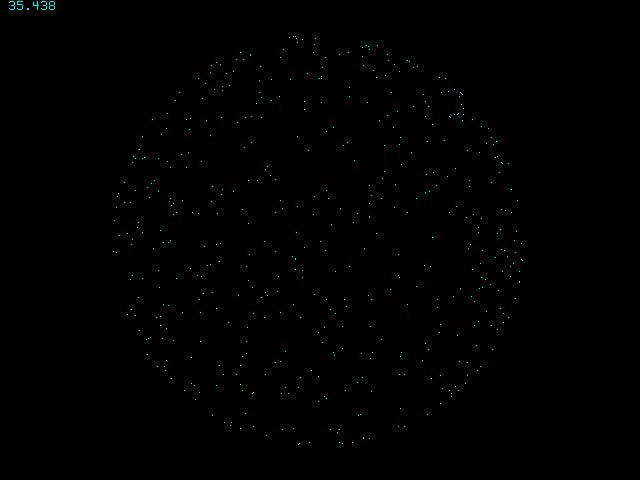
Do Timer =0 For i=1 To N If Z(i)>0 Then Pixel OX+X(i),OY+Y(i),0 XT=X(i)*CY-Z(i)*SY:ZT=X(i)*SY+Z(i)*CY X(i)=XT:Z(i)=ZT YT=Y(i)*CX-Z(i)*SX:ZT=Y(i)*SX+Z(i)*CX Y(i)=YT: Z(i)=ZT If Z(i)>0 Then Pixel OX+X(i),OY+Y(i) Next Print @(0,0)Timer; Loop While Inkey$=""
javavi Guru Joined: 01/10/2023 Location: UkrainePosts: 612
Posted: 11:07am 09 May 2026
Copy link to clipboard
Print this post
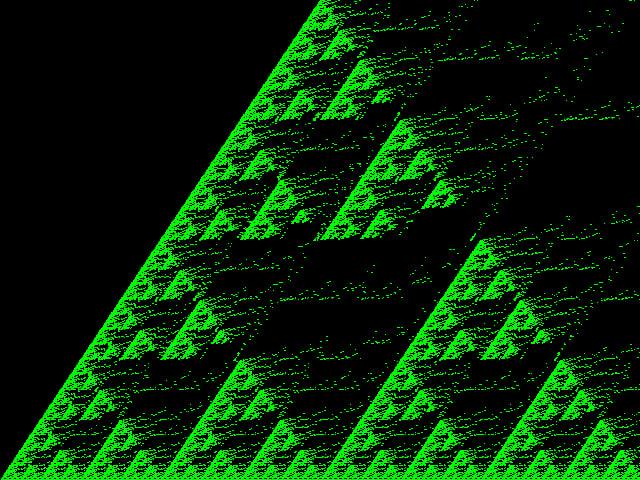
"The Fragility of Being" by Sierpinsky
Const N=1023 Const SclX=N/MM.HRES Const SclY=N/MM.VRES Dim integer X,Y
Colour RGB(Green):CLS
For X=0 To N For Y=0 To N If X And Y Then Y=Y+(X And Y)\2 Pixel (X+Y\2)/SclX,MM.VRES-Y/SclY Next Next
Edited 2026-05-09 21:08 by javavi
javavi Guru Joined: 01/10/2023 Location: UkrainePosts: 612
Posted: 04:03pm 24 May 2026
Copy link to clipboard
Print this post
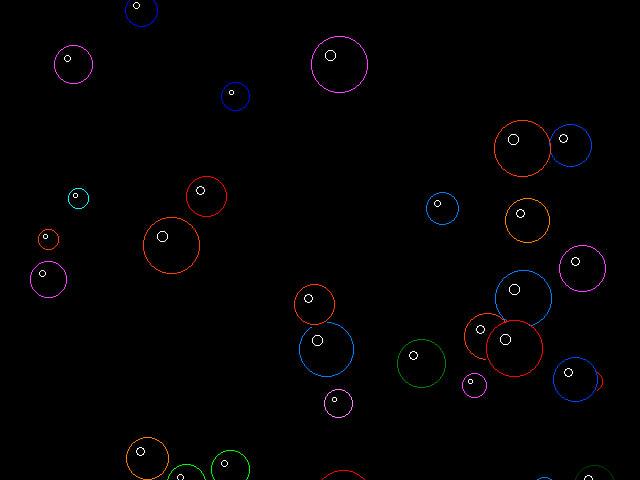
Bubbler
Type Bubble x As INTEGER y As INTEGER r As INTEGER c As INTEGER s As INTEGER End Type
Dim b(30) As Bubble
Dim c(15)=(0,1,2,3,4,5,6,7,8,9,10,11,12,13,14,15) Colour Map c(),c()
For i=1 To 30 b(i).x=Int(Rnd*MM.HRES) b(i).y=MM.VRES+Int(Rnd*200) b(i).r=10+Int(Rnd*20) b(i).c=c(1+Int(Rnd*14)) b(i).s=1+Int(Rnd*4) Next
Do For i=1 To 30 Circle b(i).x, b(i).y, b(i).r,,,0,0 b(i).y=b(i).y-b(i).s b(i).x=b(i).x+Int(Rnd*3)-1
If b(i).y+b(i).r<0 Then b(i).x=Int(Rnd*MM.HRES) b(i).y=MM.VRES+b(i).r b(i).r=10+Int(Rnd*20) b(i).c=c(1+Int(Rnd*14)) b(i).s=1+Int(Rnd*4) EndIf Circle b(i).x, b(i).y, b(i).r,,,b(i).c Circle b(i).x-Int(b(i).r/3), b(i).y-Int(b(i).r/3), Int(b(i).r/5) Next Loop While Inkey$=""
javavi Guru Joined: 01/10/2023 Location: UkrainePosts: 612
Posted: 06:58pm 31 May 2026
Copy link to clipboard
Print this post
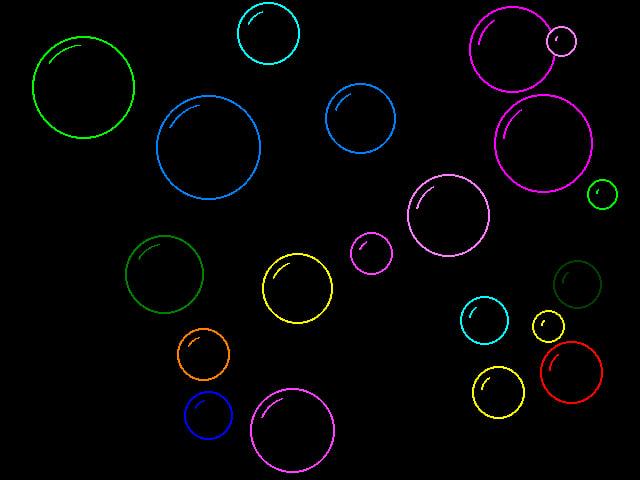
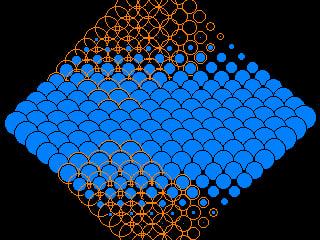
Soap bubbles
MODE 3 Dim c(15)=(0,1,2,3,4,5,6,7,8,9,10,11,12,13,14,15) Colour Map c(),c()
Type Bubble x As INTEGER y As INTEGER dx As INTEGER dy As INTEGER r As INTEGER c As INTEGER act As INTEGER pop As INTEGER End Type
Const maxBubbles = 20 Dim b(maxBubbles) As Bubble
For i=1 To maxBubbles InitBubble(i) Next
Do For i=1 To maxBubbles Circle b(i).x, b(i).y, b(i).r,,,0,0 If b(i).act=1 Then b(i).x=b(i).x+b(i).dx b(i).y=b(i).y+b(i).dy If b(i).x-b(i).r<0 Or b(i).x+b(i).r>MM.HRES Then b(i).dx=-b(i).dx EndIf If b(i).y-b(i).r<0 Or b(i).y+b(i).r>MM.VRES Then b(i).dy=-b(i).dy EndIf For j=i+1 To maxBubbles If b(j).act=1 Then dist!=Sqr((b(i).x-b(j).x)^2+(b(i).y-b(j).y)^2) minDist!=b(i).r+b(j).r If dist!<minDist! Then t=b(i).dx: b(i).dx=b(j).dx: b(j).dx=t t=b(i).dy: b(i).dy=b(j).dy: b(j).dy=t If Int(Rnd*10)=0 Then b(i).act=2 b(i).pop=5 EndIf EndIf EndIf Next j
If Int(Rnd*1000)=0 Then b(i).act=2 b(i).pop=5 EndIf Circle b(i).x, b(i).y, b(i).r,2,,b(i).c t=310-b(i).x\16 Arc b(i).x, b(i).y, b(i).r-8,,t,50+t,b(i).c
ElseIf b(i).act=2 Then For p=1 To 8 angle!=p*0.785 px=b(i).x+(b(i).r+(5-b(i).pop)*3)*Cos(angle!) py=b(i).y+(b(i).r+(5-b(i).pop)*3)*Sin(angle!) Pixel px,py,b(i).c Next p b(i).pop=b(i).pop-1 If b(i).pop <=0 Then t=b(i).r*10: Play Tone t,t,20 Circle b(i).x, b(i).y, b(i).r+15,,,0,0 InitBubble(i) EndIf EndIf Next i Loop While Inkey$=""
Sub InitBubble(i As INTEGER) b(i).r=Int(Rnd*40)+15 b(i).x=Int(Rnd*(MM.HRES-2*b(i).r))+b(i).r b(i).y=Int(Rnd*(MM.VRES-2*b(i).r))+b(i).r b(i).dx=(Rnd*4)-2: If b(i).dx=0 Then b(i).dx=1 b(i).dy=(Rnd*4)-2: If b(i).dy=0 Then b(i).dy=1 b(i).c=c(Int(Rnd*14)+1) b(i).act=1 b(i).pop=0 End Sub
Martin H. Guru Joined: 04/06/2022 Location: GermanyPosts: 1556
Posted: 08:12am 01 Jun 2026
Copy link to clipboard
Print this post
Nice 'no comment
Volhout Guru Joined: 05/03/2018 Location: NetherlandsPosts: 6126
Posted: 08:20am 01 Jun 2026
Copy link to clipboard
Print this post
Version that runs on RP2040 VGA
Volhout - RP2040 work around for mode 3, color map, added framebuffer to avoid screen flicker, and lowered number of bubbles to better fit 320x240 mode 2 screen, smaller bubbles.
'SOAP BUBBLES original Javavi 2026
if instr("2350",mm.device$) then MODE 3 Dim c(15)=(0,1,2,3,4,5,6,7,8,9,10,11,12,13,14,15) Colour Map c(),c() else mode 2 dim c(15):For f%=1 To 15:Read c(f%):Next f% end if
framebuffer create framebuffer write F
Type Bubble x As INTEGER y As INTEGER dx As INTEGER dy As INTEGER r As INTEGER c As INTEGER act As INTEGER pop As INTEGER End Type
Const maxBubbles = 5'20 Dim b(maxBubbles) As Bubble
For i=1 To maxBubbles InitBubble(i) Next
Do For i=1 To maxBubbles Circle b(i).x, b(i).y, b(i).r,,,0,0 If b(i).act=1 Then b(i).x=b(i).x+b(i).dx b(i).y=b(i).y+b(i).dy If b(i).x-b(i).r<0 Or b(i).x+b(i).r>MM.HRES Then b(i).dx=-b(i).dx EndIf If b(i).y-b(i).r<0 Or b(i).y+b(i).r>MM.VRES Then b(i).dy=-b(i).dy EndIf For j=i+1 To maxBubbles If b(j).act=1 Then dist!=Sqr((b(i).x-b(j).x)^2+(b(i).y-b(j).y)^2) minDist!=b(i).r+b(j).r If dist!<minDist! Then t=b(i).dx: b(i).dx=b(j).dx: b(j).dx=t t=b(i).dy: b(i).dy=b(j).dy: b(j).dy=t If Int(Rnd*10)=0 Then b(i).act=2 b(i).pop=5 EndIf EndIf EndIf Next j
If Int(Rnd*1000)=0 Then b(i).act=2 b(i).pop=5 EndIf Circle b(i).x, b(i).y, b(i).r,2,,b(i).c t=310-b(i).x\16 Arc b(i).x, b(i).y, b(i).r-8,,t,50+t,b(i).c
ElseIf b(i).act=2 Then For p=1 To 8 angle!=p*0.785 px=b(i).x+(b(i).r+(5-b(i).pop)*3)*Cos(angle!) py=b(i).y+(b(i).r+(5-b(i).pop)*3)*Sin(angle!) Pixel px,py,b(i).c Next p b(i).pop=b(i).pop-1 If b(i).pop <=0 Then t=b(i).r*10: Play Tone t,t,20 Circle b(i).x, b(i).y, b(i).r+15,,,0,0 InitBubble(i) EndIf EndIf Next i framebuffer copy F,N Loop While Inkey$=""
Sub InitBubble(i As INTEGER) b(i).r=Int(Rnd*40)+15 b(i).x=Int(Rnd*(MM.HRES-2*b(i).r))+b(i).r b(i).y=Int(Rnd*(MM.VRES-2*b(i).r))+b(i).r b(i).dx=(Rnd*4)-2: If b(i).dx=0 Then b(i).dx=1 b(i).dy=(Rnd*4)-2: If b(i).dy=0 Then b(i).dy=1 b(i).c=c(Int(Rnd*14)+1) b(i).act=1 b(i).pop=0 End Sub
'--Colorscheme accordung to matherp Data RGB(BLUE),RGB(GREEN),RGB(CYAN),RGB(RED) Data RGB(MAGENTA),RGB(YELLOW),RGB(WHITE),RGB(MYRTLE) Data RGB(COBALT) ,RGB(MIDGREEN),RGB(CERULEAN),RGB(RUST) Data RGB(FUCHSIA),RGB(BROWN),RGB(LILAC)
javavi Guru Joined: 01/10/2023 Location: UkrainePosts: 612
Posted: 02:37pm 06 Jun 2026
Copy link to clipboard
Print this post
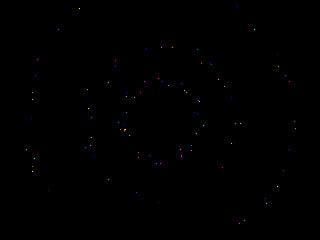
Dot murmuration simulation on the screen
MODE 2 Const NumBoids=30 Dim X(NumBoids), Y(NumBoids) Dim VX(NumBoids), VY(NumBoids)
For i=1 To NumBoids X(i)=Int(Rnd*MM.HRES) Y(i)=Int(Rnd*MM.VRES) VX(i)=(Rnd*4)-2 VY(i)=(Rnd*4)-2 Next
Do For i=1 To NumBoids Pixel X(i),Y(i),0 'Clear centerX=0: centerY=0 avoidX=0: avoidY=0 alignX=0: alignY=0 count=0 For j=1 To NumBoids If i<>j Then distX=X(j)-X(i) distY=Y(j)-Y(i) dist=Sqr(distX*distX+distY*distY) If dist<100 And dist>0 Then centerX=centerX+X(j) centerY=centerY+Y(j) alignX=alignX+VX(j) alignY=alignY+VY(j) count=count+1 If dist<20 Then avoidX=avoidX-distX avoidY=avoidY-distY EndIf EndIf EndIf Next j If count>0 Then centerX=(centerX/count)-X(i) centerY=(centerY/count)-Y(i) VX(i)=VX(i)+centerX*.005 VY(i)=VY(i)+centerY*.005 alignX=alignX/count alignY=alignY/count VX(i)=VX(i)+alignX*.05 VY(i)=VY(i)+alignY*.05 EndIf VX(i)=VX(i)+avoidX*.1 VY(i)=VY(i)+avoidY*.1 speed=Sqr(VX(i)*VX(i)+VY(i)*VY(i)) If speed>4 Then VX(i)=(VX(i)/speed)*4 VY(i)=(VY(i)/speed)*4 EndIf X(i)=X(i)+VX(i) Y(i)=Y(i)+VY(i) If X(i)<10 Then VX(i)=VX(i)+.5 If X(i)> MM.HRES-10 Then VX(i)=VX(i)-.5 If Y(i)<10 Then VY(i)=VY(i)+.5 If Y(i)>MM.VRES-10 Then VY(i)=VY(i)-.5 Pixel X(i),Y(i) Next i Loop While Inkey$=""
javavi Guru Joined: 01/10/2023 Location: UkrainePosts: 612
Posted: 05:02pm 07 Jun 2026
Copy link to clipboard
Print this post
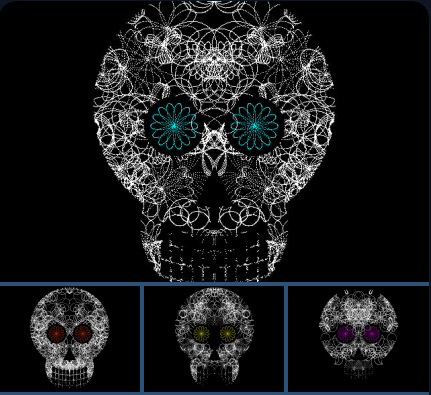
Crystal Skulls
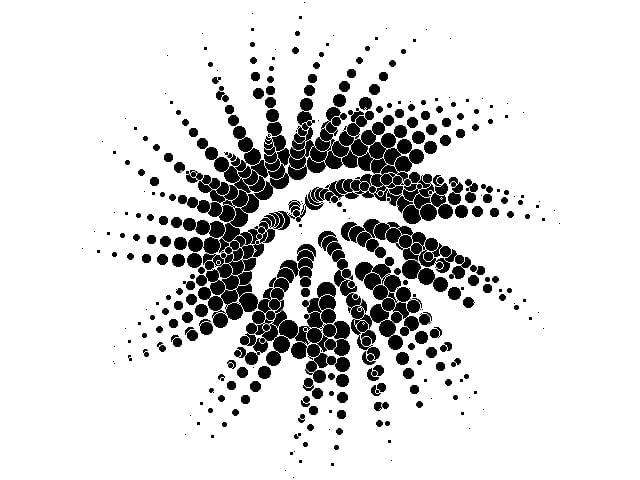
MODE 3 K=360 Dim SinT(K), CosT(K) For i=0 To K T=i*2*Pi/K: SinT(i)=Sin(T): CosT(i)=Cos(T) Next Do U=120: V=-60: D=2: N=7: A=70 Color Rnd*&HFFFFFF If Rnd>.5 Then CLS For J=1 To 40 For T=0 To K*2 Z=A*CosT(((T*N)\D)Mod K) X=U+Z*CosT(T Mod K) Y=V+Z*SinT(T Mod K) E=X*X R=Sqr(E+Y*Y) F=Y+K G=Sqr(E+F*F) L=Y+60 I=X-120 H=Sqr(I*I+L*L) If (G>220 And R>K) Then Continue For If (R>380 And Abs(X)<160 And Abs(X) Mod 32>4 And R Mod 48>4) Then Continue For If (J>1 And H<90) Then Continue For If (-300<Y And Y<-160 And -X*2-Y>180) Then Continue For Pixel 320+X\2,186-Y\2: Pixel 320-X\2,186-Y\2 Next T U=Rnd*K: V=Rnd*940-520 D=Rnd*3+1: N=Rnd*5+2: A=Rnd*80+50 Color RGB(White) Next J Loop While Inkey$=""
twofingers Guru Joined: 02/06/2014 Location: GermanyPosts: 1773
Posted: 10:46pm 08 Jun 2026
Copy link to clipboard
Print this post
Hi Vadim, Thanks for your previous post (The dot murmuration simulation on the screen)! It inspired me to play around with it and expand on it a bit. I hope that’s okay with you! I found it interesting how quickly the different species come together.
'Option Profiling On Option TraceCache On 32' 64 to demonstrate the TraceCache "if"-bug! 'Option Cache Debug On MODE 3'3 or 2 Const NB=40,NG=4'1-15 Dim float X(NB),Y(NB),U(NB),V(NB),LK(NB) Dim float cx,cy,ax,ay,lx,ly,dx,dy,ds,ss,sp,px,py,pu,pv,b,MS(NG),MP(NG) Dim integer i,j,k,l,ifbug=0'1=demonstrate the TraceCache "if"-bug Dim integer C(15)=(0,6,8,14,12,15,3,7,1,9,10,11,5,13,4,2) Colour Map C(),C() 'dim string G$=Chr$(142)
For i=1 To NG:MS(i)=9+(i Mod 4)*3:MP(i)=Sqr(MS(i)):Next i For i=1 To NB:X(i)=Int(Rnd*MM.HRES):Y(i)=Int(Rnd*MM.VRES):U(i)=(Rnd*4)-2:V(i)=(Rnd*4)-2:LK(i)=(i Mod NG)+1:Next i Do : Print @(0,0) MM.Info(heap),Int(Timer),l" ";:Timer =0 Inc l For i=1 To NB px=X(i):py=Y(i):pu=U(i):pv=V(i):b=LK(i) Circle X(i),Y(i),7,1,,0 Pixel X(i),Y(i),0 'Text px,py,G$,"CM",1,1,0 cx=0:cy=0:ax=0:ay=0:lx=0:ly=0:k=0 For j=1 To NB If i<>j Then dx=X(j)-px:dy=Y(j)-py:ds=dx*dx+dy*dy If ds<10000 Then If b=LK(j) Then Inc cx,X(j):Inc cy,Y(j):Inc lx,U(j):Inc ly,V(j):Inc k If ds<400 Then Inc ax,-dx:Inc ay,-dy Else If ds<1600 Then Inc ax,-dx*1.5:Inc ay,-dy*1.5 EndIf EndIf EndIf Next If k>0 Then cx=(cx/k)-px:cy=(cy/k)-py:Inc pu,cx*.005:Inc pv,cy*.005:lx=lx/k:ly=ly/k:Inc pu,lx*.05:Inc pv,ly*.05 Inc pu,ax*.1:Inc pv,ay*.1:ss=pu*pu+pv*pv If ss>MS(b) Then sp=Sqr(ss):pu=(pu/sp)*MP(b):pv=(pv/sp)*MP(b) Inc px,pu:Inc py,pv If ifbug Then If px<10 Then Inc pu,.5 Else If px>MM.HRES-10 Then Inc pu,-.5 If py<10 Then Inc pv,.5 Else If py>MM.VRES-10 Then Inc pv,-.5 Else Select Case px:Case <10:Inc pu,.5:Case >MM.HRES-10:Inc pu,-.5:End Select Select Case py:Case <10:Inc pv,.5:Case >MM.VRES-10:Inc pv,-.5:End Select EndIf X(i)=px:Y(i)=py:U(i)=pu:V(i)=pv':Text px,py,G$,"CM",1,1,cl Pixel X(i),Y(i),C(b) Circle X(i),Y(i),7,1,,C(b) Next Loop While Inkey$="" 'Save image "swarm" End
Additionally, I think I’ve found a small but annoying bug in the TRACECACHE option. The attached code demonstrates this with an If/Then statement. If I replace it with Select/Case, the "NumBoids" elements no longer disappear (after a few hundred loop iterations). I haven't investigated the exact causes any further; this is just meant as a tip for other users. Otherwise, the TRACECACHE option is very useful and amazing! Regards Michael‚My name is Ozymandias, king of kings Look on my works, ye Mighty, and despair!‘ Nothing beside remains. Round the decay Of that colossal wreck, boundless and bare The lone and ...
javavi Guru Joined: 01/10/2023 Location: UkrainePosts: 612
Posted: 09:09pm 05 Jul 2026
Copy link to clipboard
Print this post
Star Whirlwind
MODE 2 Const XC=MM.HRES\2 Const YC=MM.VRES\2 Const MaxStars = 100 Dim StarR(MaxStars) 'Radius (distance from the center) Dim StarA(MaxStars) 'Angle of rotation Dim StarS(MaxStars) 'Approaching speed Dim StarC(MaxStars) 'Color of the star
For i=1 To MaxStars StarR(i)=1 StarA(i)=Rnd*2*Pi StarS(i)=Int(Rnd*3)+2 StarC(i)=Map(Int(Rnd*14)+1) Next i
Do For i=1 To MaxStars X=XC+StarR(i)*Cos(StarA(i)) Y=YC+StarR(i)*Sin(StarA(i)) If X>=0 And X<MM.HRES And Y>=0 And Y<MM.VRES Then Pixel X,Y,0
Inc StarR(i),StarS(i) Inc StarA(i),.02
If StarR(i)>XC Then StarR(i)=Int(Rnd*10) StarA(i)=Rnd*2*Pi StarC(i)=Map(Int(Rnd*14)+1) EndIf
X=XC+StarR(i)*Cos(StarA(i)) Y=YC+StarR(i)*Sin(StarA(i)) If X>=0 And X<MM.HRES And Y>=0 And Y<MM.VRES Then Pixel X,Y,StarC(i) Next i Pause 20 Loop While Inkey$=""
javavi Guru Joined: 01/10/2023 Location: UkrainePosts: 612
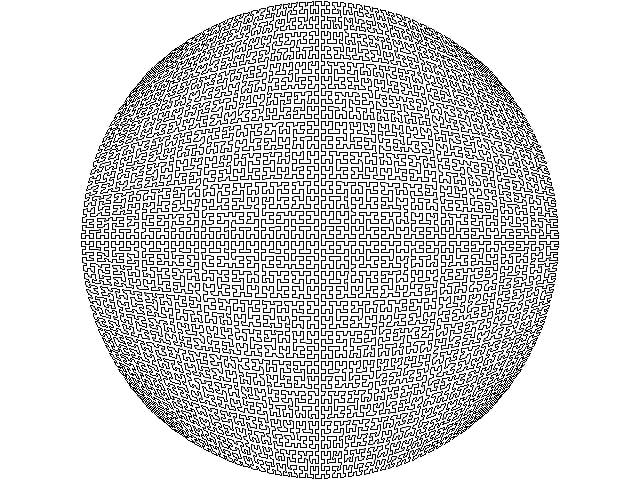
Turtle RESET Turtle PEN UP Turtle SET XY CX-CY*Sqr(1/2),CY-CY*Sqr(1/2) Turtle PEN DOWN PROCH -1,-1,2,0,0,2,7 Pause 5000 End
Sub PROCH(A,B,C,D,E,F,N) If N<=0 Then PROCL A+(C+D)/2,B+(E+F)/2: Exit Sub PROCH A,B,D/2,F/2,C/2,E/2,N-1 PROCH A+C/2,B+E/2,C/2,E/2,D/2,F/2,N-1 PROCH A+C/2+D/2,B+E/2+F/2,C/2,E/2,D/2,F/2,N-1 PROCH A+C/2+D,B+E/2+F,-D/2,-F/2,-C/2,-E/2,N-1 End Sub
Sub PROCL(X,Y) Turtle SET XY CY*X*Sqr(1-Y*Y/2)+CX, CY*Y*Sqr(1-X*X/2)+CY End Sub
homa Guru Joined: 05/11/2021 Location: GermanyPosts: 695
Posted: 08:39pm 08 Jul 2026
Copy link to clipboard
Print this post
nice
javavi Guru Joined: 01/10/2023 Location: UkrainePosts: 612
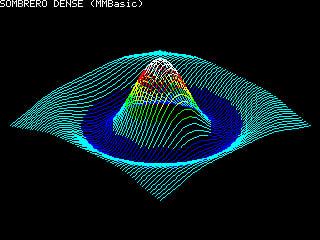
N=0 ' Basic loop on grid For GX=-150 To 150 Step 5 HasPrev=0 For GY=-150 To 150 Step 5 ' Calculating the radius R=Sqr(GX*GX+GY*GY) ' Calculating the Z height If R=0 Then Z=1.0 Else Z=Sin(R/20)/(R/20) ' Projection of 3D coordinates onto a 2D screen PX=Int((GX-GY)*A+CX) PY=Int((GX+GY)*(A/2)+CY-Z*HEIGHT) 'Choose color based on Z height If Z<-0.1 Then COL=RGB(Blue) ElseIf Z<0.2 Then COL=RGB(Cyan) ElseIf Z<0.4 Then COL=RGB(Green) ElseIf Z<0.6 Then COL=RGB(Yellow) ElseIf Z<0.8 Then COL=RGB(Red) Else COL=RGB(White) EndIf ' Draw a line to the current point if there is a previous one If HasPrev=1 Then Line PrevPX,PrevPY,PX,PY,,COL ' Save current coordinates for the next step PrevPX=PX PrevPY=PY HasPrev=1 Inc N Next GY Next GX
Volhout Guru Joined: 05/03/2018 Location: NetherlandsPosts: 6126
Posted: 07:01am 15 Jul 2026
Copy link to clipboard
Print this post
Hi javavi,
You ported the demo program from amiga (the FORTH / Lua demo) to PicoMite. Nice !
javavi Guru Joined: 01/10/2023 Location: UkrainePosts: 612
Posted: 06:19pm 15 Jul 2026
Copy link to clipboard
Print this post
URCHIN
MODE 1 FRAMEBUFFER CREATE FRAMEBUFFER WRITE F CX=MM.HRES\2:CY=MM.VRES\2 Timer =0
Do t=Timer CLS 1 For n=5 To 15 r=n*16+16 tr=t-n*50 ra=tr/1234 rb=tr/2345 For a=0 To Pi Step .448785 For b=0 To Pi*2 Step .8-.6*Sin(a) o=Sin(a)*Cos(b) k=Sin(a)*Sin(b) e=Cos(a)*Cos(ra)+k*Sin(ra) If Cos(a)*Sin(ra)-k*Cos(ra)<.05 Then x=(o*Cos(rb)+e*Sin(rb))*r+CX y=(e*Cos(rb)-o*Sin(rb))*r+CY rd=15-n Circle x,y,rd,,,,0 EndIf Next b Next a Next n FRAMEBUFFER COPY F,N,B Loop
Martin H. Guru Joined: 04/06/2022 Location: GermanyPosts: 1556
Posted: 07:16pm 15 Jul 2026
Copy link to clipboard
Print this post
Impressive, and with just a few minor tweaks it’ll run on MMB4W or CMM2 too. I’m thrilled
Do t=Timer CLS 1 For n=5 To 15 r=n*16+16 tr=t-n*50 ra=tr/1234 rb=tr/2345 For a=0 To Pi Step .448785 For b=0 To Pi*2 Step .8-.6*Sin(a) o=Sin(a)*Cos(b) k=Sin(a)*Sin(b) e=Cos(a)*Cos(ra)+k*Sin(ra) If Cos(a)*Sin(ra)-k*Cos(ra)<.05 Then x=(o*Cos(rb)+e*Sin(rb))*r+CX y=(e*Cos(rb)-o*Sin(rb))*r+CY rd=15-n Circle x,y,rd,,,,0 EndIf Next b Next a Next n 'FRAMEBUFFER COPY F,N,B Page copy 1,0 Loop
'no comment
javavi Guru Joined: 01/10/2023 Location: UkrainePosts: 612
Posted: 07:09am 19 Jul 2026
Copy link to clipboard
Print this post
Circle Dance
MODE 2 FRAMEBUFFER CREATE FRAMEBUFFER WRITE F X0=MM.HRES\2 Y0=MM.VRES\2
Do CLS t=Timer/64 S=Sin(t/79) C=Cos(t/69) z=Sin(t/99+1)*8+9 For V=-7 To 7 For U=-7 To 7 X=U*C-V*S Y=U*S+V*C sx=Sin(X/4+t/13)*8+4 sy=Cos(Y/3+t/9)*8+4 Circle X*z+X0,Y*z+Y0,sx,,,Map((t/16+z)Mod 16) Circle X*z+X0,Y*z+Y0,sy,,,0,Map(1+(t/16+z)Mod 15) Next Next FRAMEBUFFER COPY F,N,B Loop
javavi Guru Joined: 01/10/2023 Location: UkrainePosts: 612
Posted: 06:48pm 01 Aug 2026
Copy link to clipboard
Print this post
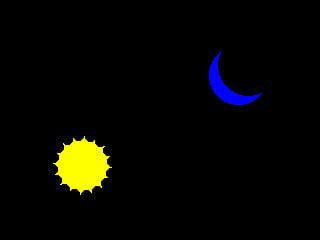
SUN & MOON
MODE 2 FRAMEBUFFER create FRAMEBUFFER write F t=0 orbit=90 sr=30
Do CLS sun 0 moon Pi Inc t,.01 FRAMEBUFFER copy F,N,B Loop While Inkey$=""
Sub sun(angle) x=160+Cos(angle+t)*orbit y=120+Sin(angle+t)*orbit Circle x,y,sr,,,0,RGB(Yellow) For i=0 To Pi*2 Step Pi/8 Circle x+Cos(i+t)*sr,y+Sin(i+t)*sr,5,,,0,0 Next End Sub
Sub moon(angle) x=160+Cos(angle+t)*orbit y=120+Sin(angle+t)*orbit Circle x,y,sr,,,0,RGB(Blue) Circle x+10,y-10,sr,,,0,0 End Sub
javavi Guru Joined: 01/10/2023 Location: UkrainePosts: 612
Posted: 03:57pm 04 Aug 2026
Copy link to clipboard
Print this post
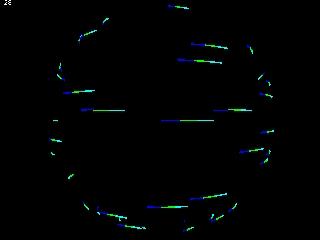
Rotating Linear Spherical Strudel "Option tracecache on" speeds up FPS almost two times
MODE 3 Dim T(2,1152) As integer For I=1 To 1152:T(2,I)=-1:Next For I=1 To 36 H=(1-I/36)*(1-2*(1 And I)) W=50*Sqr(1-H^2) H=50*H n=(I-1)*32+Int(Rnd*30) T(2,n)=RGB(Cyan):T(2,n+1)=RGB(Green) T(2,n+2)=RGB(Blue):T(2,n+3)=RGB(Black) For J=1 To 32 Z=450/(Sin(J*.098)*-W+110) Pixel 320+Sin((J+16)*.098)*W*Z,240-H*Z T(0,(I-1)*32+J)=320+Sin((J+16)*.098)*W*Z T(1,(I-1)*32+J)=240-H*Z Next Next Pause 1000
Option tracecache on Do J=0 T(2,0)=T(2,1) For I=1 To 1152-1 Inc J If J<32 Then If T(2,I)>-1 Then Line T(0,I),T(1,I),T(0,I+1),T(1,I+1),,T(2,I) EndIf Else : J=0: EndIf T(2,I)=T(2,I+1) Next T(2,1152)=T(2,0) Print @(0,0)1000\Timer:Timer =0 Loop
Page 12 of 13
Print this page
The Back Shed's forum code is written, and hosted, in Australia.

 Notice. New forum software under development. It's going to miss a few functions and look a bit ugly for a while, but I'm working on it full time now as the old forum was too unstable. Couple days, all good. If you notice any issues, please contact me.


 Print this post