Notice. New forum software under development. It's going to miss a few functions and look a bit ugly for a while, but I'm working on it full time now as the old forum was too unstable. Couple days, all good. If you notice any issues, please contact me.
javavi Guru Joined: 01/10/2023 Location: UkrainePosts: 642
Posted: 09:06pm 26 Oct 2026
Copy link to clipboard
Print this post
Hi Matthias,
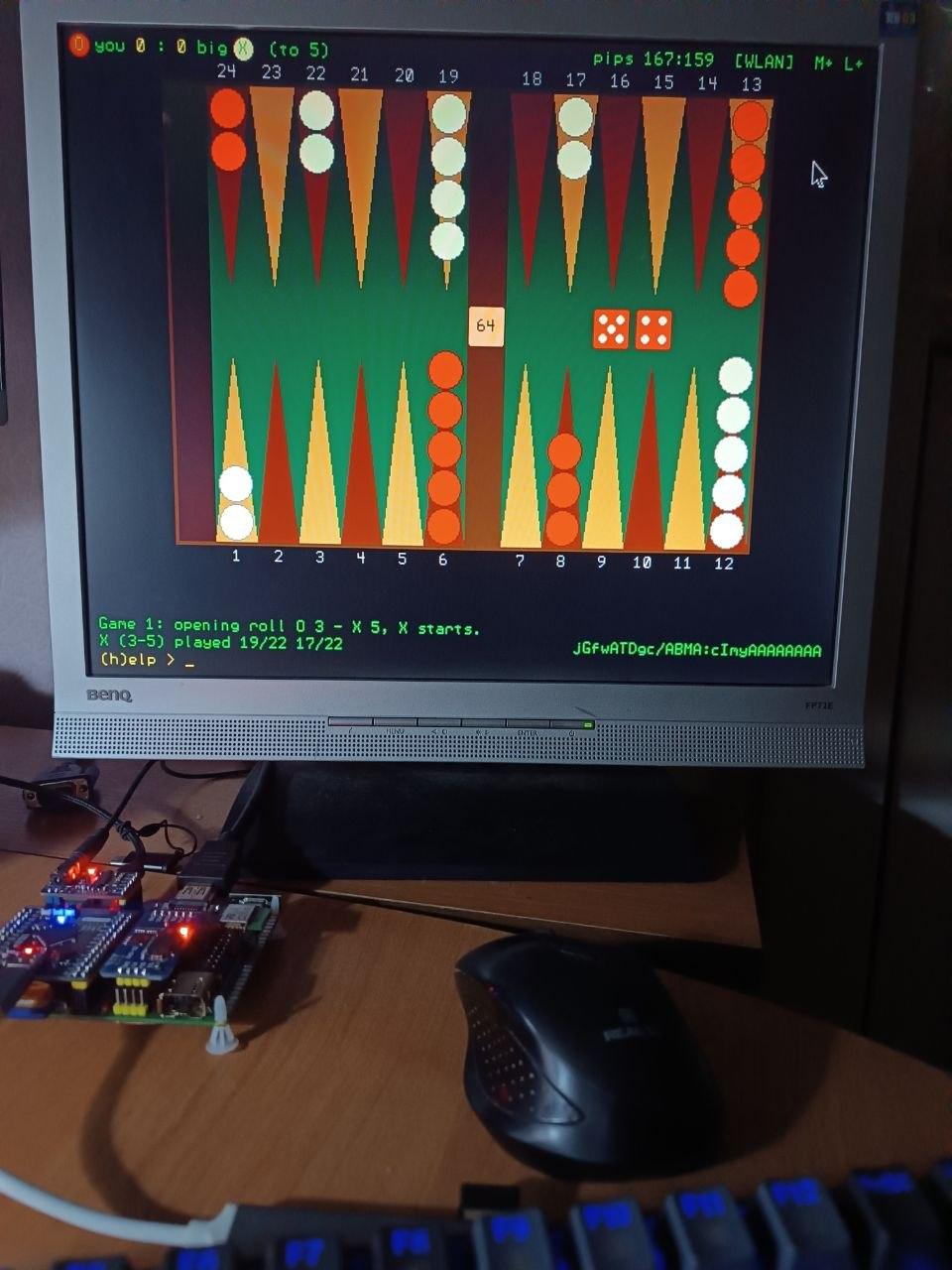
I was playing on my Pico Computer 3 clone. I’m really on a roll today—I finally beat it! Although I’m more of an expert at Eastern-style long backgammon, it was still fun to play these "knock-out" style games. https://en.wikipedia.org/wiki/Long_Nardy Thank you for this excellent program. Edited 2026-10-27 07:09 by javavi
homa Guru Joined: 05/11/2021 Location: GermanyPosts: 777
Posted: 09:25pm 27 Oct 2026
Copy link to clipboard
Print this post
MMbg 1.10.36 - one package for (hopefully) every RP2350, plus a little MODBUFF story
Congratulations! Thank you for testing on your PC3 clone and for the photo - and thanks for the link to Long Nardy, I did not know that variant. Glad you had fun with our "knock-out" western style.
How it started: the PC1 ambition After 1.10.34 I looked at my "PC1" (PicoMite HDMI/USB reference design, RP2350A, no PSRAM, no WLAN) and wondered how far MMbg can be pushed on it. The numbers were not encouraging: - The two big gnubg nets (250-128-5, contact and crashed) need 512 KB as floating point - on the PC3 they live in PSRAM. - The PC1 has about 211 KB of heap, and MMbg itself (move lists, undo history, .mat, small nets, graphics state) already wants a large part of it. - HDMI needs another 150 KB of RAM for a framebuffer - so no smooth animation there either.
The PicoCalc edition had solved this so far with a row buffer in RAM: weights packed to 16 bit, only the ~50 active input rows per evaluation, missing rows read from the SD card. Clever, but on the PC1 it simply did not fit: crashes, OPTION SYMBOLS OFF (saves 3-5 KB, but variable lookup becomes about half as fast - a big move took 1.25 s instead of 0.47 s), and still too little air.
The idea: the MODBUFF The firmware reserves a flash area for MOD music files: OPTION MODBUFF ENABLE 192. On most boards it is just sitting there. Flash is memory-mapped on the RP2350, so why not put the nets there and read them in place? So all big-net data went into one file, bgnet16.mb (144 192 bytes):
0 bgnet0.p16 contact net, 250 rows x 128 x 16 bit (row = one input) 64000 bgnet2.p16 crashed net, same layout 128000 bgnet0.s16 250 x lo, 250 x q as FLOAT (one scale per row) 132000 bgnet2.s16 136000 bgesc.pk escape tables, 8192 bytes
Weight = lo + u * q, with lo/q per input row, so 16 bit loses practically nothing (about 3e-8 equity per move - far below anything measurable). At start-up MMbg asks MM.INFO(MODBUFF ADDRESS), checks the contents against the check sums in bgpk16.dat and, if they do not match, simply does FLASH MODBUFF LOAD "bgnet16.mb" itself - inside the running program, variables are kept, about 1.6 s, and the flash is written only then. While thinking, the hot loop reads straight from flash:
MEMORY UNPACK zma% + row * 256, zrw%(), 128, 16 ' one row, 16 bit -> integers MATH SCALE ... / MATH C_ADD ... ' x input x q, add up PEEK(FLOAT zma% + 128000 + row * 8) ' row scale PEEK(BYTE zme% + i) ' escape tables
No RAM for the nets, no SD access while thinking. Side note: if you play MOD music from the MODBUFF in between, that overwrites the nets - no harm done, MMbg notices it at the next start and reloads them in 1-2 s.
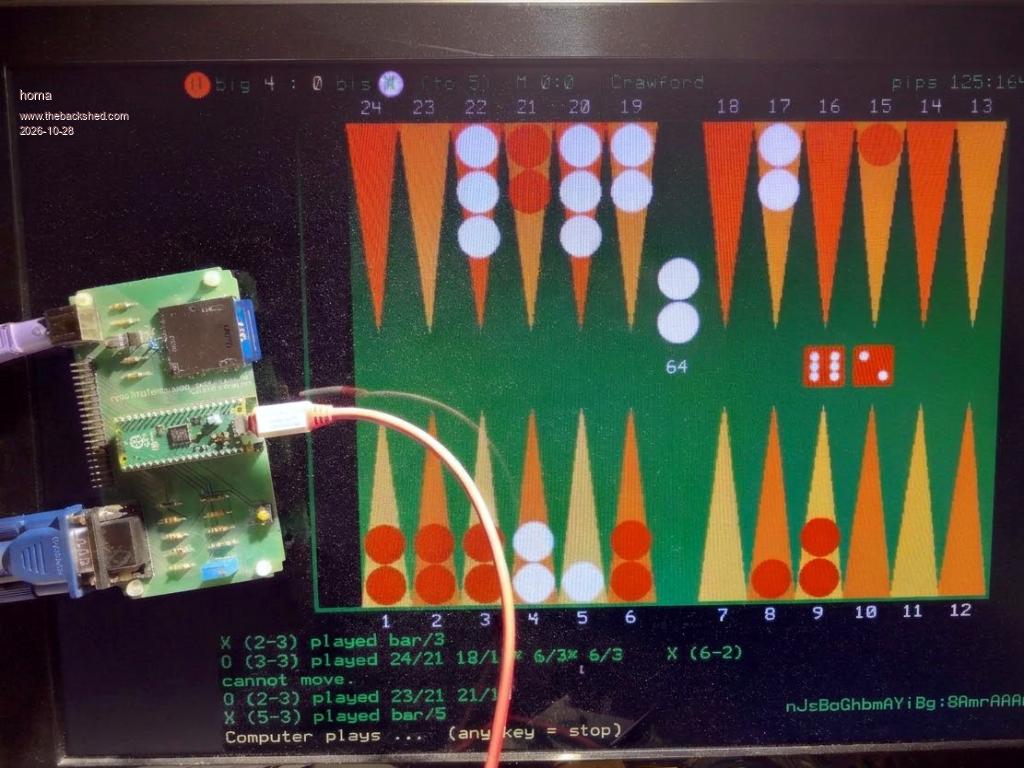
What it brought - PC1: full PC3 interface (640x480, mouse, terminal, undo, .mat, log, test runs), engines up to big and deep, big about 0.4 s per move. Only WLAN/gnubg is missing. Lowest free RAM while thinking: 16 KB - tight, but stable over many matches. - PicoCalc: the same net code replaced the row buffer. ~70 KB more RAM, so move list 500, undo 300 and .mat 400 as on the PC3. The old 300-move limit could cut off moves with some doubles - now the PiCa evaluates exactly the same candidates as the PC3, so it plays as strong as the PC3. - VGA: the PC1 edition also runs on a Pico 2 with the VGA reference board (photo above) - and there the framebuffer costs no user RAM, so the animation is as smooth as on the PC3. Even OPTION COMPILE ON works. - Screenshots now come from the firmware on every device: Print Screen or Ctrl+\ (OPTION PRINTSCREEN FORMAT PNG for PNG). Thanks Peter for the RC6 fix - the file manager now shows them on the device. All pictures in the new manual are real screenshots, even from the PicoCalc LCD.
Which file for which device
mmbg_pc3.bas boards with PSRAM: PC3, also Colour Maximite 2 mmbg_pc1.bas HDMI or VGA boards without PSRAM mmbg_pica.bas PicoCalc (load with LOAD "mmbg_pica.bas", C)
Tested with PicoMite V7.00.00RC6 (PC3, PC1, VGA board, PicoCalc with Pico 2 W and with Pico 2) and CMM2 7.00.00b4. PC1, VGA and PicoCalc need once: OPTION MODBUFF ENABLE 192 (at least 152 KB; 192 recommended, most MOD files need that anyway). Changing this option formats drive A: - save it first. Note that the RC6 HDMI and VGA builds reset all options on the first boot - set it again afterwards.
Feature freeze With 1.10.36 MMbg is feature complete for now - I will only fix bugs. The package contains the programs, nets, bear-off database and the manual in English and German (with bookmarks for the PDF viewer).
Have fun and enjoy playing! I am happy about bug reports - and just as much about success stories: on which other boards and configurations do you get MMbg running? A short note with your board, firmware and OPTION LIST would be great.
Volhout Guru Joined: 05/03/2018 Location: NetherlandsPosts: 6276
Posted: 08:09am 28 Oct 2026
Copy link to clipboard
Print this post
Nice achievement (making it executable without PSRAM) and even maintaining similar play strength despite 16 bit weights. Honestly, the neural engine knowledge is new to me, and I might use this to study how it works. Bear off weights ? At this moment does not light any bells with me.
One question, why did you not use flash slots. ? Besides the library, there are 2 of them and their combined size is over 200k. Then you could still use the MODBUF for background music.
Regards,
Volhout P.S. I had a fantasy about porting to 2040 VGA but the video mode (640x480 tiles) would be ugly. You would need to revert to 320x240 (similar to, but vertical shrunk from PicoCalc). Edited 2026-10-28 18:10 by VolhoutPicomiteVGA PETSCII ROBOTS
homa Guru Joined: 05/11/2021 Location: GermanyPosts: 777
Posted: 06:29pm 28 Oct 2026
Copy link to clipboard
Print this post
Thank you! The bear-off part is not a net at all: it is a small database for the end of the game, when all checkers are in the home board. For one side with up to 15 checkers on 6 points there are 54 264 positions, and for each of them MMbg has the exact chances (incl. gammons) - so in the race at the end it plays perfectly instead of estimating. The database (bgbo15.dat) was computed for MMbg itself, it contains no gnubg data. If you want to dig into the nets: chapter 9 of the manual explains them step by step in simple words.
On purpose: I want to leave the flash slots free for the user - that is what people use for their own programs and libraries. The MODBUFF is more of a scratch area for temporary data, and MMbg simply reloads its nets when something else has used it. And honestly, MOD tracks as non-stop background music to a game of backgammon are not really my thing - then rather MP3s (not tested).
I did the maths on that too: with the gnubg neural nets it will not work on the RP2040 - at most the weaker engines that only use simple formulas. I am not really interested in going there, since the price difference to an RP2350 is really small, and on the RP2350 the VGA output works fine with MMbg.
Matthias
homa Guru Joined: 05/11/2021 Location: GermanyPosts: 777
Posted: 10:14pm 11 Nov 2026
Copy link to clipboard
Print this post
MMbg 1.10.36 - addendum: MMbg Win for MMBasic for Windows
MMbg now also runs on MMBasic for Windows (MMB4W V5.07.03b25). Same game, same engines, same net files as MMbg PC3 1.10.36 - only the parts that MMB4W does differently were adapted.
Quick start 1. Take the MMbg 1.10.36 RC package and copy mmbg_win.bas into its mmbg folder (it already holds all net files). Put the folder under Documents. 2. Open cmd.exe (at least 80 x 40), go to Documents and start MMBasic.exe from there. 3. In the graphics window:
CHDIR "mmbg" LOAD "mmbg_win.bas" RUN
The graphics window shows the board and takes keyboard and mouse, the CMD window shows the terminal view.
What's special on Windows - Engine E: gnubg on the same or another PC over TCP (external :41000 in gnubg) - Ctrl+V pastes a GNUbg ID from the Windows clipboard - Optional sound rebuilt with PLAY SOUND (default off) - Speed: a 5-point match big vs gnubg takes about 12-14 s instead of 6.5 min on the PC3
First results MMbg big vs gnubg 0-ply, duplicate mode: 47.3 % of 831 matches (± 3.4 %), 2.7 hours. So "plays about like gnubg 0-ply" holds, with a slight tendency to weaker.
Two observations on MMB4W (b25) - With OPTION CONSOLE SERIAL, PRINT #n also goes to the CMD window instead of the file. MMbg switches to OPTION CONSOLE SCREEN around file writes. - TCP RECEIVE without incoming data waits until MMBasic.exe is restarted. A timeout option would be welcome.
All details (setup, differences to the PC3 version, measurements) are in the attached PDF (English and German). As always: bug reports, success stories and improvements are welcome. Have fun - and good dice!

 Notice. New forum software under development. It's going to miss a few functions and look a bit ugly for a while, but I'm working on it full time now as the old forum was too unstable. Couple days, all good. If you notice any issues, please contact me.


 Print this post