| |
  Page 3 of 3 Page 3 of 3 |
| Author |
Message |
Mixtel90

Guru

Joined: 05/10/2019
Location: United KingdomPosts: 9185 |
| Posted: 04:23pm 03 Jan 2026 |
 Copy link to clipboard Copy link to clipboard |
 Print this post |
|
I'm not saying conceal them from developers. My point is that a certain level of performance is expected by users. If that level can't be reached by using the maximum number of variables, for example, then the number stated in the manual should be an optimal number that allows maximum performance to be reached. Putting the maximum possible number, where performance suffers, in the manual is seriously misleading.
Making the maximum possible number available on this web site isn't the same as putting it in the manual. You have to allow for the fact that most users won't come here very much - if at all. They will have a well performing system if they follow the manual.
Mick
Zilog Inside! nascom.info for Nascom & Gemini |
| |
JohnS
Guru
Joined: 18/11/2011
Location: United KingdomPosts: 4386 |
| Posted: 04:51pm 09 Jan 2026 |
Copy link to clipboard |
Print this post |
|
The manual is out of alphabetical order around commands REDIM, RBOX, READ, ...
John |
| |
Volhout

Guru
Joined: 05/03/2018
Location: NetherlandsPosts: 6169 |
| Posted: 08:06am 12 Jan 2026 |
Copy link to clipboard |
Print this post |
|
@Geoff,
For the user manual of 6.01.00, but also for 6.02.00.

The function should be DEVICE(NUNCHUCK funct). The text WII should be removed.
Volhout
PicomiteVGA PETSCII ROBOTS |
| |
lizby
Guru
Joined: 17/05/2016
Location: United StatesPosts: 3885 |
| Posted: 06:20pm 12 Jan 2026 |
Copy link to clipboard |
Print this post |
|
I'm not sure where to note this, but "CONTINUE DO" is in the manual (and in an example), it is not shown under "DO". It might be good to note it there (and also CONTINUE FOR in the FOR entry).
PicoMite, Armmite F4, SensorKits, MMBasic Hardware, Games, etc. on FOTS |
| |
PhenixRising
Guru
Joined: 07/11/2023
Location: United KingdomPosts: 2088 |
| Posted: 08:40am 20 Jan 2026 |
Copy link to clipboard |
Print this post |
|
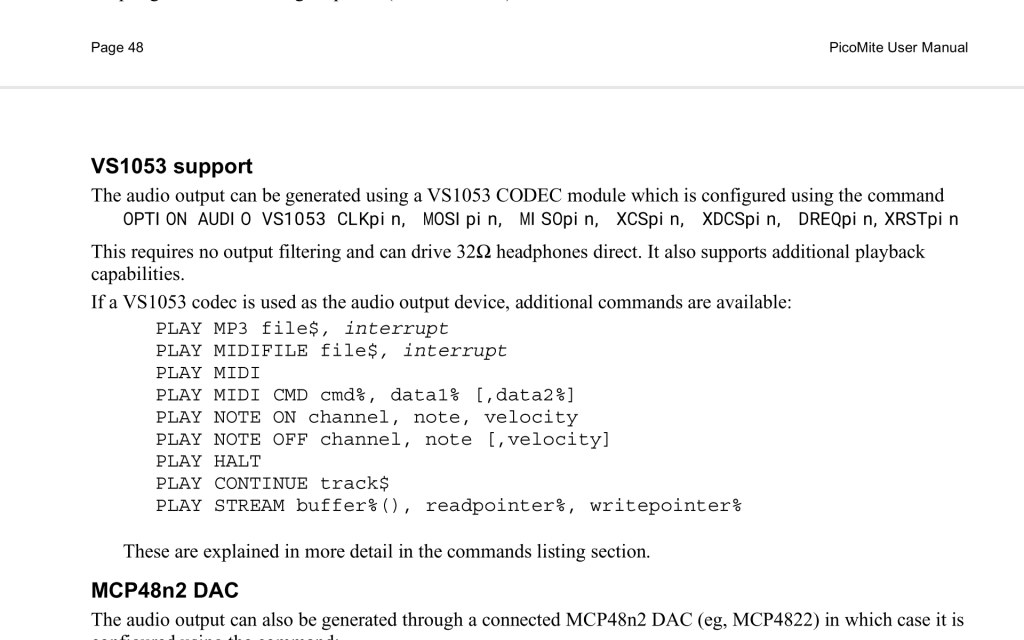
Unwanted spaces in setup 
 |
| |
Geoffg

Guru
Joined: 06/06/2011
Location: AustraliaPosts: 3369 |
| Posted: 12:16pm 20 Jan 2026 |
Copy link to clipboard |
Print this post |
|
That's weird, the spaces do not show up in the source for the manual or in the PDF on my website (https://geoffg.net/Downloads/picomite/PicoMite_User_Manual.pdf)
Geoff
Geoff Graham - http://geoffg.net |
| |
JohnS
Guru
Joined: 18/11/2011
Location: United KingdomPosts: 4386 |
| Posted: 12:51pm 20 Jan 2026 |
Copy link to clipboard |
Print this post |
|
Looks OK (no extra spaces) for me.
Using
xpdf
on Linux
John |
| |
PhenixRising
Guru
Joined: 07/11/2023
Location: United KingdomPosts: 2088 |
| Posted: 02:10pm 20 Jan 2026 |
Copy link to clipboard |
Print this post |
|
I was half expecting this, gents and almost didn't post. I only have my Android tablet with me. The PDF reader is XODO and has never given me a problem but I'll look at the same file when I get to my desktop |
| |
DigitalDreams
Regular Member

Joined: 03/05/2025
Location: United KingdomPosts: 65 |
| Posted: 08:27pm 22 Jan 2026 |
Copy link to clipboard |
Print this post |
|
Where are we up to with this manual ?. Eagerly waiting for the final version so I can print and bind.... |
| |
phil99

Guru
Joined: 11/02/2018
Location: AustraliaPosts: 3411 |
| Posted: 09:07pm 22 Jan 2026 |
Copy link to clipboard |
Print this post |
|
The usual practice is to release the manual when the the final version of the firmware is released. |
| |
Merino

Newbie

Joined: 03/01/2026
Location: AustraliaPosts: 3 |
| Posted: 10:19pm 25 Jan 2026 |
Copy link to clipboard |
Print this post |
|
I’m just starting to explore the PicoMite world, specifically the WebMite, so have been reading the 6.01.00 manual from the beginning and noticed a few things:
• In the Firmware Versions and Files section, the link to loading the firmware (https://geoffg.net/picomite.html,) includes the trailing comma, leading to a 404-Not Found error when clicked.
• The two links to “Clear_Flash” are also broken. I couldn’t find what the correct location was, but did find a universal “flash_ nuke.uf2” on the Raspberry Pi site (https://www.raspberrypi.com/documentation/microcontrollers/pico-series.html#resetting-flash-memory)
• In the Serial Console section it suggests downloading TeraTerm from the “lo4d.com” website. This is a commercial mirror site which is based on a business model that uses freeware to promote other products with multiple (deceptive) “Download” buttons, so that it’s possible to accidentally download software that is bordering on malware. Also, the version they host is relatively old (4.106)(2021). Maybe better to link to the developers website https://teratermproject.github.io/index-en.html which avoids the ads and has the latest version (5.5.1)(2025)
• It’s great that the manual is so comprehensive, but it can be tedious scrolling to the section of interest. It would be nice if each item in Table of Contents at the start of the manual was hyperlinked to the relevant page, so clicking the item would jump straight to that page. This is a standard PDF feature and most document tools (e.g. Word, LibreOffice), or the paid version of Adobe Acrobat, will generate these links if the appropriate ToC options are selected when using Convert, Save As or Export to PDF (but not if using Print to PDF.)
• In the Web Input Fields and Controls section about radio buttons the attribute value "checked='checked'" in not correct HTML - the syntax is either the attribute “checked” is present or omitted. Browsers just ignore the equals and what follows, so setting "checked='unchecked'" or "checked='false'" would still result in the item being “checked”.
Thanks for the great platform, sofware and documentation!
Mark F |
| |
Geoffg
Guru
Joined: 06/06/2011
Location: AustraliaPosts: 3369 |
| Posted: 04:09pm 26 Jan 2026 |
Copy link to clipboard |
Print this post |
|
Welcome to the forum Mark.
Thanks for the comments, I will apply them to the next revision of the V6.02.00 manual.
Geoff
Geoff Graham - http://geoffg.net |
| |
Geoffg
Guru
Joined: 06/06/2011
Location: AustraliaPosts: 3369 |
| Posted: 12:41pm 28 Jan 2026 |
Copy link to clipboard |
Print this post |
|
Mark,
I went through your comments on the manual and have some comments of my own:
- You reported that some links do not work - but on testing they all work for me. I'm not sure why you have this problem but it might be due to your PDF reader or browser.
- I checked the “lo4d.com” website and it seems benign with no malware. The reason I use them is that I have extensively tested their version. My intention is to recommend something that works, not the latest and greatest which may have issues that I don't know of.
- I use NovaPDF (an old version) to generate the PDF and unfortunately it does not generate clickable links. However, it does generate the bookmarks which are much more useful and I do not want to lose that functionality, so I am not planning to change.
- Thanks for the "heads up" on checking radio buttons. You make a good point and I have corrected the example in the latest revision of the manual for V6.02.00.
Geoff
Edited 2026-01-28 22:42 by Geoffg
Geoff Graham - http://geoffg.net |
| |
JohnS
Guru
Joined: 18/11/2011
Location: United KingdomPosts: 4386 |
| Posted: 03:14pm 28 Jan 2026 |
Copy link to clipboard |
Print this post |
|
Geoff,
page 11 of the 6.02.00 PDF has a link with http instead of https
Oddly, it takes me to a 404 page whose URL has changed to https but yet the 404
Please make it https :)
John |
| |
TassyJim

Guru
Joined: 07/08/2011
Location: AustraliaPosts: 6624 |
| Posted: 08:33pm 28 Jan 2026 |
Copy link to clipboard |
Print this post |
|
Geoff,
Page 120 of v6.02.00
DEVICE BITSTREAM should be "see BITSTREAM command" and
BITSTREAM should have it's own entry (with a reference to the Bitstream PDF)
I think the only DEVICE sub commands remaining are SERIALTX and SERIALRX
Jim
VK7JH
MMedit |
| |
Merino
Newbie
Joined: 03/01/2026
Location: AustraliaPosts: 3 |
| Posted: 10:36pm 28 Jan 2026 |
Copy link to clipboard |
Print this post |
|
Thanks for the update Geoff.
Both links to “Clear_Flash” now work for me – I’d tested with Adobe Acrobat and Chrome in-built PDF readers at the time, so must have just been a glitch in the interweb then.
I hadn’t noticed the bookmarks, which are indeed more useful than a ToC.
Mark F |
| |
Geoffg
Guru
Joined: 06/06/2011
Location: AustraliaPosts: 3369 |
| Posted: 08:06am 29 Jan 2026 |
Copy link to clipboard |
Print this post |
|
Thanks John and Jim, manual updated.
I remember earlier changing DEVICE BITSTREAM to BITSTREAM but it must have reverted! Weird.
Geoff
Geoff Graham - http://geoffg.net |
| |
ville56
Guru
Joined: 08/06/2022
Location: AustriaPosts: 630 |
| Posted: 02:36pm 30 Jan 2026 |
Copy link to clipboard |
Print this post |
|
Geoff,
in the PETSCII Robot game FRAMEBUFFER LAYER is used with a parameter, specifying the transparent color for LCD and VGA/HDMI displays. According to the documentation (V6.01.00 and V6.02.00) this parameter should only apply to the VGA/HDMI implementation. I don't know if it is just ignored with LCD or if it is used.
Maybe older documentation may tell but I do not have any older ones at hand.
Gerald
73 de OE1HGA, Gerald |
| |
Mixtel90
Guru
Joined: 05/10/2019
Location: United KingdomPosts: 9185 |
| Posted: 09:19am 10 Feb 2026 |
Copy link to clipboard |
Print this post |
|
OPTION HEARTBEAT ON/OFF [HEARTBEATpin]
appears to have got lost in Revision 4. :(
Only the RP2040 version is there.
Mick
Zilog Inside! nascom.info for Nascom & Gemini |
| |
lizby
Guru
Joined: 17/05/2016
Location: United StatesPosts: 3885 |
| Posted: 07:06pm 15 Feb 2026 |
Copy link to clipboard |
Print this post |
|
"(see LINE AAA)" should be ("see LINE AA)" (p.76 in mine)
PicoMite, Armmite F4, SensorKits, MMBasic Hardware, Games, etc. on FOTS |
| |
| |
Page 3 of 3 |

 Notice. New forum software under development. It's going to miss a few functions and look a bit ugly for a while, but I'm working on it full time now as the old forum was too unstable. Couple days, all good. If you notice any issues, please contact me.