
| Menu | JAQForum Ver 26.09 |
| Menu | JAQForum Ver 26.09 |
Forum Index : Microcontroller and PC projects : PicoMiteVGA DEMO
  Page 13 of 13 Page 13 of 13 |
||||||
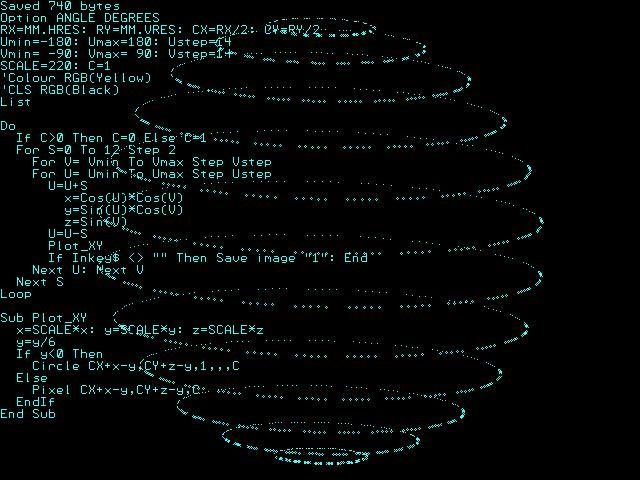 Option ANGLE DEGREES RX=MM.HRES: RY=MM.VRES: CX=RX/2: CY=RY/2 Umin=-180: Umax=180: Ustep=14 Vmin= -90: Vmax= 90: Vstep=14 SCALE=220: C=1 Colour RGB(Cyan) CLS Do If C>0 Then C=0 Else C=1 For S=0 To 12 Step 2 For V= Vmin To Vmax Step Vstep For U= Umin To Umax Step Ustep U=U+S x=Cos(U)*Cos(V) y=Sin(U)*Cos(V) z=Sin(V) U=U-S Plot_XY If Inkey$ <> "" Then End Next U: Next V Next S Loop Sub Plot_XY x=SCALE*x: y=SCALE*y: z=SCALE*z y=y/3 If y<0 Then Circle CX+x-y,CY+z-y,1,,,C Else Pixel CX+x-y,CY+z-y,C EndIf End Sub |
||||||
Tesseract The Space Stone / The Cosmic Cube 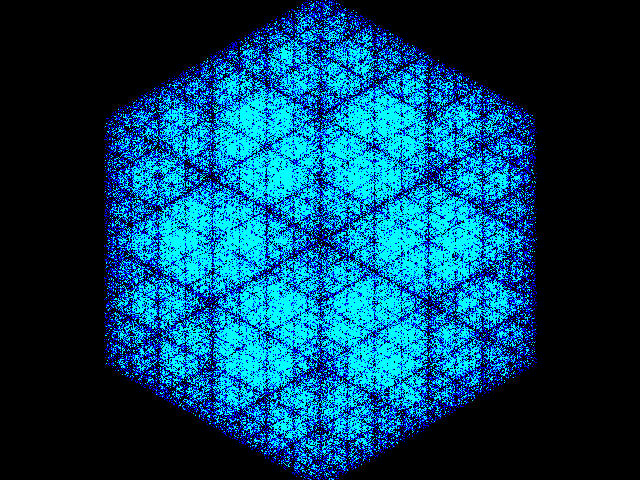 MODE 3 CX=MM.HRES\2 CY=MM.VRES\2 Dim P(5),Q(5) For L=0 To 5 S=Pi/3*L P(L)=500*Sin(S) Q(L)=500*Cos(S) Next X=0:Y=500 For L=0 To 320000 R=Int(Rnd*6) X=(X+P(R))/2 Y=(Y+Q(R))/2 PX=CX+X\2 PY=CY+Y\2 G=Pixel(PX,PY) Color Map(1) If G>0 Then Color Map(7) Pixel PX,PY Next |
||||||
Strudel aus den Kreisen Excuse my German, but if you watch it for a long time, it should start spinning  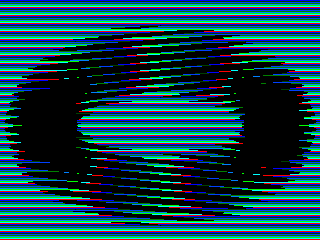 MODE 2 Map Reset For Y=0 To 240-1 Color Map(1+(Y Mod 8)) Line 0,Y,320,Y Next Color 0 Pause 1000 C=36 For O=0 To 7 For A=0 To 7 B=(A*8+O)*Pi/32 L=120*Sin(B)+160 M=((68*Cos(B))\8*8)+125 For Y=M-C+O To M+C Step 8 R=Sqr(Abs(C*C-(Y-M)^2)) Line L-R,Y,L+R,Y Next Next Next Pause 1000 Dim CM%(15) CM%(1)=RGB(Cyan) Do For i%=0 To 7:CM%(i%)=CM%(i%+1):Next CM%(8)=CM%(0) For i%=1 To 8:Map(i%)=CM%(i%):Next Map Set Pause 60 Loop While Inkey$="" |
||||||
Circular Strudel  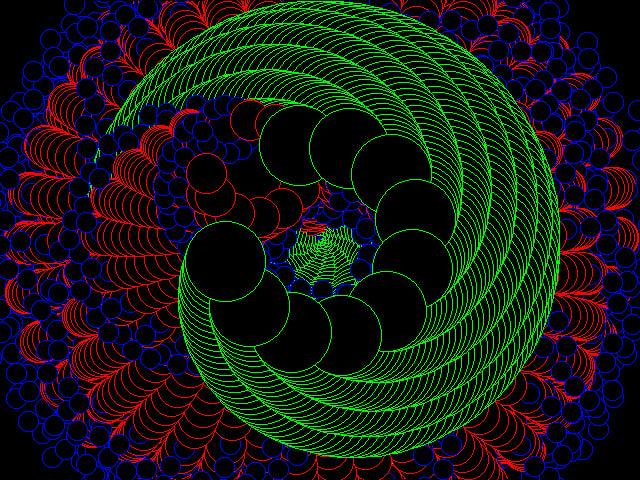 MODE 3 Dim C%(15)=(0,1,2,3,4,5,6,7,8,9,10,11,12,13,14,15) Colour Map C%(), C%() xc=MM.HRES\2 yc=MM.VRES\2 Do r=r+Pi/180 w=w+Pi/72 For i=1 To 11 x=xc+200*Cos(w+i*Pi/6)*Sin(r) y=yc+200*Sin(w+i*Pi/6)*Sin(r) Circle x,y,40,,,C%(6),C%(0) ww=ww+Pi/80 If i=1 Then For j=1 To 11 xx=x+100*Cos(ww+j*Pi/6)*Sin(r) yy=y+100*Sin(ww+j*Pi/6)*Sin(r) Circle xx,yy,20,,,C%(8),C%(0) w3=w3+Pi/80 If j=1 Then For k=1 To 11 x3=xx+50*Cos(w3+k*Pi/6)*Sin(r) y3=yy+50*Sin(w3+k*Pi/6)*Sin(r) Circle x3,y3,10,,,C%(1),C%(0) Next k EndIf Next j EndIf Next i Loop While Inkey$="" |
||||||
Hyperboloid 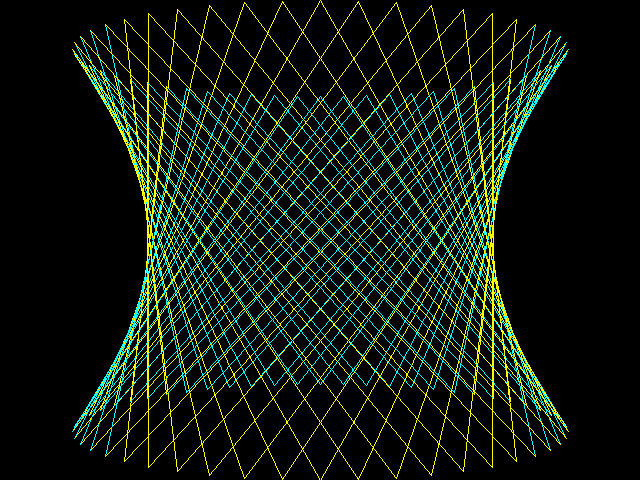 MODE 3 XC=MM.HRES\2: YC=MM.VRES\2 D=3: CX=0: CY=-1: CZ=1 For CY=-1 To 1 Step 2 For I=0 To 2*Pi Step Pi/26 XM=CX+Sin(I): YM=CY: ZM=CZ+Cos(I) XD=CX+Sin(I+Pi/2): YD=-CY: ZD=CZ+Cos(I+Pi/2) If (ZM+ZD)/2>CZ Then Color RGB(Cyan) Else Color RGB(Yellow) SXM=XM*D/(ZM+D): SYM=YM*D/(ZM+D) SXD=XD*D/(ZD+D): SYD=YD*D/(ZD+D) Line XC+XC*SXM,YC+YC*SYM,XC+XC*SXD,YC+YC*SYD Next Next |
||||||
Eldritch  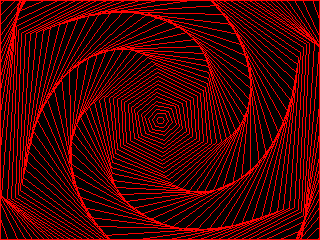 MODE 2 FRAMEBUFFER CREATE FRAMEBUFFER WRITE F Dim PLGNX%(6) Dim PLGNY%(6) CX=MM.HRES\2:CY=MM.VRES\2 C%=RGB(Red) Do CLS For z=1 To 63 For t=0 To 6 x=CX+(Sin(t*1.05+Sin(Timer/300+z/10))*(z*4)) y=CY+(Cos(t*1.05+Sin(Timer/300+z/10))*(z*4)) PLGNX%(t)=x:PLGNY%(t)=y Next Polygon 6,PLGNX%(),PLGNY%(),C% Next FRAMEBUFFER COPY F,N,B Loop While Inkey$="" |
||||||
Thanks Javavi, it's always fun to test and play with your work. Great code to learn from. |
||||||
Comet 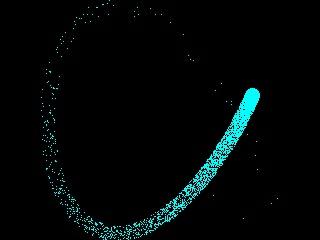 MODE 2 '1 2 3 cx=MM.HRES\2 cy=MM.VRES\2 cr=7 rd=cy-cr C=RGB(Cyan) Do For i=1 To 1000 Pixel Rnd*MM.HRES,Rnd*MM.VRES,0 Next t=Timer/5000 x=cx+rd*Cos(3*t) y=cy+rd*Sin(4*t) Circle x,y,cr,,,C,C Loop While Inkey$="" |
||||||
G'day Javavi, Some of these short programs are a great learning device, I always look forward to trying out the latest one to see how they work and what can be changed. That last one had me guessing how it new where to erase the tail, until the realization that its entropy at work. Brilliant in its simplicity  Hope to see many more. Regards, Lyle. |
||||||
Hi mozzie, yes, it's a clever little program. It's interesting that random deletion produces such an effect. If you disable the delete function, it draws a Lissajous figure with a frequency ratio of 3:4. |
||||||
Fascinating work, guys!.. amazing how a little bit of mathematics can produce such images, (and remind us of the concept of entropy, and how strange.. maths controls the universe) I am minded of the work of Alan Turing into the maths of Leopard spots and all sorts of other patterns in biology. Might be a bit more computationally expensive, but, we've got a compiler now!.. anyone inspired? I never got much beyond "Conway's game of life" myself. BTW the WikiP article on Conway's game of life is excellent Edited 2026-10-09 07:13 by DaveJacko |
||||||
Yes, the Wikipedia article is fascinating and just like the Mandelbrot equations & fractals, show that initially inane constructs and discoveries can indeed have great scientific value. |
||||||
Turbulent flows 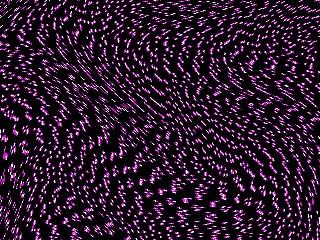 MODE 2 For YM=0 To MM.VRES-1 For XM=0 To MM.HRES-1 X=XM:Y=YM U=X:V=Y For L=0 To 3 U=U+Sin(V*.01*L)*30 V=V+Sin(U*.01*L)*30 Next O=Sin(Int(V/2)*123.45)*12 O=O-Int(O) Color Map(15 And(Int(U)+O*16)) Pixel X,Y Next Next Dim integer CM(15)=(0,9,15,9,0,0,0,0,0,0,0,0,0,0,0,0) Colour Map CM(),CM() Do Tmp=CM(0) For i=0 To 14: CM(i)=CM(i+1): Next CM(15)=Tmp For i=0 To 15: Map(i)=CM(i): Next Map Set Pause 50 Loop |
||||||
Moore sphere-filling curve A Moore curve (after E. H. Moore) is a continuous fractal space-filling curve which is a variant of the Hilbert curve. 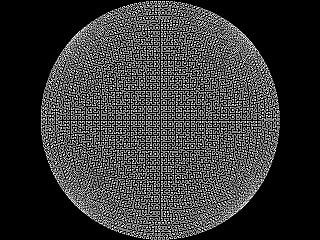 MODE 1 Dim Integer CX,CY,X1,Y1,X2,Y2 CX=MM.HRES\2 CY=MM.VRES\2 X1=CX-CY*Sqr(1/2) Y1=CY-CY*Sqr(1/2) ProcH(-1,-1,2,0,0,2,7) End Sub ProcH(A,B,C,D,E,F,N) If N<=0 Then ProcL(A+(C+D)/2,B+(E+F)/2): Exit Sub ProcH(A,B,D/2,F/2,C/2,E/2,N-1) ProcH(A+C/2,B+E/2,C/2,E/2,D/2,F/2,N-1) ProcH(A+C/2+D/2,B+E/2+F/2,C/2,E/2,D/2,F/2,N-1) ProcH(A+C/2+D,B+E/2+F,-D/2,-F/2,-C/2,-E/2,N-1) End Sub Sub ProcL(X,Y) X2=CY*X*Sqr(1-Y*Y/2)+CX Y2=CY*Y*Sqr(1-X*X/2)+CY Line X1,Y1,X2,Y2 X1=X2:Y1=Y2 End Sub Edited 2026-10-17 07:08 by javavi |
||||||
Find a way out of the maze A German friend of mine @dejanoff, while experimenting with AI, created a small program in MMBasic for the PicoMite and sent it to me to check out. It didn’t run quite right on my end, though, because it had been designed for an 800x600 resolution, which didn’t match the resolution I was using. I showed the program to a Google AI and asked it to modify the code so that it would work with other resolutions. Now, the demo runs at any resolution, provided it has a 4:3 aspect ratio. 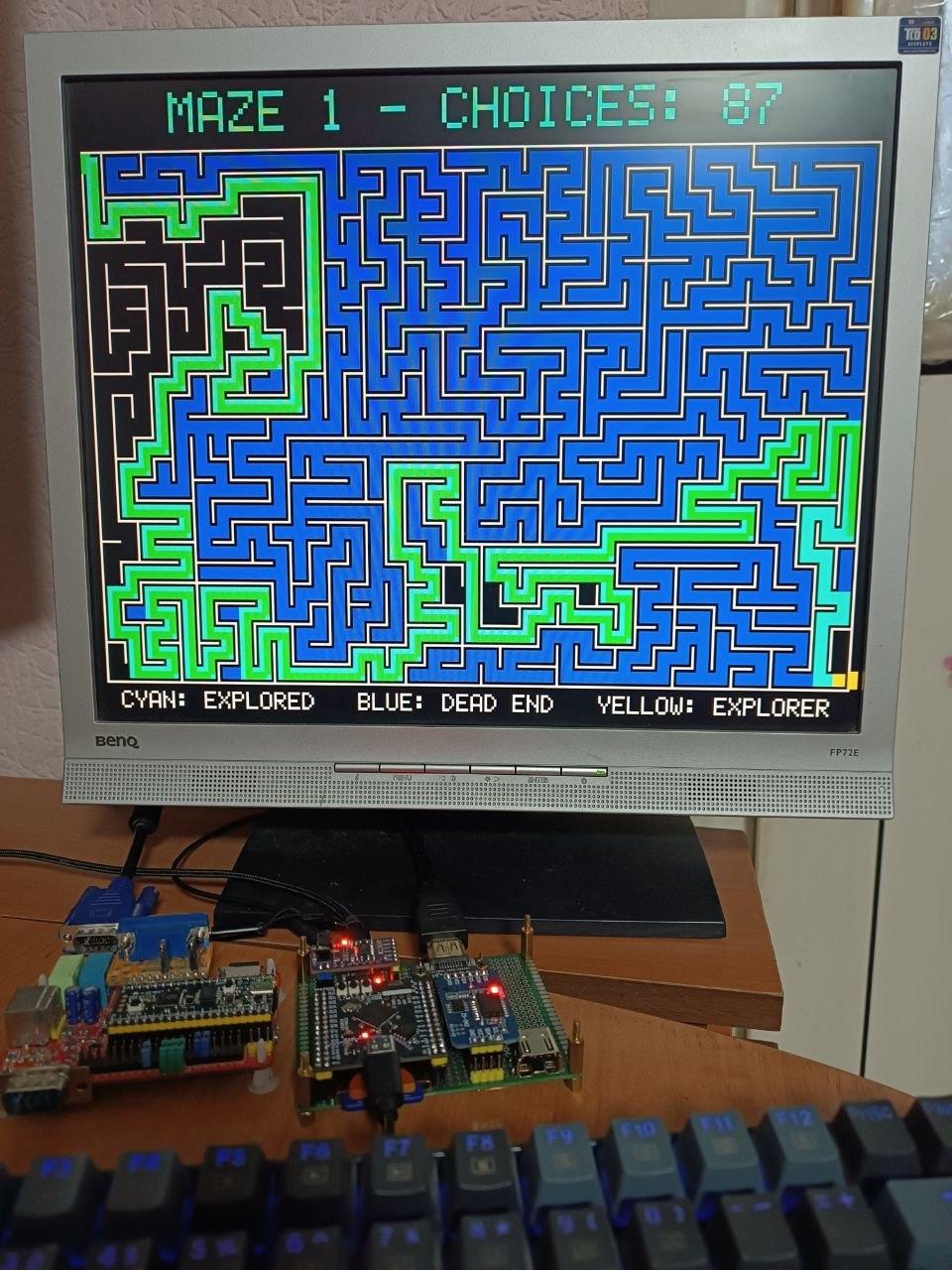 Maze.zip |
||||||
Nice, Works flawless on picomite VGA in mode 2. Volhout |
||||||
| Page 13 of 13 |
||||||
 |
The Back Shed's forum code is written, and hosted, in Australia. |


