
| Menu | JAQForum Ver 19.10.27 |
| Menu | JAQForum Ver 19.10.27 |
Forum Index : Microcontroller and PC projects : Good 10
Hi all.  This is a good LCD screen. NOT the cheapest, but the cheap ones are cheap for a reason......they are cheap!  I've tried a few 10" LCD's over the years, and many were sub-standard, especially with respect to the backlight - many are pretty bad, with washed-out backlight giving uneven display. This one is really very good.  VGA, HDMI(with sound support!), Composite video and stereo audio input, USB, BNC. SPEAKERS inside! (MANY cheap LCD's DON'T have the internal speakers)  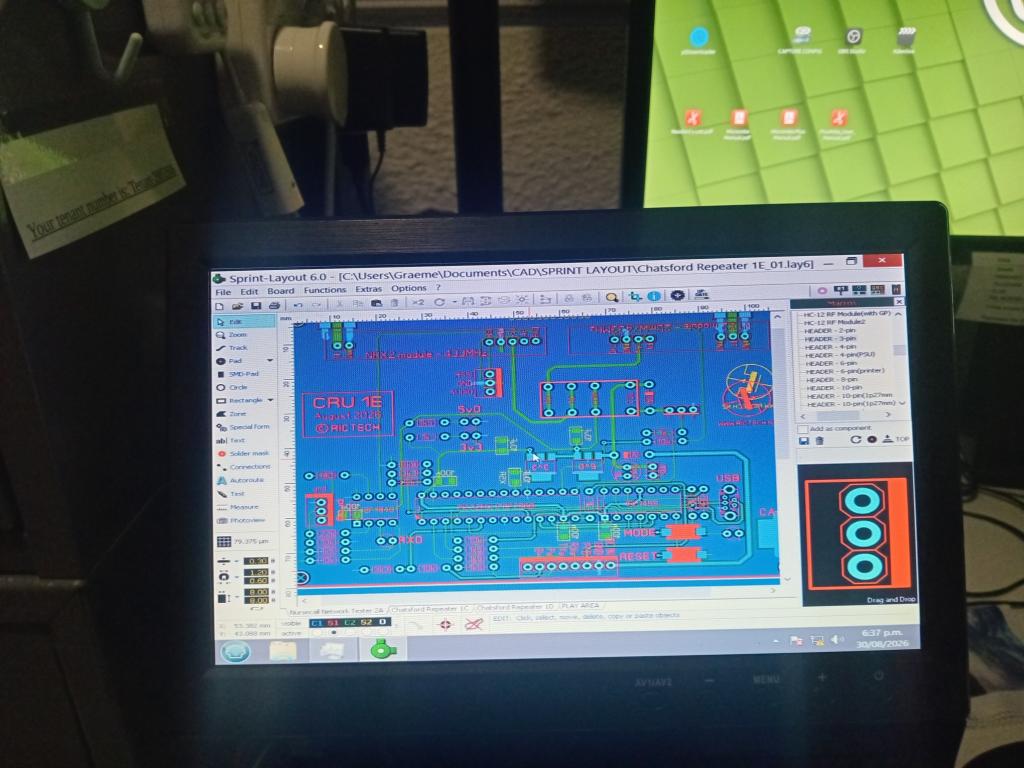 Price for this, is really rather good too. Comes well packaged and in it's own cardboard box thing. Good 10" LCD...... Smoke makes things work. When the smoke gets out, it stops! |
||||||
Thanks Grogs, x1 on its way for me. Cheers, Andrew |
||||||
Grog's I got a 10.1" IPS LCD touch screen on ebay for $114 and got it a week later so Oz seller and when I mounted a pico 3 on the back and booted it up USB touch just worked, now the best part it only draws 5 watts so with the C USB on the pico3 supply 's all the power needed. I bought an el cheapo 20 watt power cell and can get 5 hours life from it running my club.py. can provide a link if wanted. Regards Bryan |
||||||
Yes, post the link. I'm sure others would like to look it up, and it is more choice options. One system I put in place recently, used a 10" LCD and the PM1 + VGA, and I used the LCD's USB socket, to power the PM1 board, so yes - that can be a really good way to keep cables and plug-packs to a minimum.  |
||||||
Ok here is that 10.1" IPS touch screen Now as the touch usb is also a power input the 4 port hub on the pico 3 powers the LCD fine now just putting the finishing touchs to the lcdbase I designed and just for a laugh I'm going to send the STL file to Sam via club.py when I get it 3D printed and up and running I will put some pic's up. Regards Bryan |
||||||
G'day Grogs and Bryan et al, Well - I ordered one of each. Bryan's arrived within a couple of days. It certainly looks very nice. It doesn't claim to have sound (as Grogs' does) but it does have a USB 'Touch' connection. It's 'manual' talks about connecting to a RPi 3B and a Pi4. I'm used to small LCDs (4" is my largest) and the standard OPTION TOUCH commands for MMBasic. BigMick has produced a PicoMup that has all the right connections. Bryan you report that the touch "just worked" - any more information? Regards, Andrew |
||||||
Page 48 PicoMite User Manual Edited 2026-09-15 10:27 by phil99 |
||||||
Thanks Phil. That sounds pretty good! I've struggled to keep up with the latest rapid developments and had only scanned some of the newer sections of the manual(s) - because I didn't have any hardware to use it. (I still have several MM170's in use around the house - but also a box of Pico2s and 2Ws). I read this as meaning that I will need to upgrade to a Pico version with HDMI output and USB input - no problem - and it will be an excuse to order built module(s) online. What is the current preferred version - that too has confused me? Cheers, Andrew |
||||||
Andrew first I am one of the few hammering this pico 3 using micro-python and when I RTFM for the LCD USB touch is also power so just the HDMI and USB touch to the 4 port USB is all thats needed to run. Now as USB Touch: was already put into club.py it just worked then I connected a C-USB for power, touch just worked and with the LCD only drawing 5 watts of power the 4 port hub powers it easily. As far as having a pico 3 as a jukebox thats already in the bucket list as when I had a BBQ the other night claude played 8-9 separate play file lists straight from the command line. Now my BT Flip 6 speaker ran out of battery power so for a BT speaker test on this pico 3 it was rock solid. Later today I will show a picture of my lcdbase I got 3D printed last Sunday. Regards Bryan |
||||||
Hi Bryan, Does this imply that the BT speaker connected via BT on the PC3, or is it connected via 3.5mm jack to it's AUX connection ?? In other words : is BT audio supported in python on the PC3 ? Volhout Edited 2026-09-15 16:12 by Volhout |
||||||
Yes Harm I have got BT working along side wifi on the pico3 also got audio working and when I can afford a BT keyboard/mouse we can then get those connected to BT. To be honest I haven't had so much fun in a long time and this pico3 "The one to rule" is only hamstrung by the 8meg of ram so this is why I have brought it up before to make a ram board so it can plug into the existing connection by soldering small wires to the pins so then we can have a heap more ram to play with. Regards Bryan |
||||||
Yes, but is the audio using BT or an audio lead, possibly to to an input on the monitor? BT audio can be a bit special, especially if you want stereo. I doubt if the RM2 or the Pico W can do it. In fact, I'll be surprised if they can do audio over BT at all. . Edited 2026-09-15 18:02 by Mixtel90 |
||||||
When we had the BBQ Mixtel we were using the 10" LCD and my Flip 6 BT Speaker, got a BT Speaker page where I put the flip in pairing mode tap the scan now button then tap on the IP in blue and it connects. Then go back to music put on a song from the Bacoben top 500 and it plays smoothly in stereo quality. The best part claude did the play list one the command line where it pulled the songs off /usb. Today while working I put a 10 song playlist on and it played using another board just like a jukebox. To get BT playing in micro-python btaudio just need to be put in the firmware and when I get the BT keyboard/mouse the BLE page will get finished so they can be paired. I only have audio on my TV I use for a board and audio works fine on that, all the other boards just use the Flip 6 as it "Just Works" Regards Bryan |
||||||
Thanks Bryan. :) |
||||||
 |
The Back Shed's forum code is written, and hosted, in Australia. |


