
| Menu | JAQForum Ver 19.10.27 |
| Menu | JAQForum Ver 19.10.27 |
Forum Index : Microcontroller and PC projects : Font editor SimpleEd for CMM2
Page 1 of 3   |
||||||
Hi, I today put together very basic font editor for CMM2, SimplEd. Right now it hasn't too many functions, but for me, who like to do most of editing for CMM2 also on CMM2, it's at least start. Export is somehow working (not for small fonts under 8 pixels width), import missing ( I would need good description of DefineFont format body, can somebody help me?), but you can load default fonts like template. When you like it, put request for function extension here or just enjoy. When not, it was made for me... |
||||||
So I hope import also works, tested on some .BAS files in MMBasic Embedded Fonts directory and some .FNT files. File selector in Import is terrible, because I bent down my info-box, but at least works... |
||||||
Some improvement in SimplEd: 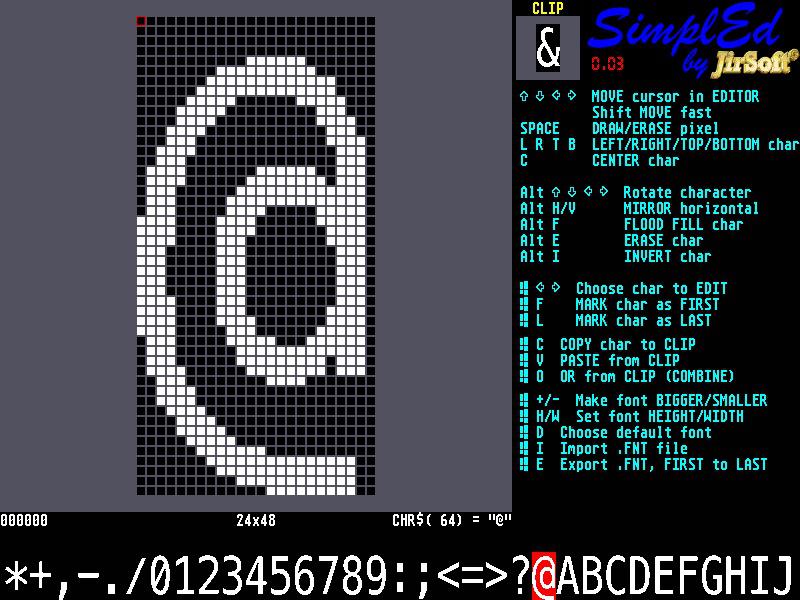 |
||||||
Looks great! I wanted to try it out but the program appears to depend on CMM beta FW features, and that's a showstopper for me. I hope we're getting a new FW release soon. I'll not only get a whole bunch of new MMBasic features to play with, but also a bunch of MMBasic programs that I can finally run. |
||||||
I'm happy, that at least picture looks good  I think I will try to remove the beta dependeces (it's mainly INC), because they are not needed I and I have to refactory and speedup some parts anyway... |
||||||
 I was wondering if the built-in fonts can be selected as a starting point for creating new fonts, e.g. if I wanted to create an inverted version of FONT 1, can I do that? I was thinking of creating a font API. Through the API the programmer would load a font, or select a built-in font as a starting point, and then perform operations on it, e.g. invert, turn upside down, erase every other line, stretch, move characters around etc. Possibly such an API already exists internally in your program. I haven't studied the code yet. |
||||||
New v0.05 UNDO for destructive operations ROTATE 90 degrees much faster LEFT, RIGHT, TOP, BOTTOM and CENTER operations on bigger font some bugfixes 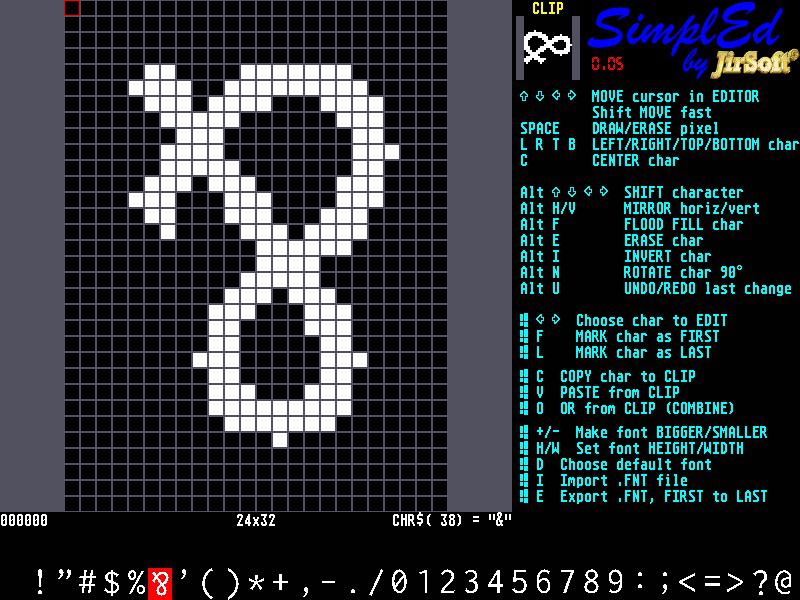 |
||||||
Some improvements: Added preview of complete font default dir for exported font improved TUI standard keys for clipboard and UNDO Enjoy! |
||||||
Some new screenshots: 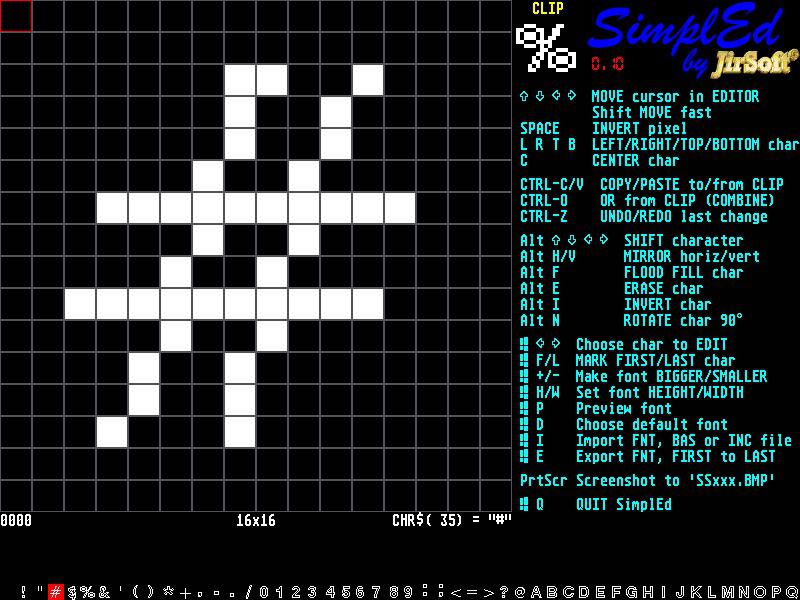 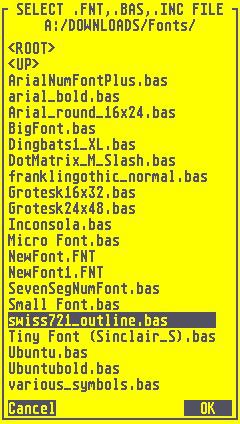 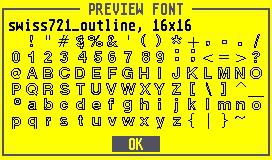 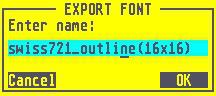 |
||||||
That is really looking impressive. |
||||||
Hi epsilon (Ruben?), I missed you post... Yes, default fonts can be used as start (WIN+D, then choose font 1-7 or SimplEd built-in font). You can also import any font from BASIC file (some included with MMBasic), INCLUDE file or FNT file (file used for LOAD FONT) Right now the editor can following functions, all on character basis (not entire font yet, see below): MOVE 1 row/column in all four directions (actually rotate) MOVE to left, right, top, bottom, center INVERT MIRROR horizontal or vertical COMBINE with clipboard, very useful, you can modify char, copy to clip and then combine with other char ROTATE 90 degrees clockwise (other can be done with mirroring) I'm thinking about some other functions like you mentioned, but I'm just testing it. For the entire font, I'm prepare script recording, so you will start record, do some functions on one char and then replicate this like macro to entire font... The biggest weakness (for me) in font management of MMBasic it impossibility to change font on the fly  You can do change in font, save it, load it again as font #8, but it takes long... You can do change in font, save it, load it again as font #8, but it takes long... |
||||||
BIG news: 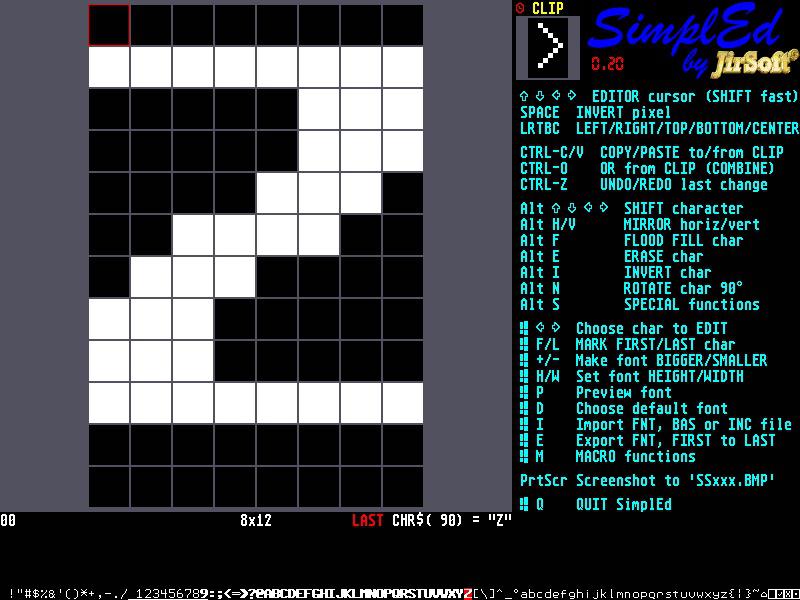 MACRO scripting you can record actions on one char and then play it to complete font, now limited to about 20 functions macros can be recorder, shown, played, erased for example record this macro: copy to clip, shift left, OR from clip, shift right to make char bolder SPECIAL functions, prepared for extension rasterise vertical skew right and left can be included into MACRO TUI.INC is removed from branch now, it can be downloaded from TUI.INC (it's because of simple maintenance of just one file...) Enjoy! Edited 2020-12-17 06:48 by jirsoft |
||||||
NEW: Improved SKEW and RASTERIZE modified TUI.INC (in self contained repository) because of 1 member array problem |
||||||
New version of SimplEd (0.30) with basic mouse support: 1. in editor: LEFT button sets pixels, RIGHT button clears pixels (both also set cursor) 2. in character set: LEFT button chooses character from set 3. in CLIP: LEFT button copy active char to clipboard, RIGHT button from clipboard, MIDDLE button OR from clipboard 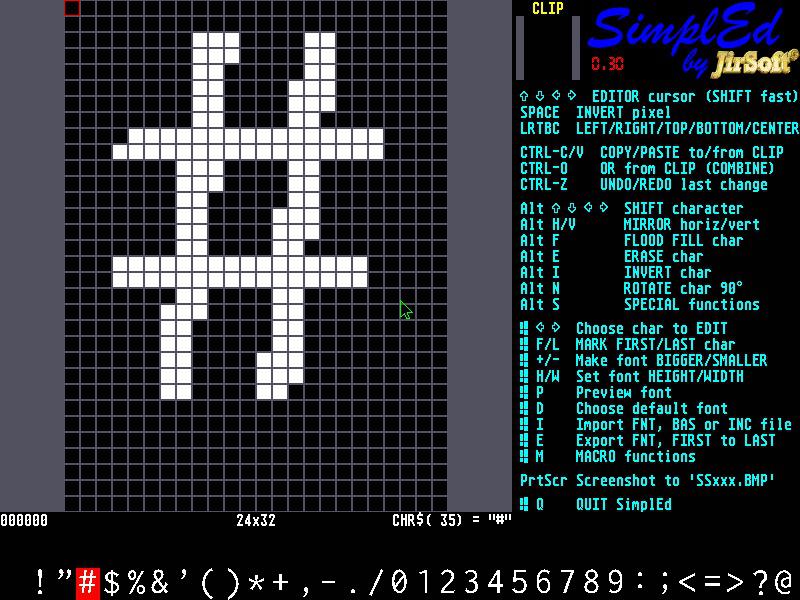 |
||||||
Observations: - When I first run SimpleEd, I get a cryptic "Could not find path". Solved by adjusting comments on lines 23 and 24. (Path to TUI.INC file) - Error in line 96: Not open. Solved by changing mouse port on line 63. The mouse port ought to be a CONST near the start if the program doesn't go looking itself. - Mouse control is not released when I quit. (May not matter with newer firmware.) Needs something before the END on line 241 - Mouse doesn't move. All calls to MOUSE should specify the mouse port. (Default = 2) Check around line 63 and 95. - If I use Alt-Right arrow and scroll the characters at the bottom of the screen sideways, characters do not reappear when I scroll back to the left again. (Depends on the font?) - Ctrl-Z Undo doesn't always work as expected. - The bottom row of pixels is missing from the font displayed along the bottom of the screen. - Could Alt-N Rotate Char hold the effective square pixel region so than Alt-Arrows shift the otherwise cropped sections back into view? ========================= Pretty awesome program! It works quite nicely! Neat trick for extracting built-in fonts! |
||||||
Hi Pete, big thanks for very constructive reaction (and for nice words on end...)! I check most of the issues at evening (in Czech  ), but few responses: ), but few responses:Here is problem, that you can not trap preprocessor errors, I will try to link the file on GitHub of SimplEd from TUI repository... First experience with mouse, maybe I will let user to switch port in config or test all ports. With the release it's clear my fault... It's combination of mouse (select char)/cursor (move) control? I need to check it... I use UNDO just for more pixels operation that can't be taken back otherwise. So not supported operations are for example: SHIFT (ROTATE) - can be taken back with counteroperations PIXEL ON/OFF - now with mouse need I think about it, but with SPACE it was just one pixel... Need to check I don't understand, what you need. The rotation is taken from the center and is just rotate, not squeezing, so if you are rotating for example 8x16 char, you will loose upper 4 und bottom 4 rows... |
||||||
And Pete, sorry I didn't use you GetFile dialog, it's very nice and much better than mine , but I needed consistent look... |
||||||
Using the 8x16 char as an example, could you change the rotated image to 16x16 and show an 8x16 window? Then allow the window to shift around to get the desired 8x8 pixels. Still not a good description, and this can probably be accomplished using the existing commands by shifting the image up or down before rotating. If cropping didn't occur, 2 rotates would be the same as mirror horizontal and mirror vertical. An example with undo: If I start with a character and make a scribble with the mouse, I can't undo the just the scribble. Instead the whole character gets erased. ================ Regardless, great program! Next time I need some custom characters, I'm going to try create them with SimpleEd. |
||||||
Hi Pete, I have fixed most of the issues except of the rotation. I understand it, but now it's simple not possible in current context... SimplEd v 0.31 * UNDO extended to more last operation and reset when edited character is changed * added current copy of TUI.INC After playing with git submodule and subtree, I was anyway not able to reuse existing code, so I will every time publish this file as well... * fixed mouse port, it searches for the right one * fixed bottom line, stupid mistake (it has depend not on the font but on the first character) I was not able to reproduce missing bottom line, maybe your monitor problem? |
||||||
Your mouse routines are better but there is still a problem. The new built in PS/2 mouse port is 0, which clashes with statements such as line 63: "IF MOU.SE THEN SEtestMouse" I changed the uninitialized value of MOU.SE to -99 (line 54 and line 79), and changed the mouse init routine to: SUB SEinitMouse Seems to work fine with no mouse also.'try to find mouse and set MOU.SE to it's port LOCAL INTEGER i MOU.SE = -99 FOR i = 0 TO 3 'IF NOT MOU.SE THEN ON ERROR SKIP CONTROLLER MOUSE OPEN i IF MM.ERRNO = 0 THEN MOU.SE = i GUI CURSOR ON 0, MOUSE(X, MOU.SE), MOUSE(Y, MOU.SE), RGB(GREEN) EXIT SUB ENDIF 'ELSE ' EXIT SUB 'ENDIF NEXT i END SUB Then, "IF MOU.SE THEN" gets changed to "IF MOU.SE >= 0 THEN" in a bunch of places. Also, minor typo reading the MOUSE parameters on lines 112 and 113. There are periods in there instead of commas. UNDO works much better. Great work! And yes, it looks like the missing row of pixels at the bottom of the screen was my monitor. The idiot thing keeps auto-configuring itself on mode changes and chops off the bottom row of pixels. I added "- 1" on lines 579, 667, 894 and 921 to fix that. I rate this program 2 thumbs up! |
||||||
| Page 1 of 3 |
||||||
 |
The Back Shed's forum code is written, and hosted, in Australia. |


