
| Menu | JAQForum Ver 19.10.27 |
| Menu | JAQForum Ver 19.10.27 |
Forum Index : Microcontroller and PC projects : RP2350 HDMI with 720P goodness
Page 1 of 4   |
||||||
Download from here Use OPTION WIDESCREEN ON/OFF or ENABLE/DISABLE to switch to 1280x720 720P mode MODE 1 ' 1280x720x2-colours with RGB332 tiles (use the TILE command as normal) MODE 2 ' 320x180x16colours with optional layer (no memory usage) and colour mapping to RGB332 palette MODE 3:' 640x360x16 colours with optional layer (significant memory usage) and colour mapping to RGB332 palette Default font for mode 1 is 3 which is now 16x24 Default font for mode 2 is 7 Default font for 3 is 1 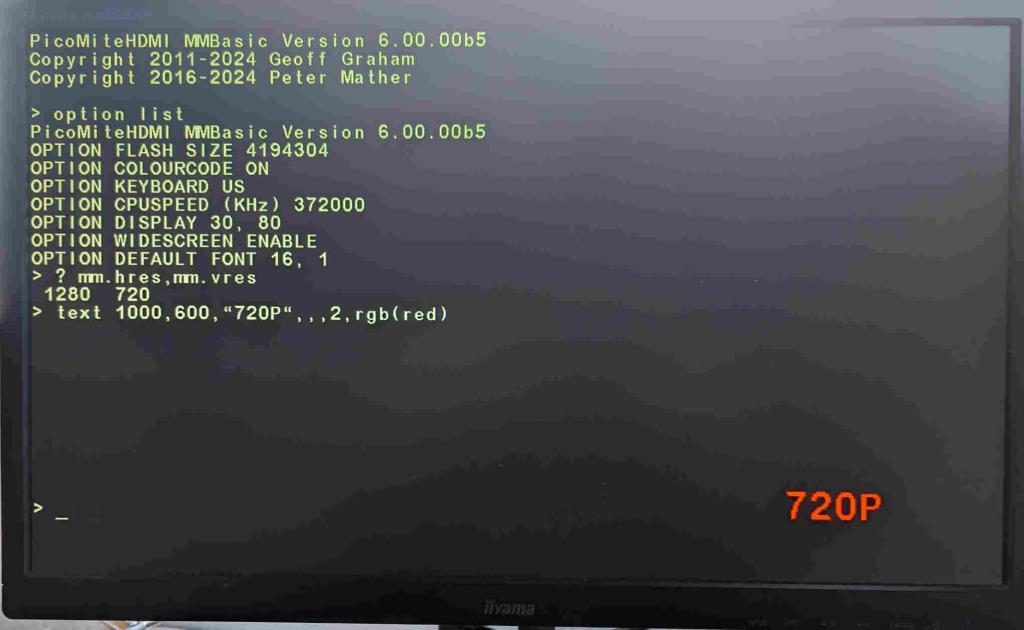 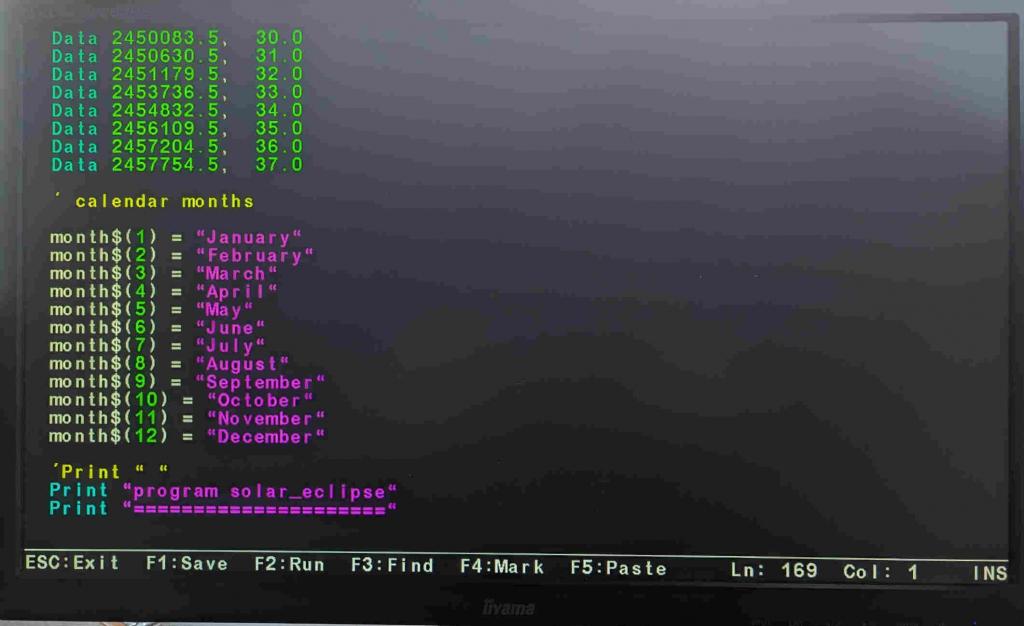 and if you want to edit in more detail 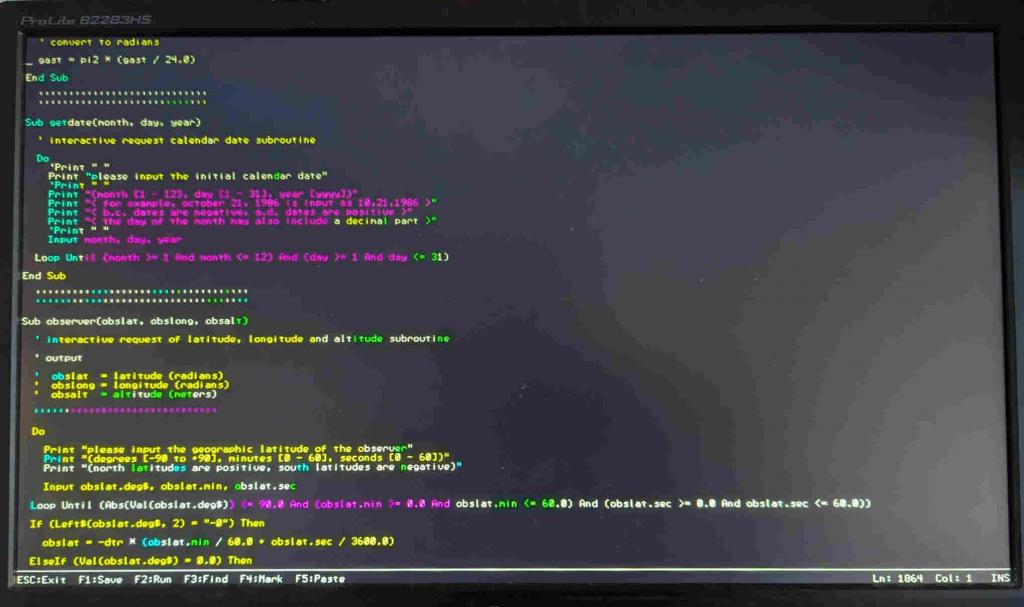 Edited 2024-09-07 00:47 by matherp |
||||||
its become better every day , thx peter |
||||||
brilliant achievement Peter!  cheers, rob :-) |
||||||
Too bad, it doesn't work for me (720p, all modes), even though it's a full HD monitor (HP 2309m) with DVI input. > option list PicoMiteVGA MMBasic USB Edition 6.00.00b6 OPTION SERIAL CONSOLE COM2,GP8,GP9 OPTION FLASH SIZE 4194304 OPTION COLOURCODE ON OPTION KEYBOARD GR OPTION CPUSPEED (KHz) 315000 OPTION SDCARD GP5, GP6, GP7, GP4 .jpg) Do you still have any adjustment screws? Edited 2024-09-07 01:48 by homa |
||||||
I've checked it both normal and USB versions using a bog standard 1080p monitor. I've also checked the signals on the scope and the clock timing is pretty much perfect. 720P is a TV standard rather than a normal monitor standard but is the only widescreen mode that has a clock speed in range of the RP2350 - 371.25MHz (rounded to 372MHz - 0.2% error). My monitor is perfectly happy with a 375MHz clock speed so I don't think the trivial error is the issue - the advantage of a clocked system unlike VGA. Are you using 270 ohm series resistors on all lines? My tests are using my little I/F board and the Olimex board. In both case the signal lines form the Pico2 to the HDMI socket are very short. At 372MHz signal integrity is likely to be an issue if breadboarded. Even works on one of the little 800x480 displays with the multi-input adapter board 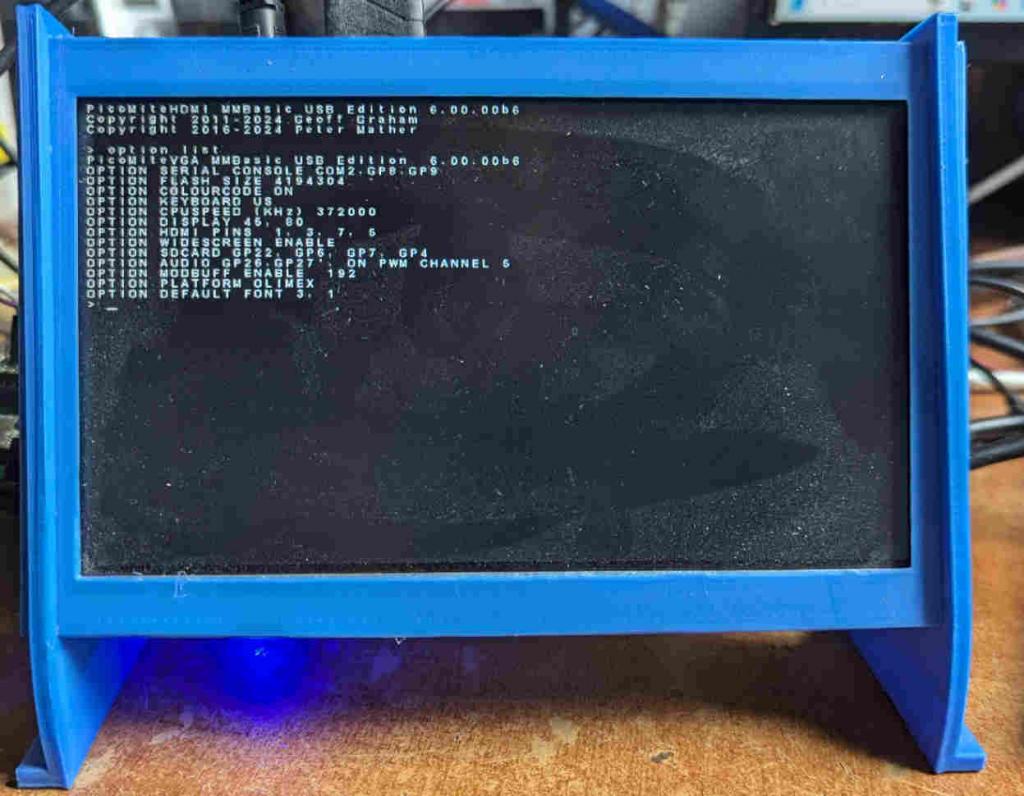 Edited 2024-09-07 02:23 by matherp |
||||||
it works on my tv :-) but that's not a permanent option. I'm about to switch from the dvi input to the hdmi on the monitor ... but I'm afraid that won't work. What I noticed: in mode 3 and then “files” changes the font?! that looks strange. Otherwise good job! Switching between widescreen on/off is only possible via OPTION? I tried it in a small test program. The first switch works, but then the program is closed, right? |
||||||
As feared, no improvement at the other entrance. This shows the OSD info normal 4:3 vs 720p: 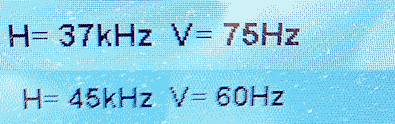 Edited 2024-09-07 03:01 by homa |
||||||
No breadboard I'm using that at the moment: 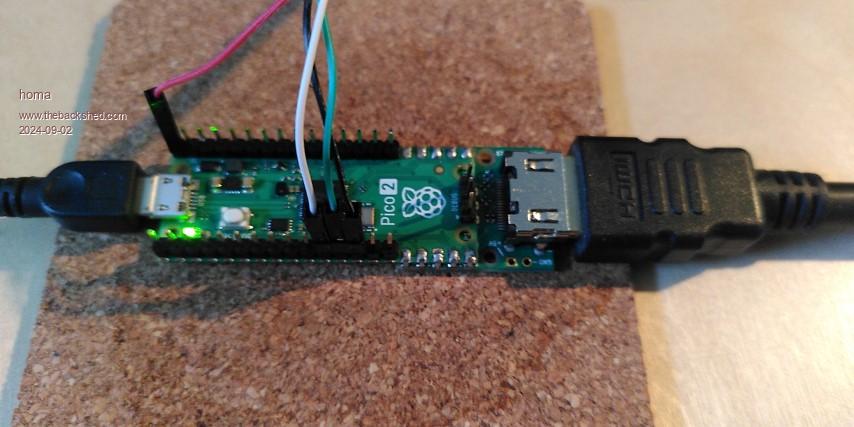 I took part in the Plasmamac collective order and an Olimex board has also been ordered. |
||||||
> option widescreen off > option list PicoMiteVGA MMBasic USB Edition 6.00.00b6 OPTION SERIAL CONSOLE COM2,GP8,GP9 OPTION FLASH SIZE 4194304 OPTION COLOURCODE ON OPTION KEYBOARD GR OPTION CPUSPEED (KHz) 315000 OPTION SDCARD GP5, GP6, GP7, GP4 > option cpuspeed 372000 Error : CpuSpeed 126000, 252000, 378000, 157500 or 315000 only > > option widescreen on > option list PicoMiteVGA MMBasic USB Edition 6.00.00b6 OPTION SERIAL CONSOLE COM2,GP8,GP9 OPTION FLASH SIZE 4194304 OPTION COLOURCODE ON OPTION KEYBOARD GR OPTION CPUSPEED (KHz) 372000 OPTION DISPLAY 45, 80 OPTION WIDESCREEN ENABLE OPTION SDCARD GP5, GP6, GP7, GP4 OPTION DEFAULT FONT 3, 1 > option cpuspeed 350000 Error : CpuSpeed 126000, 252000, 378000, 157500 or 315000 only > option cpuspeed 315000 > option list PicoMiteVGA MMBasic USB Edition 6.00.00b6 OPTION SERIAL CONSOLE COM2,GP8,GP9 OPTION FLASH SIZE 4194304 OPTION COLOURCODE ON OPTION KEYBOARD GR OPTION CPUSPEED (KHz) 315000 OPTION DISPLAY 30, 40 OPTION SDCARD GP5, GP6, GP7, GP4 OPTION DEFAULT FONT 3, 1 > okay, changing the cpu speed ends the widescreen mode but it doesn't work the other way around |
||||||
how to get on the hdmi train? no idea where I get a ticket. will there be ae or ebay addon boards soon? hdmi not for users but for teckno guys. |
||||||
The 720P timings are exactly correct see here Yes: Lots of things that can only be done on initialisation Edited 2024-09-07 03:22 by matherp |
||||||
|
||||||
Peter, I believe you, your work is usually almost perfect! I'm annoyed about my monitor! I was hoping that there would have been a few more adjustment screws as an option. But I will test other monitors ... Unfortunately not until tomorrow. Matthias Edited 2024-09-07 03:26 by homa |
||||||
|
||||||
my point was vga on 2040 easy , the manual ili9341 touch and sd card easy, the manual hdmi or dvi rocket science that is too complicated for hobbyist, thick folk :( |
||||||
HDMI on the RP2350 is equally easy Wire pins GP12 to GP19 to an HDMI breakout or use one of the boards proposed. Then load the PicoMiteHDMI firmware - that's it. Simples. To make it really easy use the Olimex board. Plug a Pico2 into it. Load the PicoMiteHDMI firmware and type "OPTION RESET OLIMEX" at the console That will set up everything including the SDcard ready for use. If you want to try the 720P mode Type "OPTION WIDESCREEN ON" |
||||||
thankyou, dunno what olimex is though, my bad. just remember logic green technology 328p being twice as fast as arduino 328p and thought that would be the same with pico2 over 2040 but it's gone totally graphics, which is fantastic but unexpected. I guess vga is the same and 640x320 16 colour is hdmi only |
||||||
I posted the link 4 posts above |
||||||
Send your money Here Stan. :) |
||||||
homa, The smd resistors on this board are 220 ohms what could make a difference? https://learn.adafruit.com/adafruit-dvi-sock-for-pico/overview Jan. |
||||||
| Page 1 of 4 |
||||||
 |
The Back Shed's forum code is written, and hosted, in Australia. |


