
| Menu | JAQForum Ver 19.10.27 |
| Menu | JAQForum Ver 19.10.27 |
Forum Index : Microcontroller and PC projects : mmedit for linux cinnamon
Page 1 of 5   |
||||||
I downloased mmedit and extracted changes.txt install.txt mmedit6.tar.gz mmedit5_32_64.exe mmedit5_xp_portable.zip readme.txt I only recently installed linux mint and don't know how to install mmedit. Do I use wine? |
||||||
I would start by reading readme.txt |
||||||
Open the folder where you extracted MMEDIT to from the downloaded ZIP file. Right-click on the MMEDIT file(no extension) Check that there is a tick in the "Execute" option - where it says to allow executing the file as a program. If there is a tick in that box already, that's good. If there is not a tick in that box, left-click it to put a tick in that box, then click the CLOSE button. Double-click the MMEDIT file, and it should open. 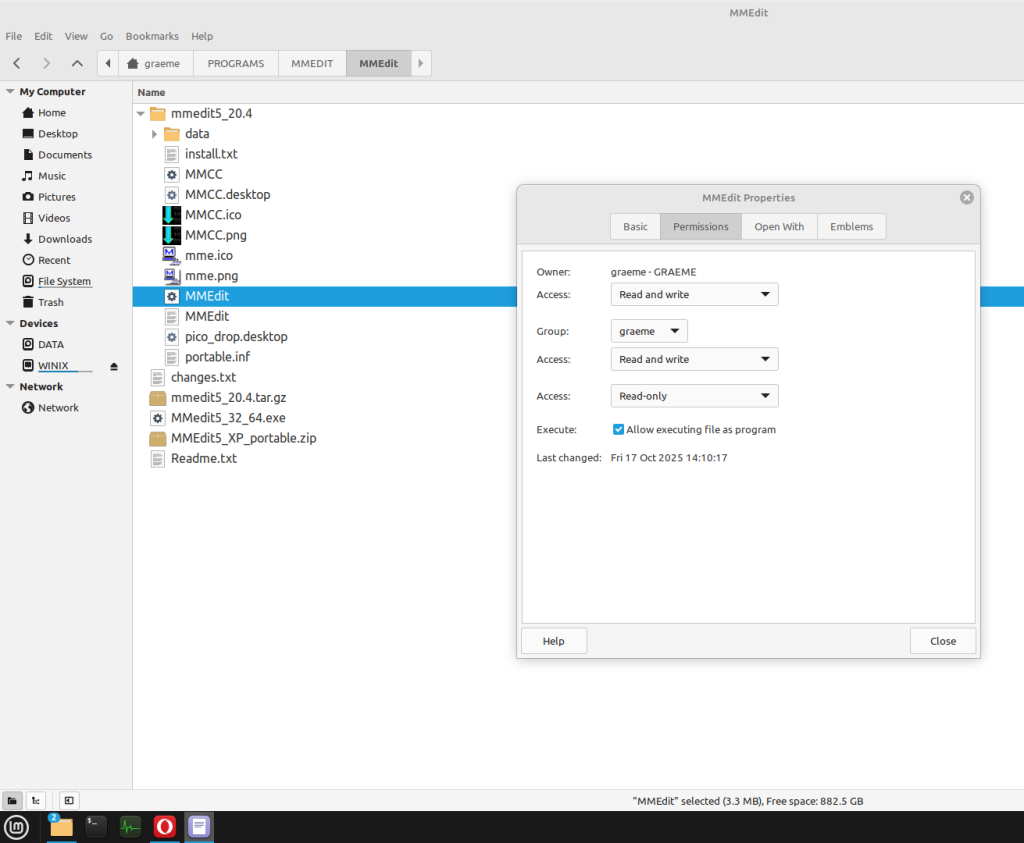 If it does not, as per the readme.txt file, you may need to install a couple of extra packages. Copy and paste the following, into the terminal(open the terminal first!) sudo apt-get install qtbase5-dev libqt5webkit5 Press ENTER, and Mint should go away to the internet, get those packages and install them. If prompted for your password, enter it to continue. That should get you up and running. |
||||||
Thanks for the replies. I extracted the mmedit5.tar.gz file and now got desktop shortcuts to mmedit and mmcc. Great, another reason to not use win 11. Mate cinnamon is easy to install and set up and easy enough to get the hang of. regards stan. |
||||||
When I tried to flash/load a prog to pico in mmcc select pico vga/hdmi, 11500 then there's tcpip or ttyusb0. neither connects?? it's not the connection cable, it works on win pc. Is there something I got to do in linux? |
||||||
Are you a member of the dialout group? I don't know if your version of Linux adds you automatically. At a command prompt: enter groups That will list all the groups you belong to. If dialout is not in the list, you will have to add yourself to it. There are others here who are much better qualified than me to advise you. There was a book "Linux for dummies" many years ago. It is still useful and I expect there have been updates since I bought my copy. |
||||||
We've been round this before. Yes you need to be in dialout and if just addded you need to log out & back in. Next, look at the details of /dev/ttyUSB0 or /dev/ttyACM0 and see which user & group it has. John |
||||||
I googled linux mint ttlusb0 and got this Open Terminal. Enter the following command, replacing <username> with the name of your account. sudo usermod -a -G dialout <username> Restart your computer for the changes to take effect. now mmcc connects, happy days! maybe put in the linux mmedit help.txt? thanks for mentioning groups... never heard of them. I managed to avoid the win 11 terminal and win commands but the mint terminal and linux commands is something I can't avoid. These commands I copy/paste from the internet as I don't know them off the top of my head... a need to know when necessary basis. regards stan. |
||||||
Start here: https://www.google.com/search?q=linux+tutorial+for+beginners I will put the link into the mmedit readme.txt file. Jim |
||||||
Jim, mmedit and mmcc working fine now on linux mint. Great stuff. linux for dummies... no. internet for linux info for me. can be specific linux mint. This has been win 11 messup by me and with the posts on the forum about dump win 11 and try linux mint I did try it and it's great. does what I did in windows 11 only differently. now mmedit and mmcc working another reason to stick with mint. I found the chromium from the app installer was odd so installed from terminal same gparted not listed so installed from terminal. anyone thinking of linux over windows, it depends on what you do. The usual browser stuff is ok, youtube is as win or better, there's torrent software... say no more. mint can replace win 11 imho... dunno about great cow basic for linux though. stan. |
||||||
Jim, just a thought as a new linux user but maybe more emphasis on mmedit6.tar.gz in the install mmedit ie extract it, then double click mmedit or mmcc and make shortcuts. It only hints at using mmedit6.tar.gz for linux install. took a while for me to figure out. hoping as other linux protagonists people try linux and does it do everything win 11 did, |
||||||
Stan, There are many different GUI's available for Linux with lots of different commands available. I can't tell if the prospective user prefers command-line or GUI ways of doing things. I did try and make it easy for new users but I have obviously failed. I did think that my suggested install method would work on most flavours of Linux. This is the readme.txt file: Contents: MMEdit5_32_64.exe If you are installing on a 64bit OS, the 64bit will be installed otherwise the 32bit version is used. Not for XP. MMedit5_XP_portable.zip Extract to a writeable location. OK for XP and later. The portable version writes to the application subdirectories only. MMedit5.tar.gz Suitable for Ubuntu 20.4 and probably later. Also suitable for RPi Bookworm and Trixie I have made changes to the Linux install scripts in a futile attempt to make it easier for Linux beginners. Linux install: This archive is for 64 bit Ubuntu 20 and 24. It is known to run on other Linux versions. It was compiled on Mint Mate 20.3 Extract the files to a location that has permission to execute. My preferred location is /home/user/mmedit5/ All executable files should have retained their execute permission but your installation may be different. In your GUI File Manager, navigate to the installation directory and "Open in Terminal" or equivalent. If the installation is on a RPi - ONLY on 64 bit RPi systems running bookworm or later. From a command prompt run ./set-rpi.sh This will replace the two executable files with RPi versions. This has to be run for all updates. The first time MMEdit is run, there are a few support files required. From a command prompt run ./getrequired.sh This is not required for updates. Depending on your version of Linux, these files may already be present. To create desktop shortcuts, From a command prompt run ./dtopscuts.sh This is not required for updates. The above scripts can be run from the GUI file manager but a command prompt will give more feedback. My Linux PC failed completely last night. Maybe it is trying to tell me something. |
||||||
Quick thought: nothing (*) seems to say what MMCC is. (*) e.g. geoff's page, the tar file / install.txt Maybe at least a 1-line would be good in each. John |
||||||
John. mmcc is never mentioned. I moved from gcbasic with it's win editor to them moving to visual studio but it was click this icon to flash code to pic/arduino. Same with mmbasic, I used mmedit and it's flash/load prog icon which opens mmcc, it's own terminal. I did initially try teraterm which I thought easier to use than putty. Not tried xterm but never used the inbuilt editor, I was more familiar with a windows editor and code files stored on win pc. I was surprised how like the win version the linux version is. I think I'll try to install it on my rpi 400. stan |
||||||
Jim, I should have said well done, thanks. "My Linux PC failed completely last night. Maybe it is trying to tell me something." ??? "I did try and make it easy for new users but I have obviously failed."... just cos I didn't understand? I'd only used mint for a few days although I got a rpi 1,2,3 and 400 so had to use terminal and linux commands.You assume basic user competence not a complete beginner to a new OS. old dogs new tricks. |
||||||
Jim , rpi 400 installed mmedit download. made mmedit folder in home and cut/pasted mmedi.zip to it then extracted here then extracted mmedit5.tar.gz and mmedt5 folder. This has mmcc icon and mmedit icon and set-rpi.sh and rpi folder with mmcc and mmedit. I clicked set-rpi.sh and asked y? I thought the icons to click were in the rpi folder but are they the ones in the mmedit5 folder? neither work on rpi. what am I doing wrong? |
||||||
The mmedit I downloaded and extracted. 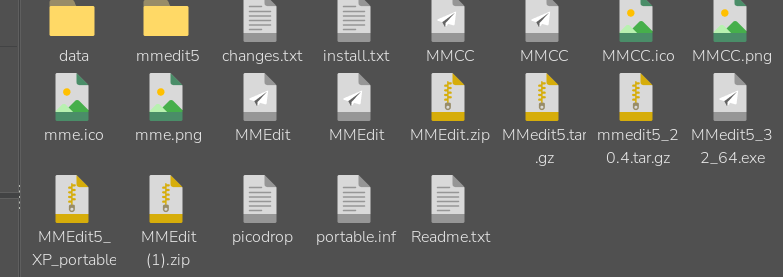 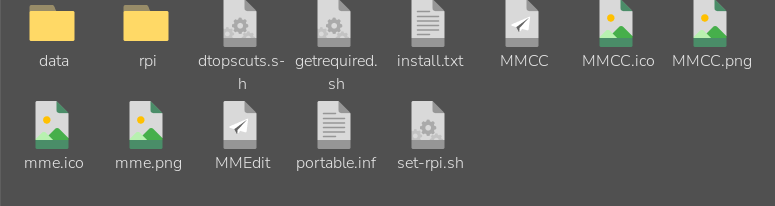 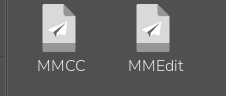 |
||||||
Stan, When you ran set-rpi.sh, It should have copied the 2 files from the rpi folder to the main folder, replacing the ones that were there. I can't tell if that worked with the file manager in icon view. If the file sizes are not the same in the twp locations after running the set-rpi.sh script, it didn't work. In that case, use the file manager to copy the 2 files from the rpi folder into the main program folder, overwriting the ones that are there. I would have thought you would run the dtopscuts.sh to get desktop shortcuts for mmedit but that is up to you. If you prefer to run the programs from the file manager, it is the MMEdit and MMCC executable files in the main program folder you need to run. If that doesn't work, I can't offer any further suggestions. It runs on a RPi5 with bookworm and also with Rpi5 running trixie |
||||||
Jim, thanks for replying. I stsrted again from mmedit.zip, new download and did the install again. I checked the mmedit and mmcc in main folde size and in rpi folder befoe amd after running set-rpi.sh. They are now the same size. double click mmcc or mmedit and window opens with execute, execute in terminal, open, cancel. clicking execute and nothing happens. maybe don't work on rpi 400. |
||||||
Go back and read the readme.txt again I am not sure if that will help on the RPi400 but worth trying. |
||||||
| Page 1 of 5 |
||||||
 |
The Back Shed's forum code is written, and hosted, in Australia. |


