
| Menu | JAQForum Ver 26.09 |
| Menu | JAQForum Ver 26.09 |
Forum Index : Microcontroller and PC projects : PicoMite V6.04.00 release candidates
Page 1 of 2   |
||||||
Version 6.04.00RC0 is available at https://github.com/UKTailwind/PicoMite/releases/tag/PicoMite-V6.04.00RC0 This has a few internal changes from b12 and rc0 also fixes the bug Volhout reported on the PicoMiteMIN. I decided there was so much new stuff in since 6.03.00 that this merited a new version - possibly it should even have been V7 The release notes on github are the full list of changes since 6.03.00 The release assets include a zip containing all of the ancillary reference pdf files This release will wipe your options and the contents of the A: drive so backup first if required |
||||||
Congrats Peter! Getting better and better. I like this language. G@bor |
||||||
Works great !! Thanks Volhout |
||||||
Just a note for anyone else as dim as me when restoring options from B: on LCD versions. OPTION SDCARD needs to be set to use OPTION DISK LOAD "B:/myoptions.txt", even I remembered that. What I forgot is the touch controller blocks SPI access until its CS pin is set high. Perhaps some LCD panels also need their CS pin is set high. Either use SETPIN or load SYSTEM SPI, LCD and TOUCH options manually. |
||||||
Hello Peter! I used LIBRARY RAM with 6.03.02b12 worked well. Now on 6.04.00RC0 I got Not enough PSRAM memory error. Same library - variable declarations, font definitions. I tried RAM ERASE ALL, no success. I have 6444K free RAM (100%). Webmite version Pimoroni Pico Plus 2W G@bor Footnote added 2026-09-22 16:26 by terekgabor I tried again is occuring after restart the system (Picocalc in this case). If I delete RAM option from LIBRARY command the error disappears - library loads to flash. When I write back RAM option the error never comes again until next restart. Footnote added 2026-09-22 16:51 by terekgabor If I delete program from memory (NEW) then just LOAD back it can read library from RAM again. So seems something happening after restart. |
||||||
I don't think there is a solution to that. Reprogramming the pico typical requires an erase. So options are also gone. The only possibility is (like with Game*Mite) that you get your specific option list inside the pico image. I am not sure how far off your pico platform is, but if you can make the wiring identical to Game*Mite you could OPTION RESET GAMEMITE. Or ask Peter to add your configuration (OPTION RESET PHILL99). Regards, Volhout P.S. I do not think you need many more updates to a 2040 LCD platform. The 2040 is pretty much exhausted. Maybe just type the options in. Edited 2026-09-22 16:46 by Volhout |
||||||
Normally I use Xmodem to save the settings on the PC so the issue doesn't occur. It doesn't require Peter's attention, just me forgetting about touch. I could add pullups to the CS pins so only the SD card needs to be configured before restoring the option file. Edited 2026-09-22 17:55 by phil99 |
||||||
G@bor I can't replicate after multiple tries so you will need to post your library and main program for me to do anything further You can also try this and see what it reports WebMiteRP2350V6.04.00RC1.zip Edited 2026-09-22 19:22 by matherp |
||||||
Peter, thanks, I will continue investigation. G@bor |
||||||
Hello Peter! With RC1 I got new error: Error: Invalid memory request of 0 byte. Error is always referring to the library: [LIBRARY] Dim cnvrt conv(9) Conv() is an array created in type cnvrt. Structure definition is in the library also. If I delete Dim cnvrt conv(9) from Library error disappears. Very strange, but there is an IF..ENDIF in the beginning of the main program. If I delete it or comment out, error also disappears. This IF is checking two strings are equal or not only. Independent from conv() array totally. Memory status: Program: 47% free Save var: 100% free RAM: 100% free (6447k) G@bor Footnote added 2026-09-23 05:09 by terekgabor I jusr put a COLOR line (for example COLOR 0,0) befire IF and no error at all. Strange. |
||||||
What is the definition of cnvrt. The more you can list the better my chance of fixing Are you loading the library with LIBRARY LOAD? What happens if you use LIBRARY SAVE? |
||||||
Type cnvrt R1 as float R2 as float Rstr as string Bstr as string End type I simply put a line COLOR 0,0 before first IF in the main program and error disappeared. Library Save is ok. G@bor 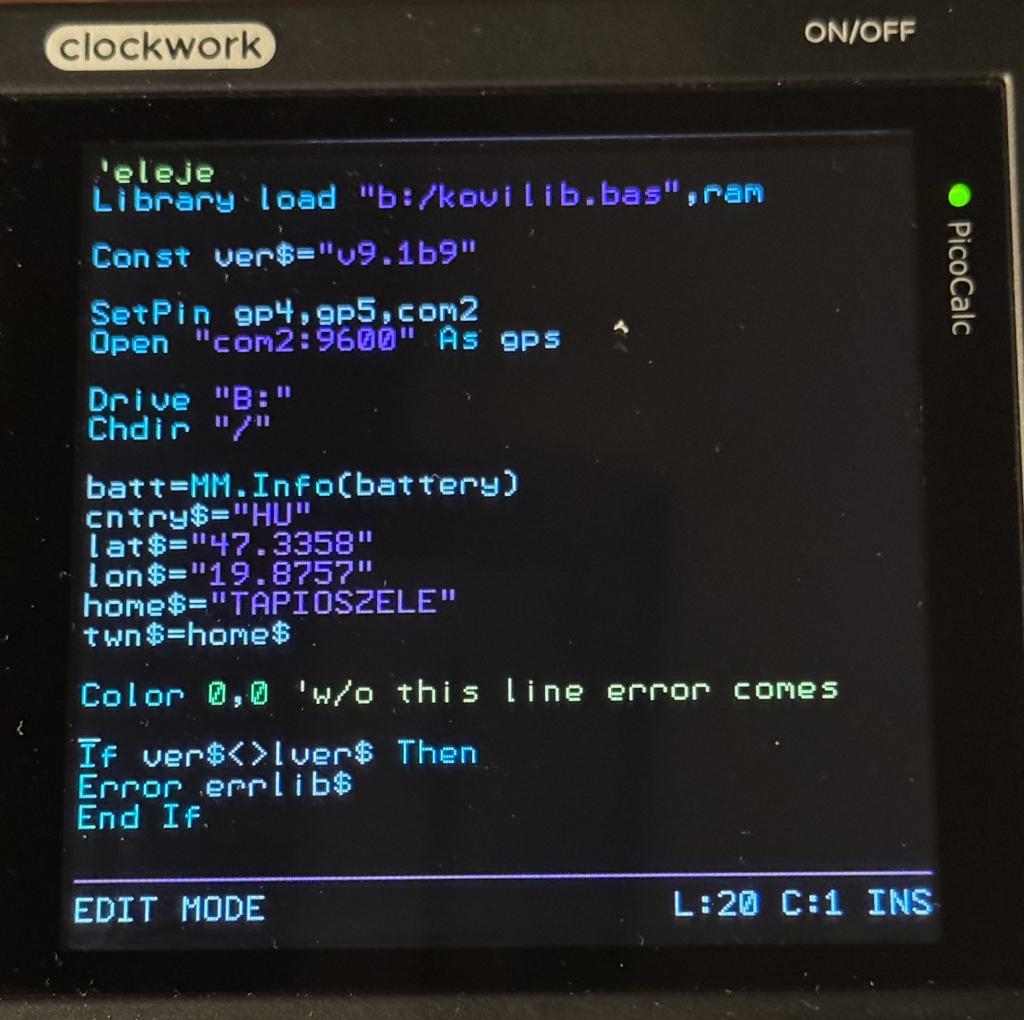 |
||||||
Peter! I reduced the main program and library as the followings: Library: (mylib.bas) Dim cnvrt conv(9) Type cnvrt R1 as float R2 as float Bstr as string Rstr as string End type Main program: Library load “b:/mylib.bas”,ram If ver$=“” then End if The content of the if statement doesn’t matter. Can be anything. Error Invalid request of 0 bytes comes. If I put for example Color 0,0 before If error disappears. Library load “b:/mylib.bas”,ram Color 0,0 If ver$=“” then End if Error comes back if I delete or comment out Color line: Library load “b:/mylib.bas”,ram ‘Color 0,0 If ver$=“” then End if G@bor |
||||||
Thanks - that should give me what I need. Will work on it tomorrow |
||||||
GUI cursor on/off – when I set the cursor to off, a light-colored box remains. > option list PicoMite MMBasic RP2350B V6.04.00RC0 OPTION LCD SPI GP18,GP19,GP16 OPTION SYSTEM I2C GP34,GP35 OPTION FLASH SIZE 16777216 OPTION COLOURCODE ON OPTION PICO OFF OPTION CPUSPEED (KHz) 200000 OPTION LCDPANEL ST7796S, LANDSCAPE,GP20,GP23,GP21,GP22,INVERT OPTION TOUCH FT6336 GP25,GP24,,50 GUI CALIBRATE 1, 6, 312, 10243, -9961 OPTION GUI CONTROLS 50 OPTION SDCARD GP31, GP26, GP27, GP28 > gui cursor on > gui cursor off > 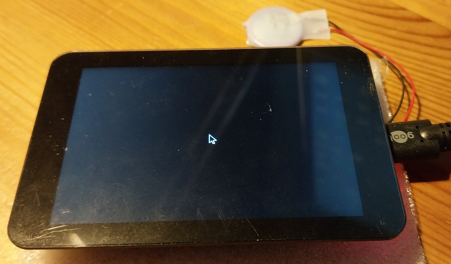 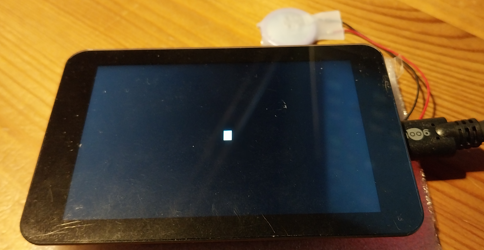 /Peter63 Edited 2026-09-23 16:52 by Peter63 |
||||||
What does GUI CURSOR HIDE do? Can you blit on this screen? BOX 0,0,100,100,5,RGB(RED),RGB(BLUE) BLIT 0,0,100,100,100,100 If that doesn't work your screen doesn't support reading from the framebuffer and the cursor can never work Edited 2026-09-23 17:32 by matherp |
||||||
tested GUI CURSOR HIDE when I set the GUI CURSOR HIDE, a light-colored box remains. /Peter63 |
||||||
See my update to the previous post |
||||||
tested BLIT doesn't work  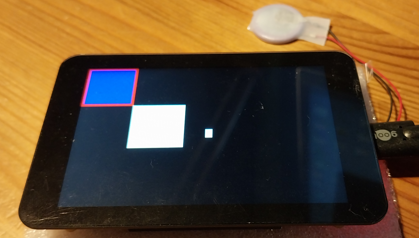 Edited 2026-09-23 17:40 by Peter63 |
||||||
The ST7796S controller does support reading from the framebuffer. Check the schematic for your screen and that GP16 is properly connected. You may be able to modify something to get MISO working. P.S. I tested on a ST7789_320 and the cursor commands work perfectly Edited 2026-09-23 17:41 by matherp |
||||||
| Page 1 of 2 |
||||||
 |
The Back Shed's forum code is written, and hosted, in Australia. |


