Posted: 04:56pm 18 Oct 2025 Copy link to clipboard
javavi Guru
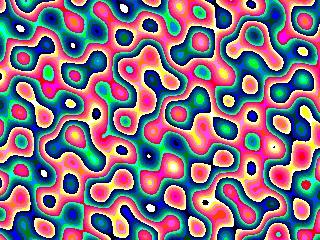
Landscape
MODE 2 CLS Map(1) r=Rad(35):m%=4 For y%=0 To MM.VRES For x%=0 To MM.HRES h=0 For i%=1 To 4 x0=x%/i%:y0=y%/i% a=r*i% Co=Cos(a):Si=Sin(a) s=x0*Co-y0*Si t=x0*Si+y0*Co h=h+Sin(s/5)*4+Sin(t/7)*5 Next If h>-2 Then Color Map(4+Abs(h) Mod 7) Pixel x0*m%,y0*m% EndIf Next : Next
Posted: 07:11pm 31 Oct 2025 Copy link to clipboard
javavi Guru
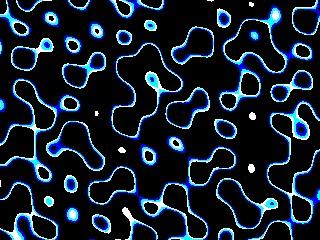
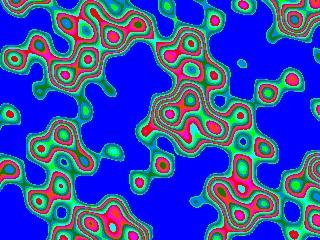
Plasma
MODE 2 Map Reset Dim integer cm(15)=(0,15,7,1,0,0,0,0,0,0,0,0,0,0,0,0) Colour Map cm(),cm()
r=Rad(35) For Y0%=0 To MM.VRES For X0%=0 To MM.HRES h=0 For i%=1 To 3 x=(X0%-10)/i%:y=Y0%/i%:a=r*i% C0=Cos(a):S0=Sin(a) s=x*C0-y*S0:t=x*S0+y*C0 h=h+Sin(s/5)*4+Sin(t/7)*5 Next Pixel X0%,Y0%,Map((h+24)Mod 16) Next :Next
Do T=cm(0) For i%=0 To 14:cm(i%)=cm(i%+1):Next cm(15)=T For i%=0 To 15:Map(i%)=cm(i%):Next Map Set Pause 50 Loop
Posted: 03:37pm 01 Nov 2025 Copy link to clipboard
AlbertR Senior Member
I love demos like this and can watch them over and over again. I think a plasma demo is a must, great work!
Albert Edited 2025-11-02 01:38 by AlbertR
Posted: 05:45pm 01 Nov 2025 Copy link to clipboard
stanleyella Guru
nice
Posted: 09:25pm 01 Nov 2025 Copy link to clipboard
Pluto Guru
Cannot resist to immediately run and enjoy these interesting artworks. Pluto
Posted: 05:37pm 06 Nov 2025 Copy link to clipboard
javavi Guru
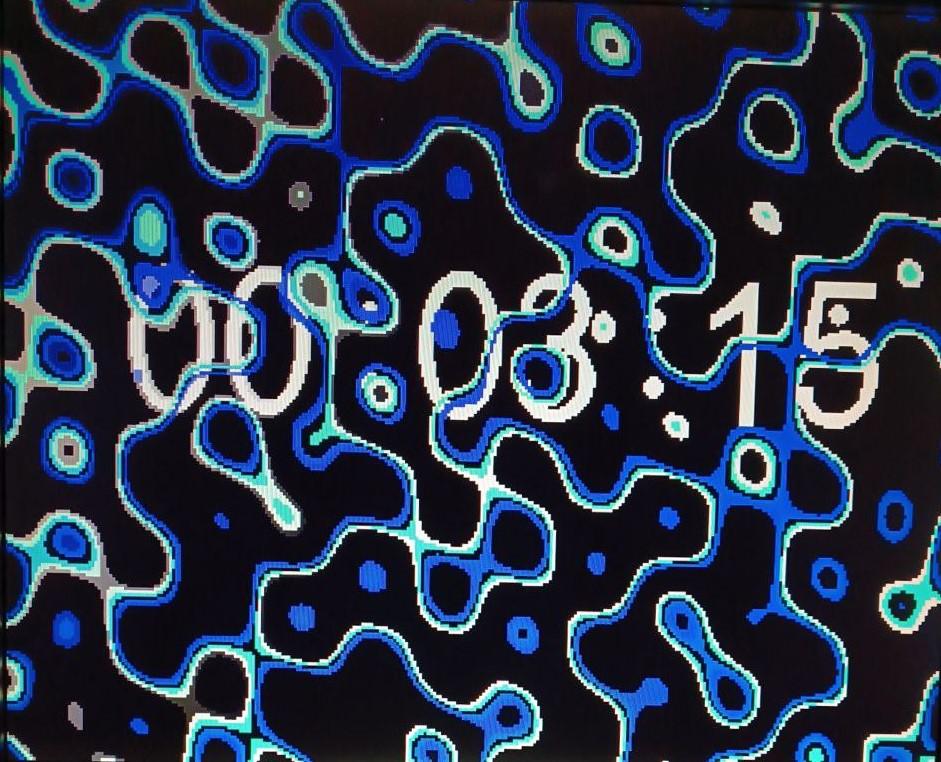
Plasma Watch
MODE 2 Map Reset Dim integer CM(15)=(0,15,7,3,1,0,0,0,0,0,0,0,0,0,0,0) Colour Map CM(),CM() FRAMEBUFFER LAYER FRAMEBUFFER WRITE L r=Rad(35) For Y0%=0 To MM.VRES For X0%=0 To MM.HRES h=0 For i%=1 To 3 x=(X0%-10)/i%:y=Y0%/i%:a=r*i% C0=Cos(a):S0=Sin(a) s=x*C0-y*S0:t=x*S0+y*C0 h=h+Sin(s/5)*4+Sin(t/7)*5 Next Pixel X0%,Y0%,Map((h+64)Mod 16) Next :Next
FRAMEBUFFER WRITE N XCntr%=MM.HRES\2:YCntr%=MM.VRES\2 XC%=XCntr%:YC%=YCntr%:CC%=1 XDir%=1:YDir%=1 Do TC%=CM(1) For i%=1 To 14:CM(i%)=CM(i%+1):Next CM(15)=TC% For i%=1 To 15:Map(i%)=CM(i%):Next Map Set Inc CC%,-1:If CC%=0 Then CC%=15 CLS Text XC%,YC%,Time$,"CM",6,,Map(CC%) Inc XC%,XDir%:Inc YC%,YDir% If XC%>XCntr%+32 Then XDir%=-1 If XC%<XCntr%-32 Then XDir%=1 If YC%>YCntr%+95 Then YDir%=-1 If YC%<YCntr%-95 Then YDir%=1 Pause 50 Loop
Posted: 03:00pm 10 Dec 2025 Copy link to clipboard
twofingers Guru
I like this thread because I can sometimes look up how to use certain graphics commands here. Many thanks, Vadim, for your tireless work!
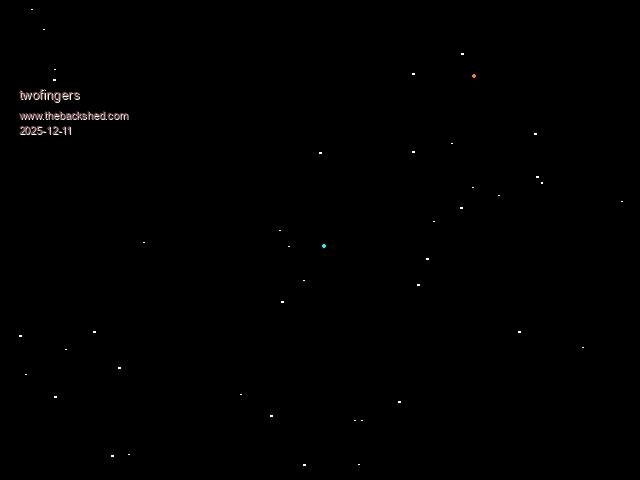
My StarFlight screensaver for HDMI (Pico2, Mode 1 & 3) is a small contribution. The code is optimized for low memory usage (~1200 Bytes):
Sub starflight MODE 3:CLS Static N=120,S(N),ZM=50,ZS=2,SW=MM.HRES,SH=MM.VRES,CX=SW/2,CY=SH/2 Static MSW=SW-MM.Info(fontwidth),Z1=ZM*.7,Z2=ZM/4 Local i,WX,WY,WZ,SX,SY,COL,CH$ For I=0 To N:WX=Rnd*SW-CX:WY=Rnd*SH-CY:WZ=Rnd*ZM+1 S(I)=PkStar(WX,WY,WZ):Next I
Do :For I=0 To N:UnPkStar(S(I),WX,WY,WZ,SX,SY) Print @(SX,SY)" ";:Color RGB(CYAN):Print @(CX,CY)Chr$(142);:Inc WZ,-ZS If WZ>0 Then SX=WX*ZM/WZ+CX:SY=WY*ZM/WZ+CY If SX>=0 And SX<MSW And SY>=0 And SY<SH Then COL=RGB(WHITE) Select Case WZ Case >Z1:CH$=Chr$(250) Case Z2 To Z1:CH$=Chr$(249) Case Else :CH$=Chr$(142):COL=RGB(ORANGE) End Select :Color COL:Print @(SX,SY)CH$;:S(I)=PkStar(WX,WY,WZ,SX,SY) Else :S(I)=PkStar(WX,WY,WZ):End If Else :WX=Rnd*SW-CX:WY=Rnd*SH-CY:S(I)=PkStar(WX,WY,ZM):End If Next :Loop While Inkey$="" End Sub
Function PkStar(WX,WY,WZ,SX,SY) Static M=2^12-1 PkStar=(WX And M) Or ((WY And M)<<12) Or ((WZ And M)<<24) Or ((SX And M)<<36) Or ((SY And M)<<48) End Function
Sub UnPkStar(PD,WX,WY,WZ,SX,SY) Static SC=2^12,M=SC-1,SL=SC/2-1 WX=(PD And M):If WX>SL Then WX=WX-SC WY=((PD>>12) And M):If WY>SL Then WY=WY-SC WZ=((PD>>24) And M):SX=((PD>>36) And M):SY=((PD>>48) And M) End Sub
N - Star Count Index Limit: Defines the total number of stars (here: 120 stars). S() - Star Data Array: An array that stores the packed state data (coordinates, etc.) for each star. Replaces S(n,5). ZM - Z-Maximum: Defines the maximum depth (Z) in 3D space (50 units). ZS - Z-Speed: Defines the speed (1 unit per frame) at which the depth (WZ) of each star is reduced. SW - Screen Width: Stores the horizontal resolution (MM.HRES) of the display. SH - Screen Height: Stores the vertical resolution (MM.VRES) of the display. CX - Center X: The X-coordinate of the screen center (SW/2), used as an offset for the projection. CY - Center Y: The Y-coordinate of the screen center (SH/2), used as an offset for the projection. MSH - Max Screen Height: Defines the maximum Y screen boundary for drawing (SH - 2 * FontHeight). Z1 - Z-Level 1: Depth (ZM * 0.7), defines the first color/character change threshold (Farthest to Mid-range). Z2 - Z-Level 2: Depth (ZM / 4), defines the second color/character change threshold (Mid-range to Closest).
Adapting it for Mode 2 and the terminal is possible by replacing the star-characters with characters using ASCII codes less than 128 (e.g. CH$=".","+","*"). Of course, it won't look as good then.
There are still 3 million miles to go home ...
Regards Michael
Posted: 03:16pm 10 Dec 2025 Copy link to clipboard
Volhout Guru
I know it is 100* pollution here, but when I see stars, I have to run this one-liner game... yes it is a game, use left and right keys.
Picomite mode 1 (VGA or HDMI).
1 Print @(8*c,84)"V":Pause 99:b=Asc(Inkey$):c=c+(b=131)-(b=130):a%=80*Rnd():Print @(8*a%,468)"*":If Pixel(8*c+4,89)=0 Then 1
Volhout
Posted: 03:14pm 13 Dec 2025 Copy link to clipboard
twofingers Guru
This is the older, smaller version of the Starflight screensaver. I've added automatic screen mode adjustment. I regret that we don't have a way to directly query the screen mode (mm.info(Mode)). This version omits packing the star arrays, but therefore can only handle fewer stars. It seems to work fine for up to 100 stars.
Update:
MODE 3 starflight End
Sub starflight CLS Static M=50,ZM=80,ZS=2,SW=MM.HRES,SH=MM.VRES,CX=SW/2,CY=SH/2 Static MSW=SW-MM.Info(fontwidth) Local S(M,5),i,ZV,XP,YP,SX,SY,COL,CS$(1)=(" ",Chr$(142)),CH$ For I=1 To M: S(I,1)=Rnd*SW-CX:S(I,2)=Rnd*SH-CY:S(I,3)=Rnd*ZM:S(I,4)=0:S(I,5)=0: Next I Do :For I=1 To M:Print @(S(I,4),S(I,5))" "; Color RGB(CYAN):Print @(CX,CY)CS$(Rnd); S(I,3)=S(I,3)-ZS:ZV=S(I,3) If ZV>1 Then:XP=S(I,1)*ZM/ZV:YP=S(I,2)*ZM/ZV:SX=XP+CX:SY=YP+CY If SX>=0 And SX<MSW And SY>=0 And SY<SH Then:COL=RGB(WHITE) Select Case ZV Case >ZM/2:CH$=Choice(SW>=640,Chr$(250),".") Case ZM/4 To ZM/2:CH$=Choice(SW>=640,Chr$(249),Chr$(96)) Case Else :CH$=Choice(SW>=640,Chr$(142),"*"):COL=RGB(ORANGE) End Select Color COL:Print @(SX,SY)CH$;:S(I,4)=SX:S(I,5)=SY:Else S(I,1)=Rnd*SW-CX:S(I,2)=Rnd*SH-CY:S(I,3)=Rnd*ZM EndIf :Else : S(I,1)=Rnd*SW-CX:S(I,2)=Rnd*SH-CY:S(I,3)=Rnd*ZM:EndIf :Next Loop While Inkey$="" End Sub
| M | Maximum number of stars in the simulation. Set to 80. | ZM | Maximum Z-depth for the stars. This defines the farthest point in the simulated 3D space. Set to 80. | ZS | Z-step or speed increment per frame. This value is subtracted from a star's Z-coordinate to simulate forward movement. | SW | Screen Width (Horizontal Resolution) retrieved from MM.HRES. | SH | Screen Height (Vertical Resolution) retrieved from MM.VRES. | CX | Center X-coordinate of the screen: SW / 2. Used as the screen's projection center. | CY | Center Y-coordinate of the screen: SH / 2. Used as the screen's projection center. | MSW | Maximum visible Screen Width for plotting characters: SW - MM.Info(fontwidth). Used to prevent plotting characters outside the screen boundary on the right side. | CS$(1) | Character Set for the center of the screen. Contains a space character and a special character (Chr$(142)). | S | Star Data Array. Dimensioned S(M, 5). Each row I represents a star, and the columns store its properties.
Enjoy!
Michael Edited 2025-12-22 03:41 by twofingers
Posted: 08:14pm 27 Dec 2025 Copy link to clipboard
javavi Guru
Fill Maze
MODE 2 CLS S=4 W=MM.HRES\S H=MM.VRES\S
For Y=0 To H For X=0 To W X0=X*S:Y0=Y*S If Rnd>.5 Then Line X0,Y0,X0+S,Y0 If Rnd>.5 Then Line X0,Y0,X0,Y0+S Next Next
Do X=Int(Rnd*W)*S+2 Y=Int(Rnd*H)*S+2 Fill X,Y,Map(Int(Rnd*15)) Fill X,Y,0 Loop
Posted: 11:10am 31 Dec 2025 Copy link to clipboard
twofingers Guru
Hi Vadim, you always bring new, amazing code snippets. Thanks!
Slava Ukraini! And a swift, dignified, and reliable end to the war. Down with the "orcs" in your land, and everywhere in the world. Kind regards Michael
Posted: 12:10pm 31 Dec 2025 Copy link to clipboard
Pluto Guru
Vadim, Best wishes for 2026!
Fred/(Pluto)
Posted: 04:11pm 31 Dec 2025 Copy link to clipboard
Frank N. Furter Guru
Vadim, thank you so much for all the great programs you've posted here in the forum! All the best for 2026!!!
Frank
Posted: 09:57am 01 Jan 2026 Copy link to clipboard
Volhout Guru
Hi Vadim,
Good to hear that you are still holding on. All the best wished for 2026, and may the war be over soon.
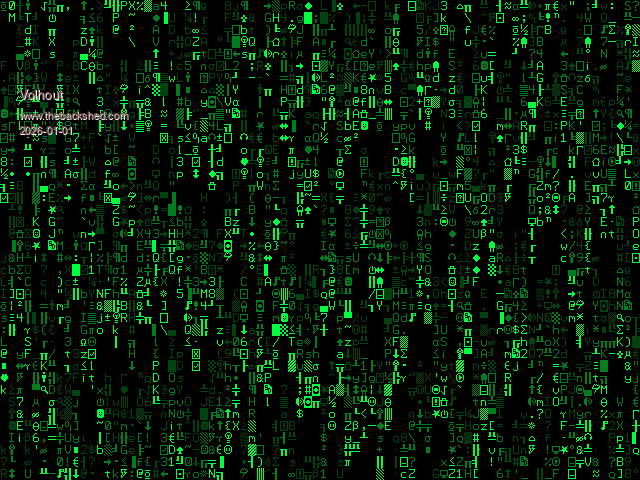
One VGA demo I think is missing in this (your) thread is the your impressive matrix screen saver. Here as a stand alone program.
'SCREEN SAVER - Matrix Const FW=MM.Info(FONTWIDTH): FH=MM.Info(FONTHEIGHT) Const CHR=MM.HRes\FW: CVR=MM.VRes\FH dim matr(CHR),fade(CHR),clr,x For x=1 To CHR:matr(x)=CVR*Rnd:fade(x)=&hF*Rnd:Next Do For x=1 To CHR clr=&h1000*(fade(x)-&hF) And &hFF00 Colour clr Print @(x*FW-FW,matr(x)*FH)Chr$(Rnd*223+32); If matr(x)>CVR Then matr(x)=0 Else Inc matr(x) If fade(x)=&hF0 Then fade(x)=0 Else Inc fade(x) Next Pause 10 Loop While Inkey$=""
Volhout
P.S. the last maze demo is a most impressive demo of Pico's V6.01.00 capabilities in utmost simplicity. Very nice !! Edited 2026-01-01 20:13 by Volhout
Posted: 10:00am 04 Jan 2026 Copy link to clipboard
javavi Guru
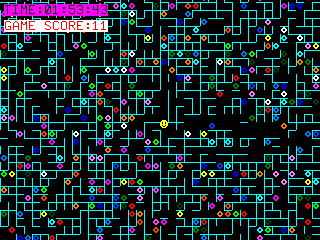
Maze Game
MODE 2 CLS :Font #8 S=8 W=MM.HRES\S: Xc=MM.HRES\2 H=MM.VRES\S: Yc=MM.VRES\2 COUNTER=0: SCORE=0 CONTROL=0: DIRECT=0: SHIFT=0 Timer =0 FRAMEBUFFER LAYER FRAMEBUFFER WRITE L Color Map(14) Print @(Xc,Yc)"%"; FRAMEBUFFER WRITE N Color Map(7),Map(0) Print @(0,0); For i=1 To W*H Print Chr$(32+Int(Rnd*4)); Next
Do GameController CheckMovement(CONTROL) Moving(DIRECT) If SHIFT>7 Then SHIFT=0 Color Map(Int(Rnd*16)) Print @(Int(Rnd*W)*S,Int(Rnd*H)*S,1);"$"; Color Map(7) Print @(Int(Rnd*W)*S,Int(Rnd*H)*S,1);Chr$(Int(Rnd*4)+32);
If Pixel(Xc+2,Yc+2) Then Inc SCORE Print @(Xc,Yc)" "; Play Tone 400+100*Int(Rnd*30),400,200
'Text Xc,2,"GAME SCORE:"+Str$(SCORE),"C",1,,Map(8),Map(15) EndIf EndIf FRAMEBUFFER WRITE L Text 4,4,"TIME:"+Time$,"L",1,,Map(2),Map(9) Text 4,20,"GAME SCORE:"+Str$(SCORE),"L",1,,Map(8),Map(15) FRAMEBUFFER WRITE N Pause 10 Loop
Sub GameController Select Case Asc(Inkey$) Case 0 CONTROL=0 Inc COUNTER: If COUNTER>500 Then CONTROL=Int(Rnd*6) Exit Sub Case 27 End Case 13,32 CONTROL=5 Case 119,128 CONTROL=1 Case 100,131 CONTROL=2 Case 115,129 CONTROL=3 Case 97,130 CONTROL=4 End Select COUNTER=0 End Sub
Sub CheckMovement(CTRL) If SHIFT Then Exit Sub DIRECT=CTRL Select Case CTRL Case 0 Exit Sub Case 1 If Pixel(Xc+4,Yc) Then DIRECT=0 Case 2 If Pixel(Xc+8,Yc+4) Then DIRECT=0 Case 3 If Pixel(Xc+4,Yc+8) Then DIRECT=0 Case 4 If Pixel(Xc,Yc+4) Then DIRECT=0 Case 5 Print @(Xc,Yc)" "; End Select Play Tone 500,500,10 End Sub
Sub Moving(D) Select Case D Case 0 Exit Sub Case 1 Sprite scroll 0,-1 Case 2 Sprite scroll -1,0 Case 3 Sprite scroll 0,1 Case 4 Sprite scroll 1,0 End Select Inc SHIFT End Sub
Posted: 03:55pm 25 Jan 2026 Copy link to clipboard
javavi Guru
Labyrinth Clock
MODE 2: CLS : Font #8 FRAMEBUFFER LAYER S=8:W=MM.HRES\S:H=MM.VRES\S FAddr=MM.Info(FONT ADDRESS 1)+4 Do If Timer>1000 Then Timer =0 TTime$=Left$(Time$,5) FRAMEBUFFER WRITE L Print @(0,80); For l=1 To 12 For n=1 To 5 CN=Asc(Mid$(TTime$,n,1))-32 BYTE=PEEK(BYTE FAddr+CN*12+l) MASK=128 For i=1 To 8 If BYTE And MASK Then Color Map(15),Map(7):Print Chr$(Int(Rnd*4)+32); Else Color Map(15),0:Print " "; EndIf MASK=MASK>>1 Next Next Print Next FRAMEBUFFER WRITE N Color Map(Int(Rnd*15)+1),0 EndIf Print @(Int(Rnd*W)*S,Int(Rnd*H)*S);Chr$(Int(Rnd*4)+32); Loop Until Inkey$<>""
Posted: 07:09pm 10 Feb 2026 Copy link to clipboard
Bleep Guru
Inspired by Daves Garage, I decided to try to optimize a StarField type display, for as many stars as possible, or trade off stars for speed, whatever you fancy. The following runs at 20Hz with 600 stars on a 2350 VGA screen at 378MHz, or 10Hz with 1200 stars, obviously this will vary with CPU, and or clock speed and number of stars. It should automatically scale for screen size, the stars do change colour as they come towards you, Change maxst for number of stars, change the -0.15 constant to speed up or slow down the stars approach, if you want larger stars, you can use Box instead of Pixel, it doesn't affect the speed much. It works just as well on a LCD screen as a VGA or HDMI, for a LCD comment out the Mode 2 line. It's based on some code Martin put up a while ago, which itself was based on some code from Juri, though now it's almost unrecognisable. ;-)
'Starfield by Juri Fossaroli 'PicomiteVGA version Martin Herhaus 'set mode here if appropriate MODE 2 'change maxst for more or fewer stars Dim Integer maxst=600,h=MM.VRES,w=MM.HRES,hh=h>>1,hw=w>>1,x,y,st Dim Float stx(maxst),stxx(maxst),sty(maxst),styy(maxst),stz(maxst) Dim Integer ox(maxst),oy(maxst),oxl(maxst),oyl(maxst),cl(maxst),s(maxst)
CLS 'initialise the stars For st=0 To maxst-1 If stxx(st)=0 Or styy(st)=0 Then stxx(st)=Int(Rnd(1)*40)-20:styy(st)=Int(Rnd(1)*40)-20 stz(st)=(Int(Rnd(1)*50)/100)+0.50 cl(st)=RGB(White) EndIf Next 'blank out central pixel ox(maxst)=hw:oy(maxst)=hh:cl(maxst)=0 'initialise box size Math Set 2,s()
Do 'move stars forward Math Add stz(),-0.015,stz() 'do the calculation (stx/stz)+half width Math C_div stxx(),stz(),stx():Math Add stx(),hw,stx() 'do the calculation (sty/stz)+half height Math C_div styy(),stz(),sty():Math Add sty(),hh,sty() 'set star colour and check for star off screen For st=0 To maxst-1 x=stx(st):y=sty(st) Select Case stz(st) Case < 0.1 cl(st)=RGB(Yellow) Case < 0.4 cl(st)=RGB(White) Case < 0.8 cl(st)=RGB(Cyan) Case Else cl(st)=RGB(Blue) End Select If x>0 And x<w And y>0 And y<h Then ox(st)=x:oy(st)=y Else stxx(st)=Rnd(1)*40-20:styy(st)=Rnd(1)*40-20:stz(st)=Rnd(1)*0.5+0.5 EndIf Next 'blank out last times stars, replace with new stars Pixel oxl(),oyl(),0:Pixel ox(),oy(),cl() ' Box oxl(),oyl(),s(),s(),0,,0:Box ox(),oy(),s(),s(),0,,cl() 'copy this times stars, to last times stars array Math Add ox(),0,oxl():Math add oy(),0,oyl() 'Print Timer:Timer =0 Loop
Enjoy. :-) Edited 2026-02-11 05:32 by Bleep
Posted: 09:55pm 10 Feb 2026 Copy link to clipboard
javavi Guru
Ski Downhill
MODE 1 Do CLS 0 score=0:ps=120 x=320:y=240 Do Color RGB(White),0 Print @(Int(Rnd*80)*8,468)"*"; Color RGB(Yellow) Print @(x,y)"."; Select Case Asc(Inkey$) Case 128 Inc y,-12:If y<0 Then y=0 Case 129 Inc y,12:If y>456 Then y=456 Case 130 Inc x,-8:If x<0 Then x=632 Case 131 Inc x,8:If x>632 Then x=0 End Select Print @(MM.HRES,MM.VRES) Inc score:Print @(0,0,2)score If Pixel(x+4,y+4) Then Exit Do Print @(x,y)"V"; Inc ps,-.1:If ps<0 Then ps=120 Play Tone 500,500,20 Pause Int(ps) Loop Text 320,240,"GAME OVER","CB",1,8,RGB(Red),RGB(Blue) Play Tone 555,555,200 Pause 1000 Do :Loop While Inkey$="" Loop
Posted: 07:57am 11 Feb 2026 Copy link to clipboard
Volhout Guru
Hi javavi,
Yours is a much nicer implementation of the one-liner-game.
1 Print @(8*c,84)"V":Pause 99:b=Asc(Inkey$):c=c+(b=131)-(b=130):a%=80*Rnd:Print @(8*a%,468)"*":If Pixel(8*c+4,89)=0 Then 1
Volhout Edited 2026-02-11 18:24 by Volhout
Posted: 09:49pm 21 Feb 2026 Copy link to clipboard
javavi Guru
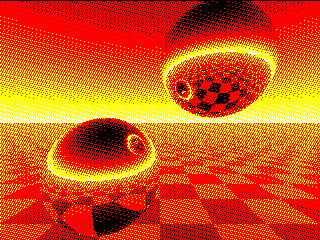
Spheres
MODE 2 Map(1)=RGB(Red) Map(2)=RGB(Yellow) Map(3)=RGB(White) Map set
For N=0 To 239 For M=0 To 319 X=0:Y=-.1:Z=3 U=(M-159.5)/160:V=(N-117.5)/160 W=1/Sqr(U*U+V*V+1):U=U*W:V=V*W I=Sgn(U):G=1 Do E=X-I:F=Y-I:P=U*E+V*F-W*Z D=P*P-E*E-F*F-Z*Z+1 If D>0 Then T=-P-Sqr(D) If T>0 Then X=X+T*U:Y=Y+T*V:Z=Z-T*W:E=X-I:F=Y-I:G=Z P=2*(U*E+V*F-W*G):U=U-P*E:V=V-P*F:W=W+P*G:I=-I Loop EndIf EndIf If V<0 Then P=(Y+2)/V:V=-V*((Int(X-U*P)+Int(Z-W*P)And 1)/2+.3)+.2 EndIf Color Map(3-(48*Sqr(V)+(7*(M+4*N))Mod 16)\16) Pixel M,240-N Next Next
Page 10 of 13
The Back Shed's forum code is written, and hosted, in Australia.




 Plasma