
| Menu | JAQForum Ver 19.10.27 |
| Menu | JAQForum Ver 19.10.27 |
Forum Index : Microcontroller and PC projects : PicoMiteHDMIUSB motherboard reference design
  Page 13 of 16 Page 13 of 16   |
||||||
So, a week has passed and now three items are out of stock ;(  |
||||||
What do we take from this....That these cannot be sourced reliably? |
||||||
SW16 is just a simple through hole DIL 2 position switch that you can get from anywhere. The CH334F appears to have been withdrawn following my complaints about quality issues with current batch. The memory chip has never been available from JLC/LCSC and should be sourced separately e.g. . I have just done a design with a different hub chip and am waiting for the boards to be built and shipped (c2 weeks). I've also replaced the switch with one that is in-stock. Once proven I will release the gerbers for this slight modification. Edited 2025-04-10 20:48 by matherp |
||||||
“The memory chip was never available from JLC/LCSC and should be purchased separately” ? Oh, I didn't have that on my screen. I wanted to avoid soldering it on by hand. Does that mean I HAVE to get it myself and solder it on? |
||||||
The board works fine without it. The PSRAM is of limited utility as it is so slow. Can't be used for layer buffers etc. |
||||||
sh*t, I totally misunderstood that. I could have ordered on March 22nd. Now I have to wait until SW16 and CH334F are available ;( |
||||||
For anyone in UK, I still have a few spare units available. Can be supplied as just the assembled PCB (with or without PSRAM), and I also have enclosures too (something that can only be described as between beige and pale-grey), with or without front & rear panels (in black). I can ship to anyone in Europe (or further afield) BUT duty may be payable (although I have sent one successfully to France as a 'sample' without duty payable)..... |
||||||
PSRAM and power switch I don't want so fine by me. |
||||||
Signs and wonders are still happening. Today, all components are available (except for the PSRAM) 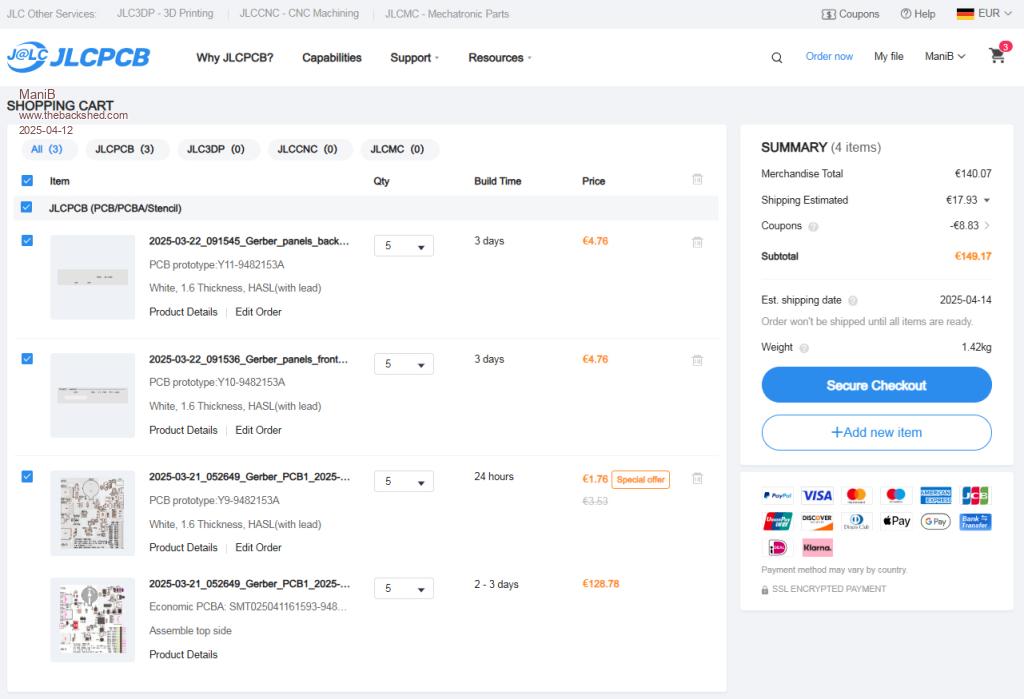 |
||||||
@Peter Mather I had a look at the DFM analysis of your board and downloaded the two pictures. I didn't notice any difference. 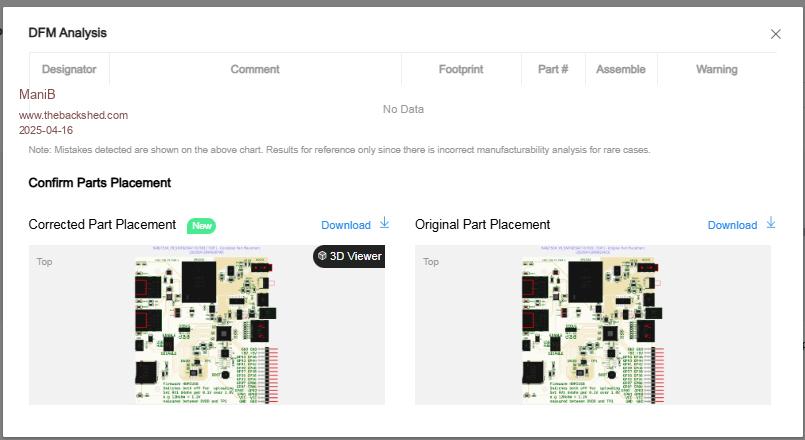 But then I handed it over to AI Grok and asked to list the differences. This is the answer: The two images show printed circuit boards (PCBs) labeled "Corrected Part Placement" (20250412904500799) and "Original Part Placement" (2025041290823423). At first glance, they look very similar, but there are some differences I can identify: 1. Component placement at C85 (top left): In the "Corrected" image, C85 (near PORT4) is present. In the "Original" image, C85 is either missing or not populated. 2. Labeling at SW16 (USB HUB): In the "Corrected" image, the "ENABLE" label at SW16 is clearly visible. In the "Original" image, the "ENABLE" label at SW16 appears less clear or is missing. 3. Resistor R33 (top right): In the "Corrected" image, R33 (near the AUDIO label) is present. In the "Original" image, R33 is either missing or not populated. 4. Component C104 (right center): In the "Corrected" image, C104 (near U21) is present. In the "Original" image, C104 is either missing or not populated. 5. Labeling at U24 (center right): In the "Corrected" image, the labeling at U24 (near C107) is clearer and more distinct. In the "Original" image, the labeling at U24 is less clear. Contextual Interpretation: Since the "Corrected" image is marked as a corrected version, the differences suggest that missing or incorrectly placed components (like C85, R33, C104) were added or fixed. The clearer labels might also indicate revised documentation or an improved layout. Conclusion: The differences are subtle but mainly involve the addition or correction of components and the clarity of labels. The "Corrected" image appears to be an improved version of the "Original" image, which aligns with the title. 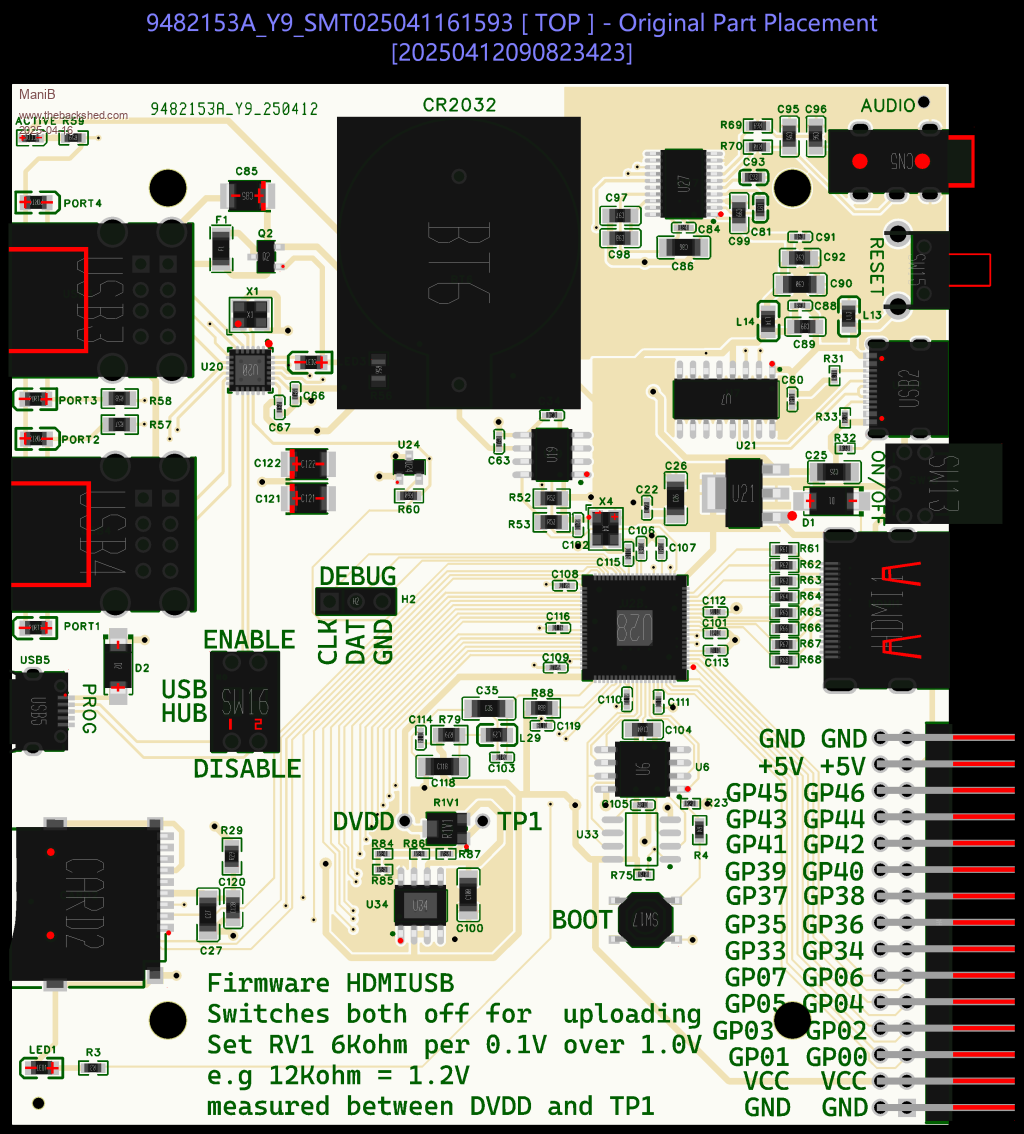 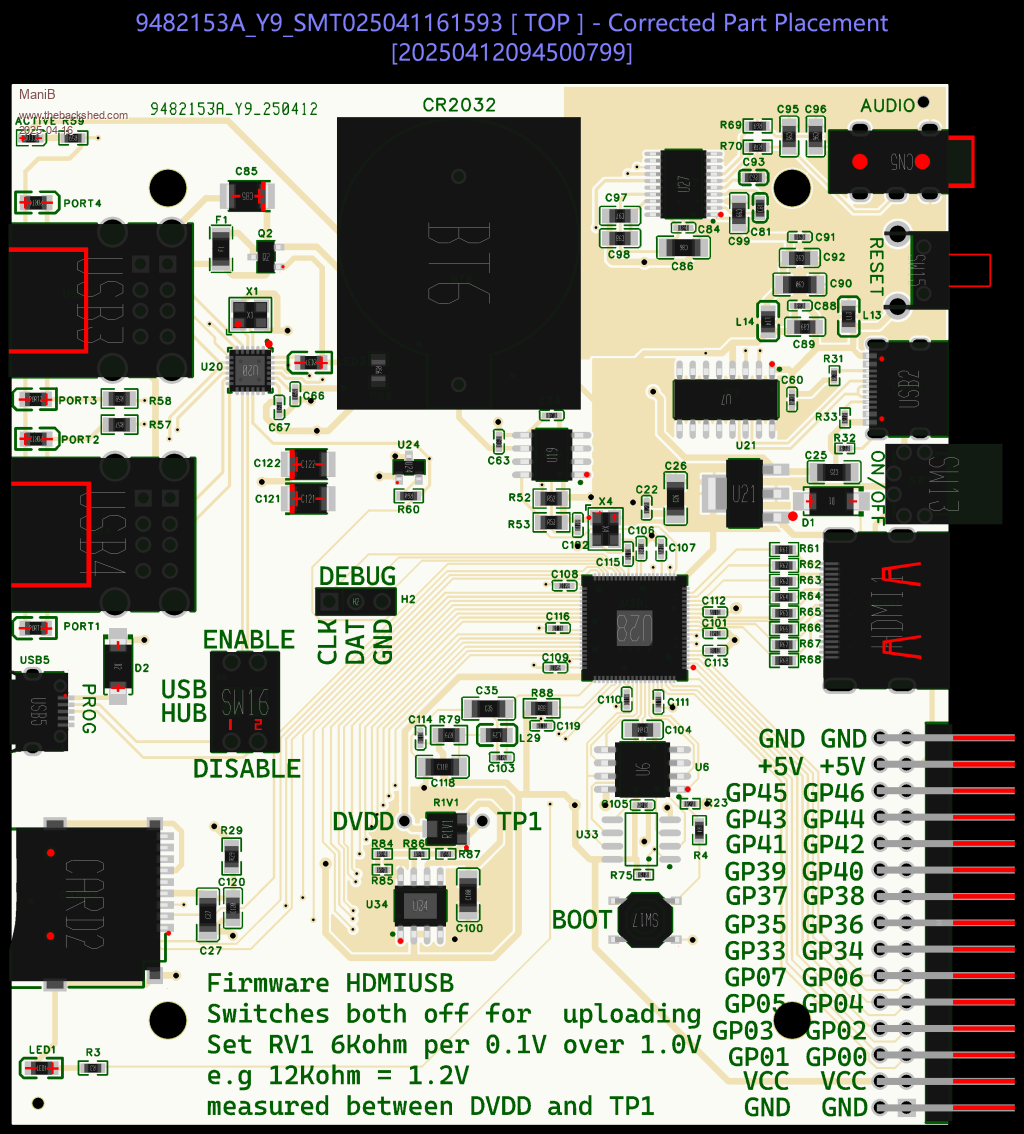 |
||||||
That is complete bo...cks. The panel above the two drawings shows any changes they have made. As it says "no data" it shows there weren't any. |
||||||
Hi AI = Artificial Incompetence Volhout |
||||||
Double Edited 2025-04-16 18:36 by Volhout |
||||||
I have to agree with you, the AI has completely failed here. I also looked at the supposed locations and could find NO, absolutely NOTHING different. Apologies for the mistake |
||||||
My boards are still in production at JLCPCB (89% production progress). I have now ordered 5 PSRAM from AliExpress and am surprised that I only pay €1.69 including shipping. How do they do that? 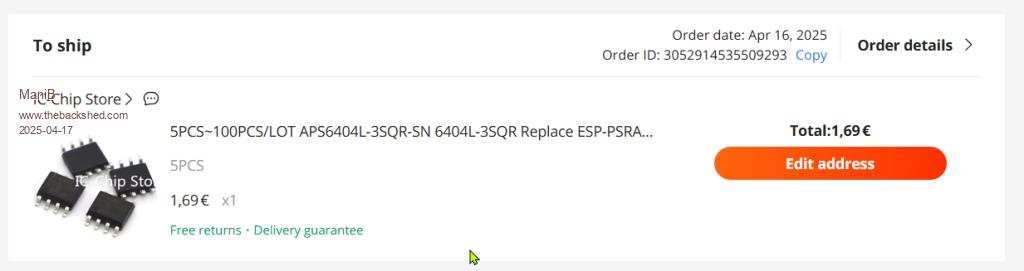 |
||||||
Hello everyone, the circuit boards from JLCPCB.com finally arrived today. 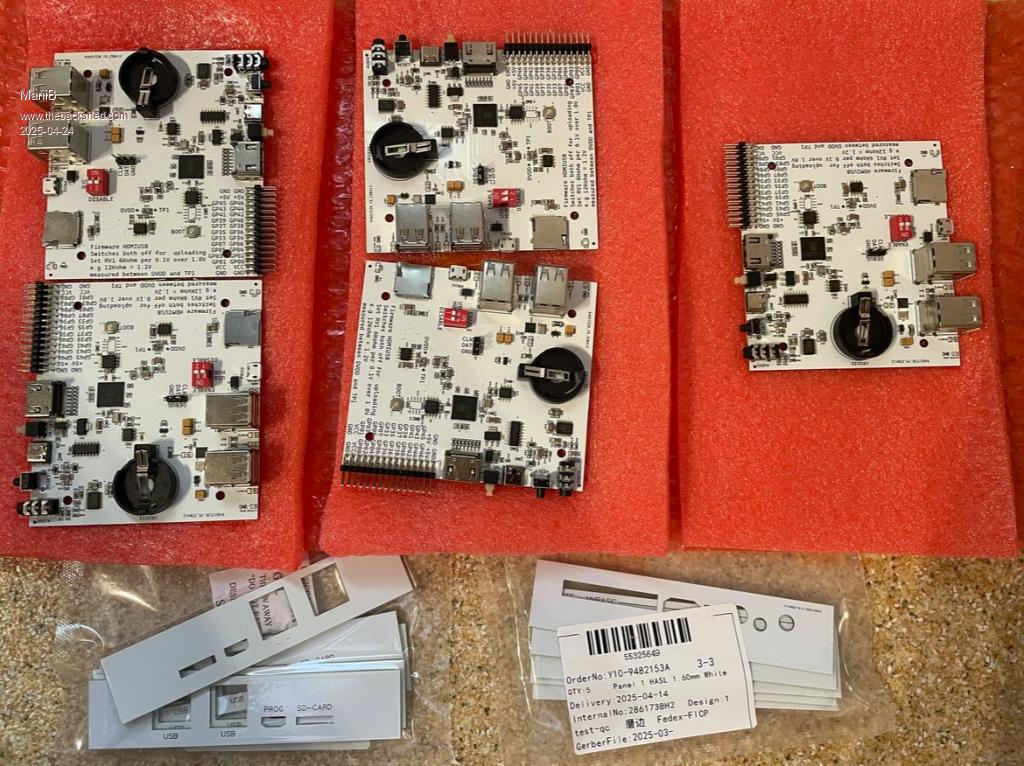 First of all, I installed the latest PicoMite firmware PicoMiteHDMIUSBV6.00.02RC17 on all of them to see if they work. 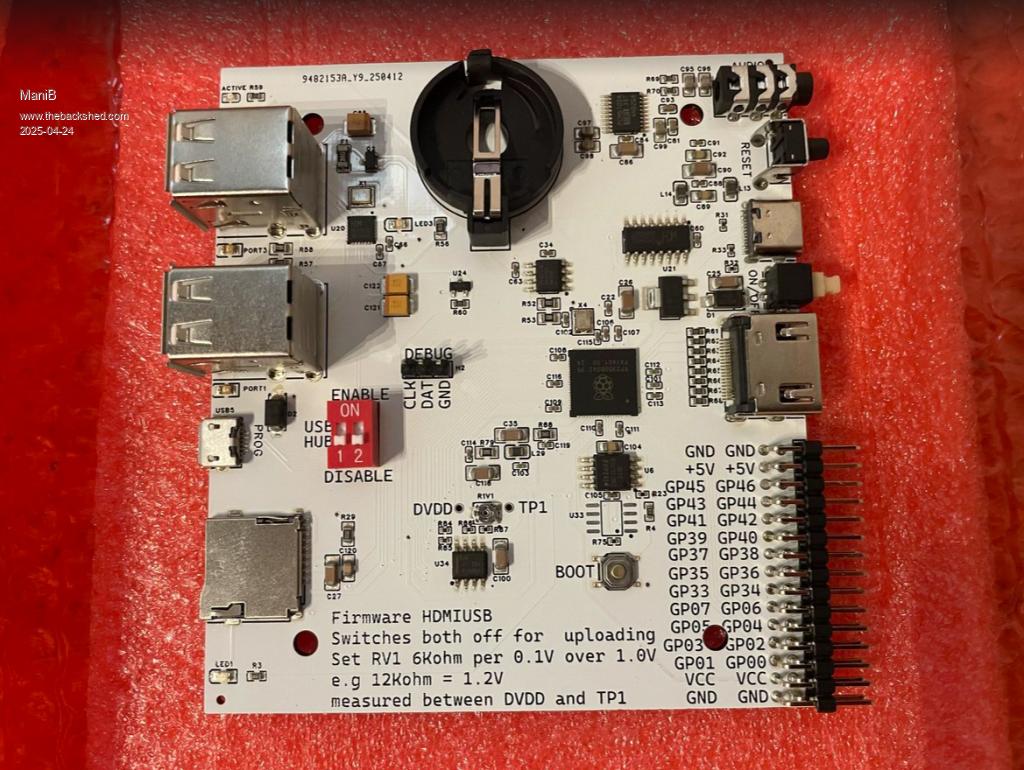 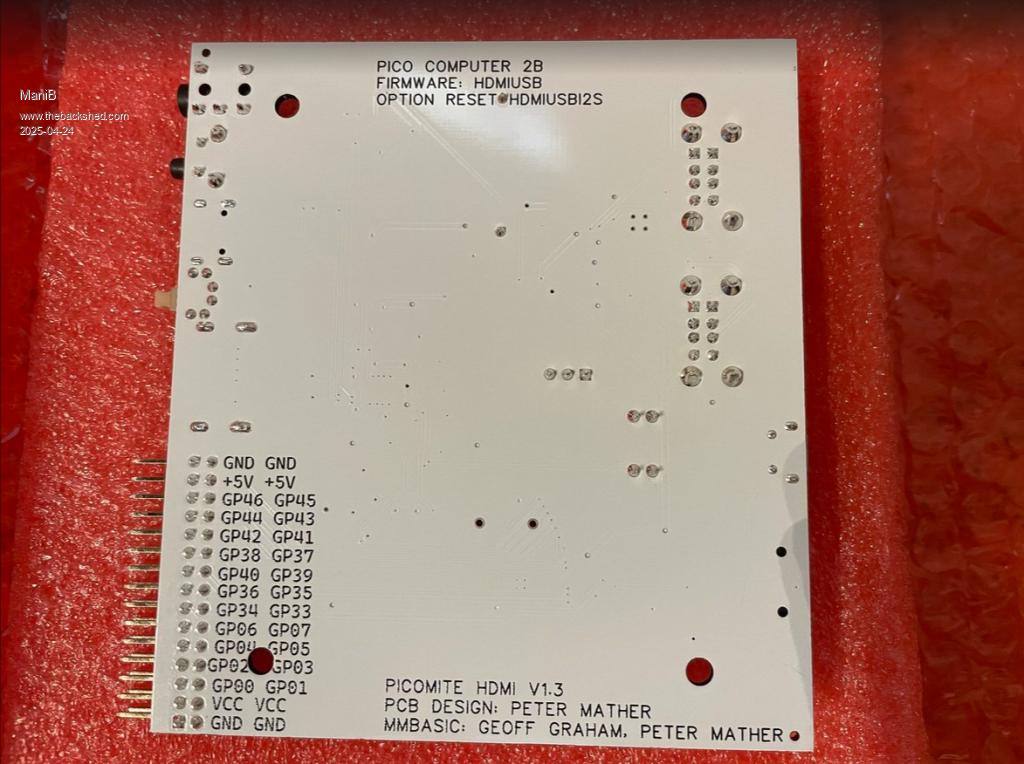 Then I installed them in the case and inserted a micro SD card and the CR2032 battery. 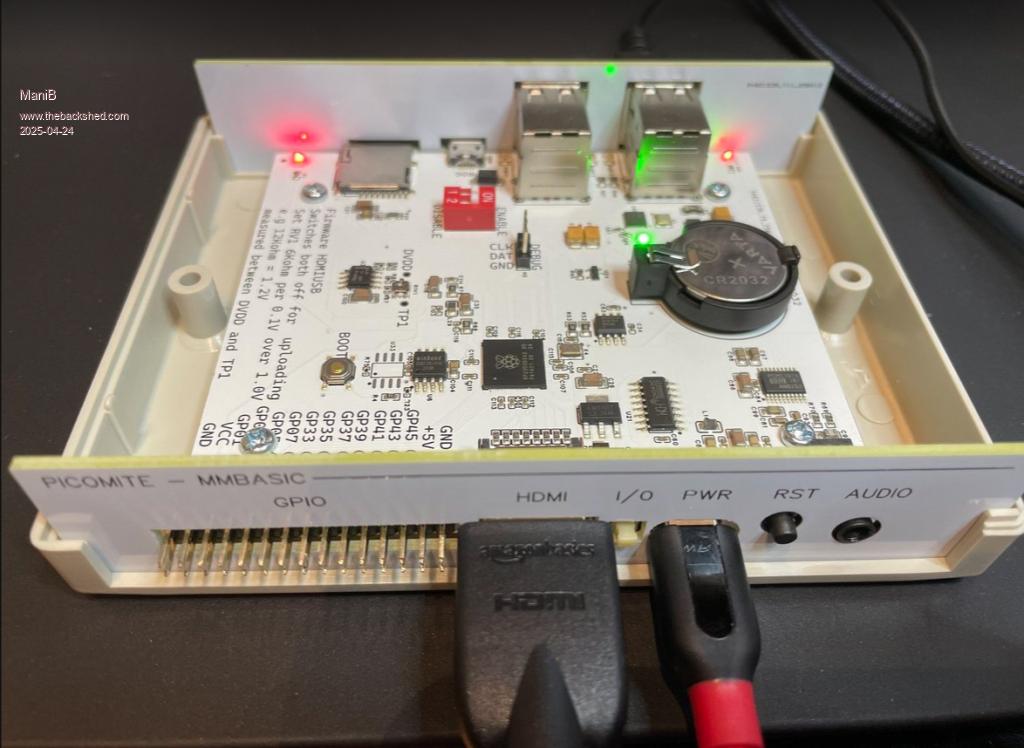 The PSRAMs also arrived today. I still have to solder them in. Can anyone else tell me what I need to do to ensure that the date and time are not lost after switching off? |
||||||
Regards Michael |
||||||
no, that doesn't work either ;( Here are my current options: > option list PicoMiteHDMI MMBasic USB RP2350B Edition V6.00.02RC17 OPTION SERIAL CONSOLE COM2,GP8,GP9 OPTION SYSTEM I2C GP20,GP21 OPTION FLASH SIZE 16777216 OPTION COLOURCODE ON OPTION KEYBOARD GR OPTION PICO OFF OPTION CPUSPEED (KHz) 252000 OPTION RESOLUTION 640x480 OPTION HDMI PINS 1, 3, 5, 7 OPTION SDCARD GP29, GP30, GP31, GP32 OPTION KEYBOARD REPEAT 250,25 OPTION AUDIO I2S GP10,GP22', ON PWM CHANNEL 11 OPTION RTC AUTO ENABLE OPTION COUNT GP0,GP1,GP2,GP3 OPTION MODBUFF ENABLE 512 OPTION PLATFORM HDMIUSBI2S OPTION HEARTBEAT PIN GP25 |
||||||
And one more question. What exactly is meant by setting RV1? 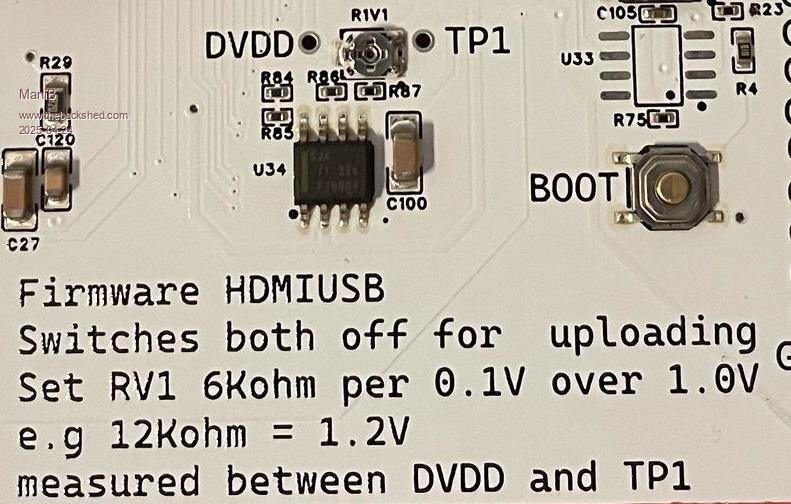 |
||||||
OPTION SYSTEM I2C GP20,GP21 That too, of course, but it is there. I don't have RV1. Perhaps you could take a look at the wiring diagram? |
||||||
| Page 13 of 16 |
||||||
 |
The Back Shed's forum code is written, and hosted, in Australia. |


