Posted: 01:25am 27 Jan 2021 Copy link to clipboard
TassyJim Guru
If your users have set the mouse in OPTIONs,
mouse_port = MM.INFO(OPTION MOUSE) IF mouse_port > -1 THEN ' we have a mouse CONTROLLER MOUSE OPEN mouse_port ENDIF
MM.INFO(OPTION MOUSE) returns -1 for mouse port not set.
I guess you should still have code to catch a mouse set but not plugged it but I would keep -1 as the no-mouse number.
Using a mouse for things like this is much easier (for me anyway).
Jim
Posted: 06:28pm 27 Jan 2021 Copy link to clipboard
jirsoft Guru
Hi Jim, I have still just HT mouse in CMM2 deluxe, didn't test PS/2 mouse yet. But I thought the OPTION MOUSE is just for EDITOR and FILE EXPLORER, so in normal operation I need still test it like I did it in SimplEd, just start with port #0. Am I right?
An yes, true, (maybe) I need somehow solve disconnecting during program use
Posted: 07:55pm 27 Jan 2021 Copy link to clipboard
vegipete Guru
I use the following:
mport = mm.info(option mouse) + 1 if mport then controller mouse open mport-1, LeftClick gui cursor on 2 settick 50, PeriodInt ' periodic interrupt to move mouse pointer else ' no mouse set so try find one mport = 4 do on error skip controller mouse open mport-1, LeftClick if MM.ERRNO then mport = mport - 1 else gui cursor on 2 settick 50, PeriodInt ' periodic interrupt to move mouse pointer exit do endif loop until mport = 0 ' no mouse found anywhere endif
mport holds the mouse port number PLUS ONE.
Posted: 09:07pm 27 Jan 2021 Copy link to clipboard
jirsoft Guru
So combination of my current test in SimplEd now and test for port 0. OK, I will change it to the same...
Thanks!
Posted: 09:25pm 27 Jan 2021 Copy link to clipboard
TassyJim Guru
I work on the theory that if you have a mouse connected, you will want to use it in the editor and file manager so you will have OPTION MOUSE set.
A user could use one mouse for the editor and a different one for games so the ability to override the mouse selection might be needed. Reading the OPTION to see which mouse the user prefers is a convenience but certainly not required.
Jim
Posted: 09:47pm 27 Jan 2021 Copy link to clipboard
jirsoft Guru
Hi, I uploaded SimplEd v 0.32 with (hopefully) better mouse init. When mouse is selected, it shows mouse image in the logo...
SUB SEinitMouse 'try to find mouse and set MOU.SE to it's port
LOCAL INTEGER i IF MM.INFO(VERSION) >= 5.07 THEN MOU.SE = MM.INFO(OPTION MOUSE) ON ERROR SKIP CONTROLLER MOUSE OPEN MOU.SE IF MM.ERRNO <> 0 THEN MOU.SE = -1 ENDIF ELSE MOU.SE = -1 ENDIF FOR i = 1 TO 3 IF MOU.SE < 0 THEN ON ERROR SKIP CONTROLLER MOUSE OPEN i IF MM.ERRNO = 0 THEN MOU.SE = i ENDIF ENDIF IF MOU.SE >= 0 THEN IF TUIquestion("MOUSE TEST", "Mouse found on port " + STR$(MOU.SE) + ", use it?") THEN LOAD PNG "Mouse.PNG", 640, 50 GUI CURSOR ON 0, MOUSE(X, MOU.SE), MOUSE(Y, MOU.SE), RGB(GREEN) ELSE MOU.SE = -1 ENDIF EXIT SUB ENDIF NEXT i END SUB
Posted: 10:20pm 27 Jan 2021 Copy link to clipboard
vegipete Guru
I don't think that is quite right.
You loop from 1 to 3 looking for a mouse. But 0 is a valid mouse port too.
Also, software that nags with questions that are almost always 'YES' is a royal nuisance. Maybe make a best guess as to which mouse port to use (use the one in MM.INFO(OPTION MOUSE) if available, otherwise test from 0 to 3 and pick the first one found) and offer a key command to choose a different one.
Posted: 10:57pm 27 Jan 2021 Copy link to clipboard
TassyJim Guru
Perhaps you could use this method: If a file "SimplEd.inf" exists, use it to load your preferences. That way users only have to answer questions once.
Jim
Posted: 12:42pm 28 Jan 2021 Copy link to clipboard
jirsoft Guru
I'm testing the port 0 as first, when is OK then not needed any more:
IF MM.INFO(VERSION) >= 5.07 THEN MOU.SE = MM.INFO(OPTION MOUSE) ON ERROR SKIP CONTROLLER MOUSE OPEN MOU.SE IF MM.ERRNO <> 0 THEN MOU.SE = -1 ENDIF ELSE MOU.SE = -1 ENDIF ... IF MOU.SE >= 0 THEN ...
But I will try on weeekend prepare PS/2 mouse and test both PS/2 and HT...
Posted: 12:48pm 28 Jan 2021 Copy link to clipboard
jirsoft Guru
Hi Jim, you are partially right, but for example I'm using same SD card in both CMM2s of mine (400 MHz and 480 MHz Deluxe with HT), so then will be problem with the missing question...
And I have also tested PS/2 mouse without mouse connected, with OPTION MOUSE 0 and it was pretty bad experience: after jumping into EDIT or FILE EXPLORER I have got mouse timeout and was kicked out of it, so both can't be used without mouse when configured. How is it when you disconnect PS/2 mouse during EDIT or FILE EXPLORER? With HT mouse it's no problem...
Posted: 06:15pm 28 Jan 2021 Copy link to clipboard
vegipete Guru
No, you are just testing the port that OPTION MOUSE is set to.
Posted: 06:19pm 28 Jan 2021 Copy link to clipboard
vegipete Guru
I've seen the mouse timeout event too. I would suggest the firmware ought to behave a bit more gracefully if OPTION MOUSE is set to a port with no mouse. It would also be nice if OPTION MOUSE -1 was valid, in addition to OPTION MOUSE OFF.
Posted: 07:25pm 28 Jan 2021 Copy link to clipboard
jirsoft Guru
OK, I tried to incorporate Pete's and Jim's comments about mouse handling into code , so v0.33 is online...
Enjoy!
And Pete + Jim: BIG thank you!
Posted: 01:04am 29 Jan 2021 Copy link to clipboard
vegipete Guru
For lines 137 and 138, you have:
LOCAL INTEGER x = MOUSE(X. MOU.SE), y = MOUSE(Y. MOU.SE) LOCAL INTEGER l = MOUSE(L. MOU.SE), r = MOUSE(R. MOU.SE), w = MOUSE(W. MOU.SE)
Some of the periods (.) must be changed to commas (,)
LOCAL INTEGER x = MOUSE(X, MOU.SE), y = MOUSE(Y, MOU.SE) LOCAL INTEGER l = MOUSE(L, MOU.SE), r = MOUSE(R, MOU.SE), w = MOUSE(W, MOU.SE)
Posted: 09:37am 29 Jan 2021 Copy link to clipboard
jirsoft Guru
Thanks Pete, I have to be blind, I will fix it at evening. I have anyway problem with the colors and font in editor, for me will be perfect, when is somewhere to possbile to configure it...
Posted: 12:06pm 30 Jan 2021 Copy link to clipboard
jirsoft Guru
Fixed...
Posted: 04:49pm 01 Feb 2021 Copy link to clipboard
jirsoft Guru
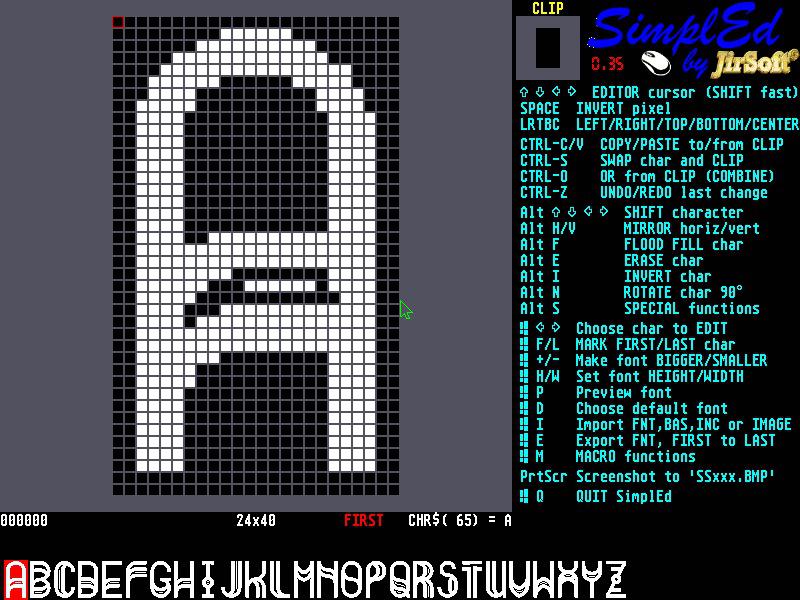
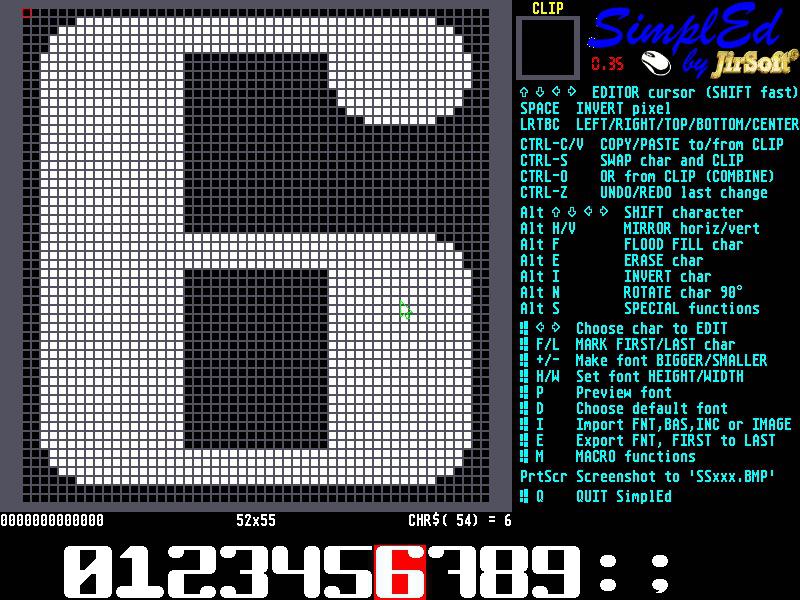
New version of SimplEd (0.35) is here with 2 new features:
First is smaller, but useful, with CTRL+S you swap current character and CLIP, so you can for example faster reorder wrong characters in font
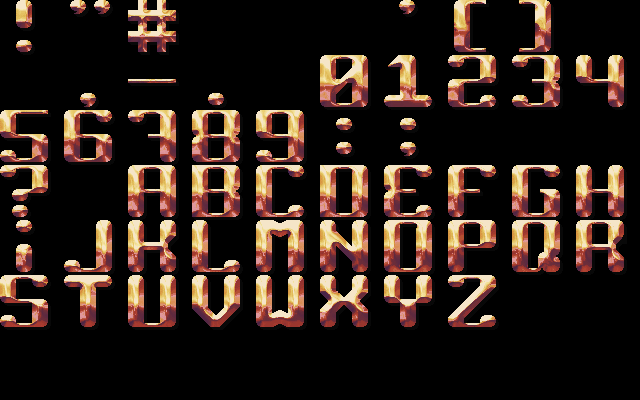
Second is much bigger, you can now in import select also image and scan it to font. It still needs to be polished, but already works pretty well. Because of it, now you need GRF.INC also for SimplEd (it's on GitHub included in SimplEd repository)...
From this You will get this
And from this (Mauro's font in DemoX)
You will getthis
Posted: 06:45pm 01 Feb 2021 Copy link to clipboard
Holger Newbie
Wow,
that is amazing.
Too sad, that Multicolor Fonts are not supported yet.
Posted: 12:25pm 02 Feb 2021 Copy link to clipboard
paceman Guru
Jiri, The Github SimpleEd v0.35 code has the //LIB #INCLUDES for the GRF and TUI files still active. The commenting needs to be swapped.
Greg
Posted: 04:33pm 02 Feb 2021 Copy link to clipboard
jirsoft Guru
Thanks Greg, fixed.
Page 2 of 3
The Back Shed's forum code is written, and hosted, in Australia.