
| Menu | JAQForum Ver 19.10.27 |
| Menu | JAQForum Ver 19.10.27 |
Forum Index : Microcontroller and PC projects : MMBasic V6.03.00 release candidates
  Page 22 of 26 Page 22 of 26   |
||||||
The color code in EDIT for MM.INFO$() does not work. The previously reported color codes with functions in EDIT now work. Jan. |
||||||
V6.03.00RC19 PicoMiteRP2040V6.03.00RC19.zip PicoMiteRP2350V6.03.00RC19a.zip PicoMiteRP2350V6.03.00RC19b.zip Various little tweaks. Harm: I think this finally fixes the PIO bug. It was a real bug and nothing to do with the MIN version. Just a fluke whether it was seen or not. The HDMIWEB version now supports: 640x480 at 252MHz, 315MHz and 378MHz, modes 1,2 and 5 720x400 modes 1,2 and 5 800x480 Modes 1 and 2 848x480 Modes 1 and 2 800x600 Modes 1 and 2 1024x600 modes 1,2 and 3 Normal RP2350 HDMI and VGA versions reserve 320x240x2 bytes (153600) for the framebuffer. This allows all the normal resolutions that have been supported. Web functionality requires a lot of RAM so the HDMI WEB reduces the framebuffer to 320x240x1 bytes (76800) which restricts the resolutions and modes available. However there is still a good selection there including all the critical ones (320x240x16colour). Personally I find 1024x600 mode 3 is perfect for the cheap 1024x600 HDMI displays with touch. This gives 16-colours @ 512x300 resolution perfect for editing. |
||||||
Simply amazing, I'm not aware of anything better :) I bought an OV7670 some years ago and never used it. Today was the day I tried it and couldn't get a clear picture, the colours are scrambled. I tried different GP combinations but with same result. Can somebody please confirm the camera is running and provide the details? My setup: > option list PicoMite MMBasic USB RP2350B Edition V6.03.00RC18 OPTION SERIAL CONSOLE COM2,GP8,GP9 OPTION SYSTEM SPI GP2,GP3,GP0 OPTION LCD SPI GP14,GP15,GP12 OPTION SYSTEM I2C GP4,GP5 OPTION FLASH SIZE 16777216 OPTION COLOURCODE ON OPTION KEYBOARD US OPTION PICO OFF OPTION CPUSPEED (KHz) 384000 OPTION LCDPANEL CONSOLE 7 OPTION DISPLAY 30, 53 OPTION LCDPANEL ILI9341, LANDSCAPE,GP16,GP17,GP18,GP11 OPTION TOUCH GP13,GP19 OPTION AUDIO GP6,GP7', ON PWM CHANNEL 3 OPTION RTC AUTO ENABLE OPTION DEFAULT FONT 7, 1 > list system i2c HEX 0 1 2 3 4 5 6 7 8 9 A B C D E F 00: -- -- -- -- -- -- -- -- -- -- -- -- -- -- -- -- 10: -- -- -- -- -- -- -- -- -- -- -- -- -- -- -- -- 20: -- 21 -- -- -- -- -- -- -- -- -- -- -- -- -- -- 30: -- -- -- -- -- -- -- -- -- -- -- -- -- -- -- -- 40: -- -- -- -- -- -- -- -- -- -- -- -- -- -- -- -- 50: -- -- -- -- -- -- -- -- -- -- -- -- -- -- -- -- 60: -- -- -- -- -- -- -- -- 68 -- -- -- -- -- -- -- 70: -- -- -- -- -- -- -- -- -- -- -- -- -- -- -- -- With ILI9341buff it won't work at all. I understand, but not nice.. Will have a try with RC19 now |
||||||
Peter, Problem LIST PINS still present. > option list WebMite MMBasic RP2350A Edition V6.03.00RC19 OPTION FLASH SIZE 4194304 OPTION COLOURCODE ON OPTION CPUSPEED (KHz) 200000 > memory Program: 0K ( 0%) Program (0 lines) 256K (100%) Free Saved Variables: 16K (100%) Free RAM: 0K ( 0%) 0 Variables 0K ( 0%) General 304K (100%) Free > list pins GP0 1 OFF GP1 2 OFF GP2 4 OFF Press any key to continue GP3 5 OFF GP4 6 OFF Press any key to continue GP5 7 OFF GP6 9 OFF Press any key to continue GP7 10 OFF GP8 11 OFF Press any key to continue GP9 12 OFF GP10 14 OFF Press any key to continue GP11 15 OFF GP12 16 OFF Press any key to continue GP13 17 OFF GP14 19 OFF Press any key to continue GP15 20 OFF GP16 21 OFF Press any key to continue GP17 22 OFF GP18 24 OFF Press any key to continue GP19 25 OFF GP20 26 OFF Press any key to continue GP21 27 OFF GP22 29 OFF Press any key to continue GP23 41 Boot Reserved : CYW43 GP24 42 Boot Reserved : CYW43 Press any key to continue GP25 43 Boot Reserved : CYW43 GP26 31 OFF Press any key to continue GP27 32 OFF GP28 34 OFF Press any key to continue GP29 44 Boot Reserved : CYW43 > list variables Jan. |
||||||
Hi Peter, Victory !!! I tested the rc19 MIN version on 4 different platforms (GEEK, ZERO (2x), RP Pico) and on all the PIO FIFO works. Later I will test rc19 MIN on a Game*Mite, and see if this is candidate for the final version for that platform (are the speed optimizations back in ?). I noticed it still has the larger A: drive. Nice. If it runs all games, Geoff's FM, Tom's FM, and my personal tools (thermal camera / MODBUS analyzer / temperature meter) then I will report back here. Thank you for your persistence, finding what was wrong. I searched for weeks, but had no clue. Volhout Edited 2026-06-14 03:30 by Volhout |
||||||
Hi dddns, Monday I can test with rc19 on a RP2040. But I have seen V60202 b5 working on an OV7670 (genuine RP pico). Originally I tried V60202 b2, and the camera was showing tearing at 252MHz. it needed 300+ MHz to work correct (tested on a SPI ILI9341). After a little tweaking from Peter, it ran correct at 200MHz. I think that was b5. I assume the 60300 series inherited the tweak. You are using a 2350. Have not tested that one. Volhout Edited 2026-06-14 03:43 by Volhout |
||||||
Hi Peter, All Game*Mite games run (even your/Claude's Breakout), and PETSCII runs around 70 ms loops (14fps), pico-frog without sound artefacts, so the speed optimizations are in PicoMiteMinV60300rc19. Thank you, this will be the version I plan for the release of the 2040 Game*Mite. Only pending are my tools. But I assume these are okay since PIO works, and heap is large enough for the thermal camera. Thank you, Volhout |
||||||
Hi Peter! RC19 freezes and immediately restarts if I use json$ function. (In program and command line also). Webmite 2350 version, Picocalc with Pimoroni Pico Plus 2W, PSRAM enabled. G@bor Footnote added 2026-06-14 06:00 by terekgabor Checked RC18 same issue occured. RC17 is ok. G@bor |
||||||
Hange on and you can use the actual release. Should be out within a week at the latest. G@bor: please try this PicoMite.zip Edited 2026-06-14 07:56 by matherp |
||||||
Peter! Same result, restart immediately. Before it this is printing on screen: PC=100AEBC8 LR=100A988B G@bor |
||||||
G@bor Please can you capture the json just before attempting to decode it and post it here. You can use LONGSTRING PRINT to output it Edited 2026-06-14 17:23 by matherp |
||||||
|
||||||
|
||||||
Peter! It works thanks, what caused this? G@bor |
||||||
Running out of system heap. The json parser is very hungry. I've recoded to use MMBasic heap in an "arena" so it grabs 4K at a time and then allocates the small json requests from that. It the adds another 4K when needed. That allows the normal ram and psram to all be used if necessary |
||||||
Thanks! Sounds very good solution.  G@bor |
||||||
I tried OV7670 with RC19 and a minimal config and different GPs for I2C: > option list PicoMite MMBasic USB RP2350B Edition V6.03.00RC19 OPTION SERIAL CONSOLE COM2,GP8,GP9 OPTION SYSTEM SPI GP14,GP15,GP12 OPTION SYSTEM I2C GP28,GP29 OPTION FLASH SIZE 16777216 OPTION COLOURCODE ON OPTION KEYBOARD US OPTION PICO OFF OPTION CPUSPEED (KHz) 200000 OPTION LCDPANEL CONSOLE 7 OPTION DISPLAY 30, 53 OPTION LCDPANEL ILI9341, LANDSCAPE,GP16,GP17,GP18,GP11 OPTION DEFAULT FONT 7, 1 > > > camera open gp32,gp33,gp34,gp35,gp36,gp20 > timer=0 : camera capture 2 : ? timer : save image "a:cam_test.bmp" 204.174 Blue looks ok but lilac should be white: 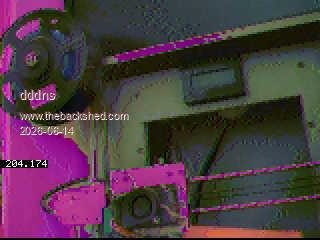 |
||||||
Can you try it with a rp2040 to see if it is a H/W or S/W issue? Do you have pullups on the I2C pins? Edited 2026-06-14 19:10 by matherp |
||||||
The camera runs perfect with this if cpuspeed is >=252000. PicoMite MMBasic RP2040 V6.03.00RC19 OPTION SYSTEM SPI GP18,GP19,GP16 OPTION SYSTEM I2C GP14,GP15 OPTION FLASH SIZE 16777216 OPTION COLOURCODE ON OPTION CPUSPEED (KHz) 252000 OPTION LCDPANEL CONSOLE 7 OPTION DISPLAY 30, 53 OPTION LCDPANEL ILI9341, LANDSCAPE,GP20,GP21,GP22 OPTION DEFAULT FONT 7, 1 I will now check with different cpuspeed with the PGA2350. 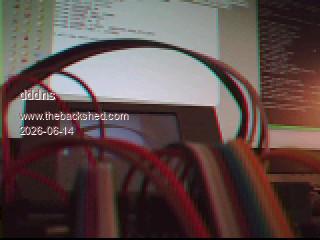 |
||||||
I'm running RP2350 at 200MHz with no capture issues but it is clearly now working for you so that's good |
||||||
| Page 22 of 26 |
||||||
 |
The Back Shed's forum code is written, and hosted, in Australia. |


