
| Menu | JAQForum Ver 19.10.27 |
| Menu | JAQForum Ver 19.10.27 |
Forum Index : Microcontroller and PC projects : Font editor SimpleEd for CMM2
  Page 3 of 3 Page 3 of 3 |
||||||
If you want to ponder strange things to add to SimplEd, how about ghosting a character (or other image) behind the character you are currently editing. Using a 12 bit mode could make this easy: show the ghost image on page 0, and the character being edited on page 1. This would allow you to match characters to each other better. |
||||||
Hi Pete, thanks, strange ideas are the best ones  I didn't play with 12 bit modes yet, but I can test it... I didn't play with 12 bit modes yet, but I can test it... |
||||||
New version V0.38 with following change: WIN+0 will find minimal WIDTH and HEIGHT for all characters from FIRST to LAST. It's useful after font scanning, so you can make the font size smaller. Be careful, the size is pure size (without margins). How to use it: go through font and erase random points from scanning get font size with WIN+0 put all chars to RIGHT TOP (ERASE MACRO, RECORD MACRO, R, T, PLAY MACRO to FONT) adjust WIDTH and HEIGHT (WIDTH need to be multiplication of 4) put all to the CENTER (ERASE MACRO, RECORD MACRO, C, PLAY MACRO to FONT) go through font and with ALT+CRSR move chars to proper position if needed This scanned font after 5 min of work... 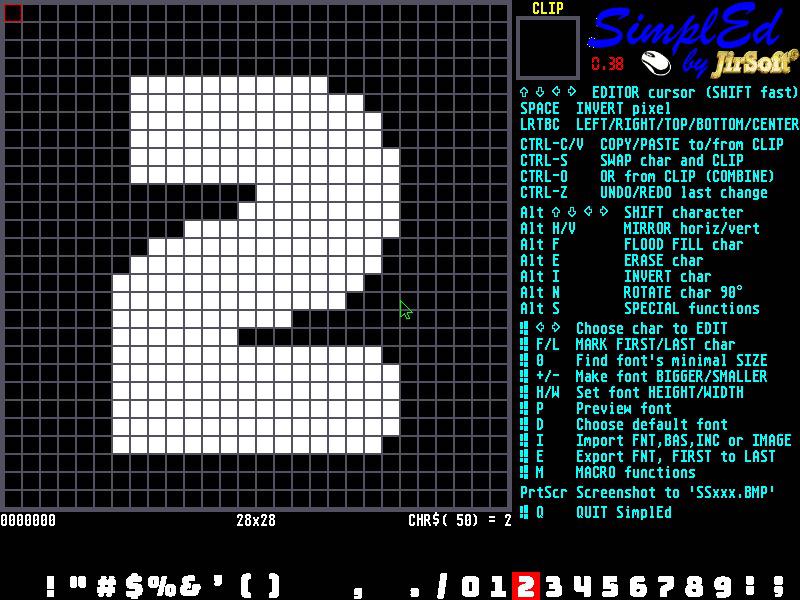 |
||||||
Hi all, after some time I have updated SimplEd v0.40 with following changes: + IMPORT from image doesn't erase font, so you can import new characters from different images into same font + moving character cursor in image scanning is faster with SHIFT (10 pixels) + some shortcuts were changed 1. moving character LEFT/RIGHT/TOP/BOTTOM/CENTER is now with ALT 2. WIN+SHIFT+F marks FIRST char in font (USED for preview and export) 3. WIN+SHIFT+L marks LAST char in font (USED for preview and export) 4. WIN+F jumps to FIRST char 5. WIN+L jumps to LAST char 6. all other keys jumps directly to this char! Enjoy! 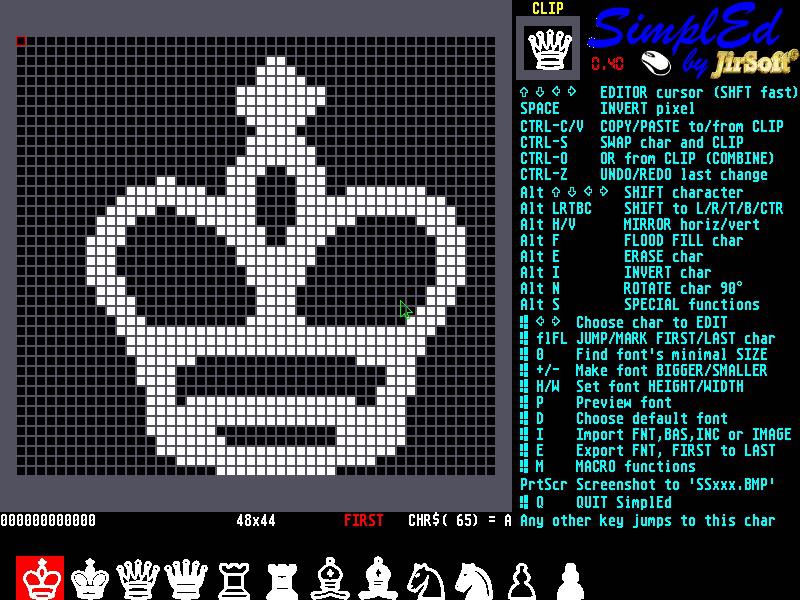 Edited 2021-05-26 05:44 by jirsoft |
||||||
Hi Jiri, I'm old fashioned. I use nothing but clones of the original IBM model M put together by former IBM employees who bought the patent for the buckling spring key switch and the production machinery when IBM abandoned making keyboards. UNICOMP keyboard They sound like a 1932 Maxwell being driven across the track at a railroad crossing but they feel great. The ones I buy still don't have the windows key. You might give some thought to some way to select another key combination and possibly store it in a configuration file. Paul in NY |
||||||
Hi Paul, I'm sorry for it, I have just one keyboard and so I have chosen the key combinations.  The main concept was to use some key for one specific char (all with ALT, plus CURSOR and SPACE for editing), some for font (WIN key, can be combined with SHIFT), CTRL just for clipboard and the non-modified keys for direct select of the character to edit (used in last version)... The main concept was to use some key for one specific char (all with ALT, plus CURSOR and SPACE for editing), some for font (WIN key, can be combined with SHIFT), CTRL just for clipboard and the non-modified keys for direct select of the character to edit (used in last version)...The idea with config file sounds good, I need just solve the displaying of the shortcuts on the screen. I will think it over and try to find some solution. |
||||||
Hi Jiri, I don't think you need to display the potentially programmable hotkeys all the time and increase screen clutter. You've only defined four of them -- WIN+SHIFT+F, WIN+SHIFT+L, WIN+F, and WIN+L. If the user stores them sequentially in some sort of configuration file he just has to view the contents of the file if he forgets what keys he set. I am a big fan of Ghisler's Total Commander and its parent the original Norton Commander. (I see that he has posted a release candidate for version 10.0 a week ago on 5/20/21.) You picked a good target when you decided to write a work-alike. In TC viewing the configuration file is a simple as putting the TC cursor on it and pressing F3 (Lister). Please note that Ghisler's TC has a LOT of switchable things that can potentially clutter up the screen -- two button bars, one drive button bar, a drive combobox, folder tabs, a current directory with clickable path parts, a tabstop header, a status bar, a command line, and function key buttons all come to mind. Ghisler stores them all plus a lot of history items in a WINCMD.INI file which sits in the USER\name\APPDATA\ROAMING\GHISLER\ directory. Paul in NY |
||||||
Hi all (especially Paul  ), ),new version SimplEd v0.41 is on the GitHub: Keys can now be defined in SimplEd.CFG file, when this file not exists, default keys are used (sample SimplEd.CFG file is provided, with comments inside, WIN is replaced with other keys) File has 2 sections: 1. #help-texts, here is on-screen-help for shortcuts 2. #shortcuts, here are the key definitions When you don't need to change shortcuts from defaults, simply rename or delete SimplEd.CFG... Keys numbers for the section 2 can be found by running included Show_Keys.BAS. This program maybe can be interesting in more ways as just for SimplEd, because it can preview all the keys. On the other side, I'm using specific key detect system (INKEY$ + KEYDOWN(7)... |
||||||
That's a nice implementation of SimplEd.CFG file Jiri!! The amount of screen clutter should be left to the user. Everybody's eye are different. Show_Keys.BAS is also a good idea. Paul in NY |
||||||
Hi, Jiri, Just saw this topic this evening, and pulled almost all your .zip archives at github - a lot of this stuff looks very interesting, and will have uses for what I hope to be doing with my RetroMax. I hope to transfer and unzip everything tomorrow sometime - today has been a busy day, but I wanted to say, "Thank you!" |
||||||
Thanks. |
||||||
You're welcome |
||||||
I've just done the same thing :) Thank you so much for the editor! |
||||||
Hi all SimplEd users, I have updated it to version 0.42. What's new: 1. edited char can be also ANDed with CLIP (it could be just ORed before), it brings some interesting possibilities (see below) 2. CLIP can be saved into memory and loaded back (in Special functions), so you can actually use 2 CLIPs 3. MACRO can be saved into text file and loaded back. You can build library of macros... 4. F1 brings short help on the screen with some hints With this macro (MacroOutline.TXT on GitHub) 'SimplEd macro recorded on 17-07-2021 at 23:24:45 10 'Invert char 13 'COPY to CLIP 23 'Save CLIP to memory 10 'Invert char 13 'COPY to CLIP 6 'Shift/rotate left 15 'OR from CLIP 7 'Shift/rotate right 7 'Shift/rotate right 15 'OR from CLIP 6 'Shift/rotate left 9 'Shift/rotate down 15 'OR from CLIP 8 'Shift/rotate up 8 'Shift/rotate up 15 'OR from CLIP 9 'Shift/rotate down 24 'Load CLIP from memory 22 'AND from CLIP you can convert this font 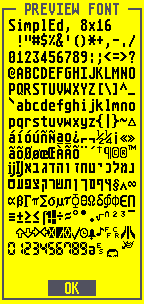 to this one to this one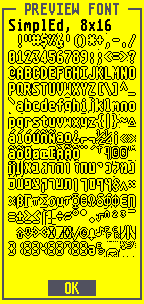 F1 help 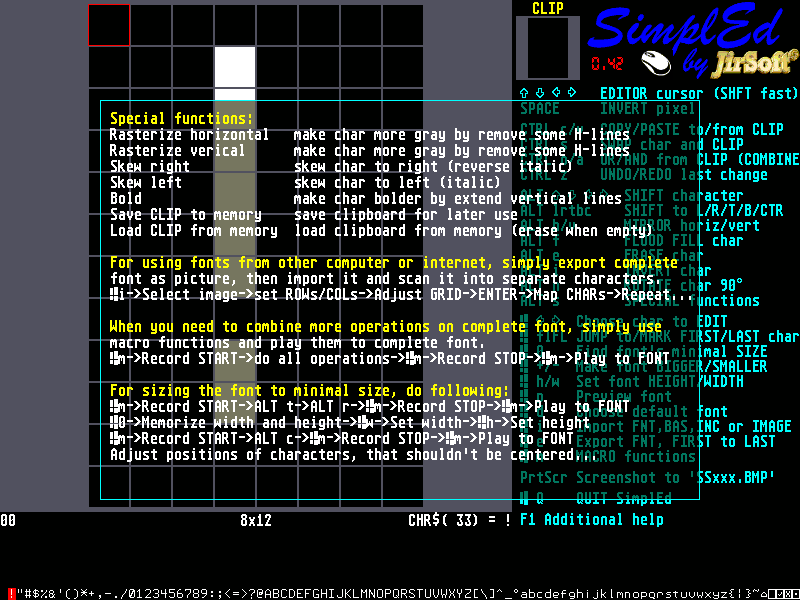 Enjoy! 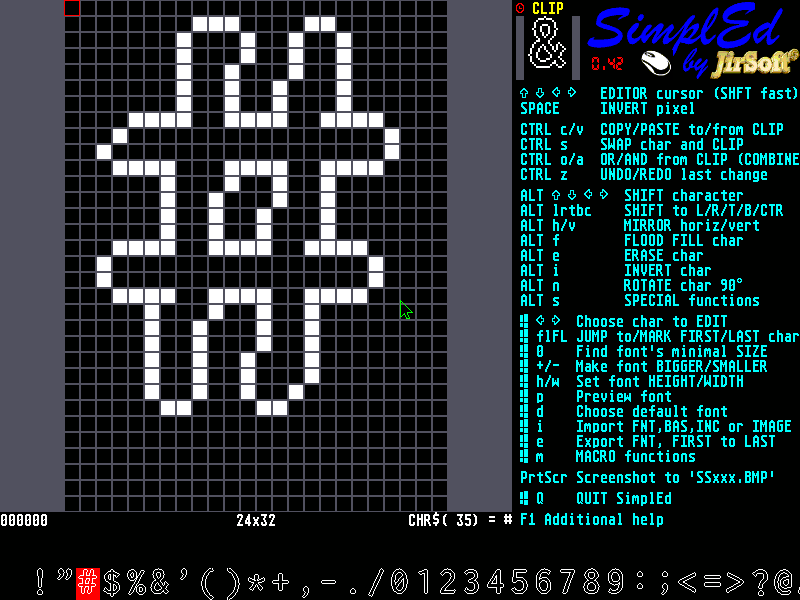 |
||||||
Great work, @jirsoft! |
||||||
That is a really cool effect to dim the background for the help screen. BOX AND_PIXELS 100,100,MM.HRES-200,MM.VRES-200, &h707070 Nicely done!  |
||||||
Thanks. When I saw the command in the new firmware, I couldn't resist |
||||||
| Page 3 of 3 |
||||||
 |
The Back Shed's forum code is written, and hosted, in Australia. |


